
How to quickly download .apk files from Google Play
With just a few simple steps, you can download .apk files from the Google Play Store without installing any third-party applications.
With just a few simple steps, you can download .apk files from the Google Play Store without installing any third-party applications.
There are many ways to download .apk files from the Google Play Store to your computer, such as using a Chrome or Firefox browser extension and then performing a series of steps just to create a download link.
However, if you are unfamiliar with or confused by these steps, you will likely encounter many difficulties whenever you want to download the .apk files you need from the Google Play Store.
With Evozi's APK Downloader, you can easily download any free app from the Google Play Store without having to perform a dozen complicated steps or install any additional apps.
All you need to do is use one of the browsers pre-installed on your PC, access the Google Play Store, and then search for the app you want to download.
Now, copy the entire URL of the application's website.
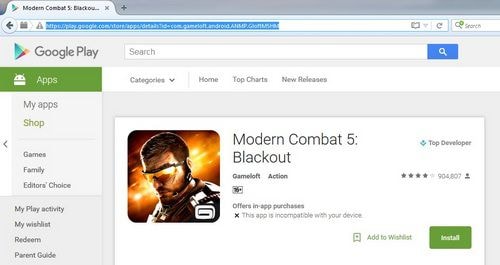 |
| You can download any .apk file for free from Google Play. |
Next, on Evozi's APK Downloader homepage, paste the URL into the "Package name or Google Play URL" field and then click the "Generate Download Link" button.
Next, press the green button that the system displays right below the Generate Download Link button.
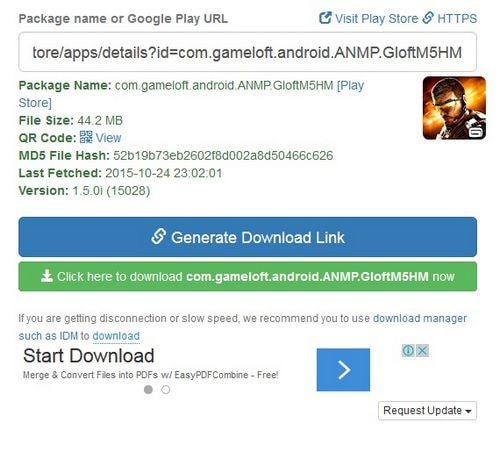 |
| The system will automatically generate a download link. |
At this point, depending on the browser you are using, a download dialog box or window will appear; simply click the Save button to start saving this .apk file.
According to PCWorld
| RELATED NEWS |
|---|