

Why shouldn't you delete photos from your camera's memory card?
If you're using a camera, you'll definitely want to read this article. It's written by a memory card expert, the marketing director of Lexar, who specializes in handling memory card issues.
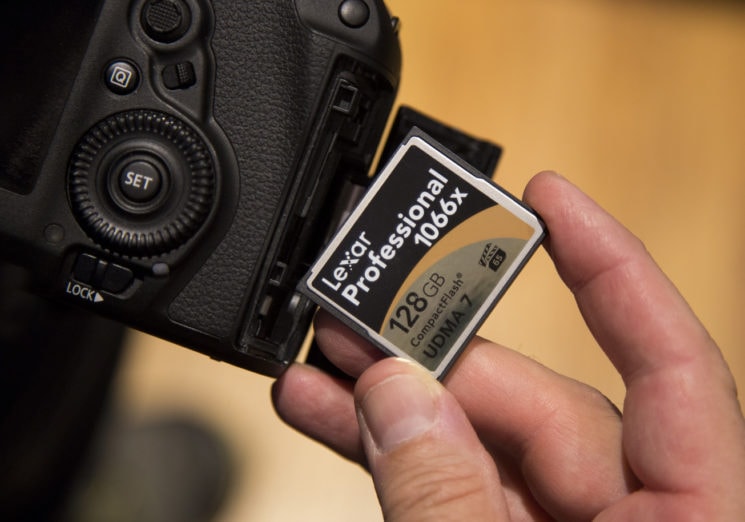
Most people only see a memory card as a piece of plastic or metal, but inside it's a lot of "smart stuff." There's flash memory, a controller, and much more. The quality of the memory and controller determines the speed and quality of your memory card.
 |
Here are some things to keep in mind when using memory cards in your camera:
Do not delete photos from the memory card directly on the camera:This means don't just scroll through photos and delete them one by one with your camera. Many people do this, including professional photographers, and it's really bad practice. Cameras are amazing at taking pictures, but they're not smart about managing data on memory cards. Deleting photos from a memory card one by one with the camera is the quickest way to damage the card. Therefore, after uploading photos to your computer, format the memory card before using it again.
Format the memory card on the camera, not on the PC:Numerous websites recommend formatting memory cards using a computer. However, this is bad information. You should format the memory card using the camera you're using. For example, if you're using multiple cameras—a Canon 1DX Mark II, a Canon 1DX, a Canon 5D Mark IV, etc.—format the memory card on each camera you're using. If you remove the memory card and format it on a different camera, everything will work fine, of course. But that process can cause problems. In short, it's not a good idea to remove a memory card from one camera and put it into another without formatting it first.
Please reformat the memory card after each use.Reformatting your memory card after each trip with a lot of photos is a good idea. Once you've loaded and saved photos to the memory card, you should reformat it before using it again. This will help keep the card "clean".
Use a good card reader:Remember, memory card readers have intelligent controllers inside, just like memory cards. A faulty memory card reader will damage the memory card.
Don't let your memory card get too full: While most memory cards are excellent and have all the smart features, it's not good to cram them in until they're overflowing. The advice is to only use about 90% of the card's capacity. The same applies to computer hard drives.
Do not remove the memory card from the camera or card reader while data is being written or read.If data is being transferred to/from the memory card and the process is interrupted, you may lose some or all of your photos. Don't always rely on the red indicator light on the camera to determine if data is being transferred. Before removing the memory card, wait a few seconds after the red light on the camera has completely turned off.
If your camera has two memory card slots, save photos to both cards:Therefore, if one card malfunctions, you will have the other card as a backup.
Buy a good brand of memory card:Remember, you're entrusting the quality of your photos and moments to a memory card, and you'll be using it many times, so be generous and buy a good one. In the long run, it's not expensive at all.
Additionally, there are some very common misconceptions about memory cards, as listed below:
If the memory card falls into water, the data will be completely lost.This is incorrect. If you find yourself in this situation, you probably shouldn't continue using that memory card, to prevent the possibility that it's damaged. However, the data on it may still be recoverable.
The memory card must be kept in its box.You don't always need to keep the memory card in its case carefully; that's not a problem.
The X-ray machines at the airport can damage memory cards.Previously, X-ray machines could damage film, but they pose no threat to the solid-state memory cards you use today.
Conclude:Memory cards are small, but they pack a lot of technology into them. They also store many memories and moments that may never happen again, so use them wisely!
According to XHTT
| RELATED NEWS |
|---|