

3 free Linux tools to optimize management and skills.
Discover Bagels for expense tracking, Déjà Dup for secure data backup, and KTouch for improved typing speed—all open-source.
The Linux operating system is renowned for its vast open-source software repository, offering users countless options. However, finding truly useful and reliable applications can be a challenge. This article will introduce three free, effective tools to help you address essential needs: financial management, data backup, and typing skills improvement.
Bagels: Manage your personal finances right on your Terminal.
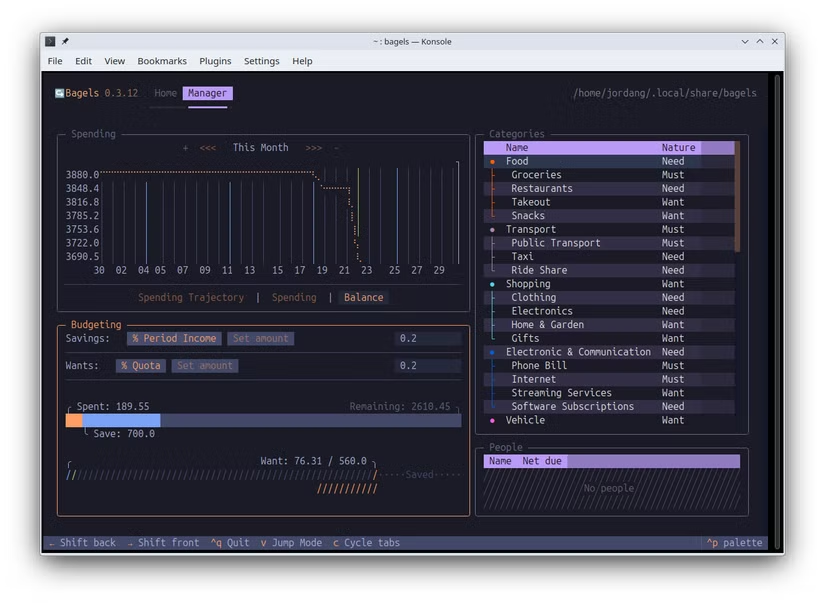
Bagels is a unique expense tracking tool that operates entirely through a command-line (terminal) interface. Despite lacking a graphical interface, the application boasts incredible power and a clever design. Users can create separate accounts to manage income and expenses, record daily transactions, and categorize them in detail.
Bagels' highlight is its ability to visualize data through eye-catching charts and analyses of spending and balances. All records are stored in an SQLite database, allowing for easy transfer to other devices. An interesting detail is that each time the app starts, it displays a 3D animation of a bagel created from ASCII characters.
Instructions for installing Bagels
Installing Bagels requires a few steps. First, you need to install a Python package manager calledUVusing the following command:
curl -LsSf https://astral.sh/uv/install.sh | sh
After restarting your terminal session, proceed to install Bagels with the following command:
uv tool install --python 3.13 bagels
To launch it, simply type "bagels" into the terminal. You can start by creating accounts such as "Work" for business expenses or "Credit Cards" to track card spending.
Déjà Dup: A simple and secure data backup solution.
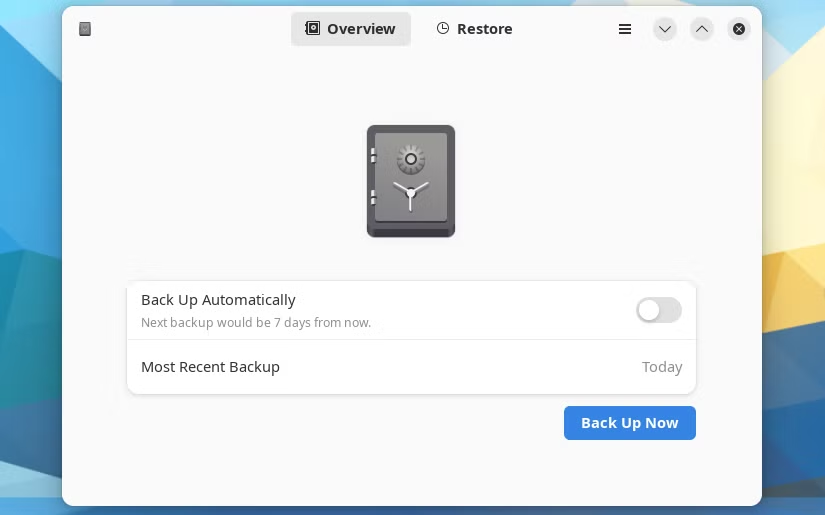
Data backup is an important task but is often overlooked due to its complexity. Déjà Dup, also known as "Backups" in the GNOME environment, was created to address this problem. It is an extremely simple, intuitive backup and restore tool, and is the default solution on the Ubuntu operating system.
With Déjà Dup, users simply select the folders to back up, the folders to exclude, and the storage location. The application supports backing up to multiple locations, including popular cloud storage services like Google Drive and OneDrive. Backups can be scheduled automatically and are encrypted and protected by a default password for security.
Install on popular distributions
Déjà Dup is available in the repositories of most major Linux distributions. You can install it using the following commands:
- Debian/Ubuntu: sudo apt install deja-dup
- Fedora: sudo dnf install deja-dup
- Arch Linux: sudo pacman -S deja-dup
- openSUSE: sudo zypper install deja-dup
Additionally, users can also install Déjà Dup through Flathub.
KTouch: Enhance typing speed and accuracy.
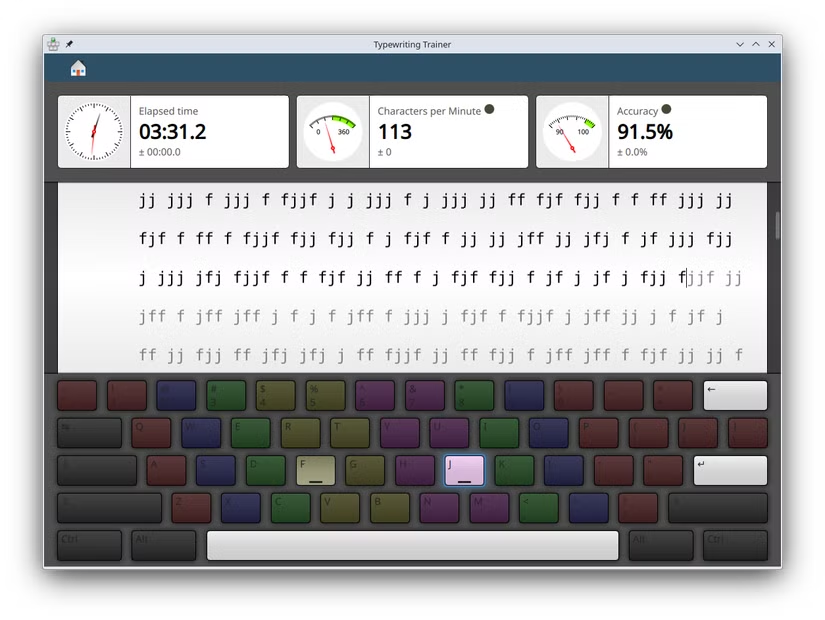
KTouch is a free typing practice software designed for both beginners and experienced users who want to maintain and improve their skills. The app offers a variety of exercises, from typing a string of characters to completing words, while measuring your time, speed, and accuracy.
One of KTouch's strengths is its diverse keyboard layouts. In addition to the standard American English keyboard, it supports many other layouts such as Swedish, Russian, and even Dvorak. Each course includes multiple individual lessons, and users can even customize or create their own lessons to share.
KTouch installation guide
Similar to Déjà Dup, KTouch is also widely available in repositories. Use the command appropriate for your operating system:
- Debian/Ubuntu: sudo apt install ktouch
- Fedora: sudo dnf install ktouch
- Arch Linux: sudo pacman -S ktouch
- openSUSE: sudo zypper install ktouch
KTouch can also be found and installed from Flathub.
The power of the open-source ecosystem
These three applications are prime examples of the flexibility and power of open-source operating systems. From financial management and data protection to personal skill development, the Linux community consistently provides high-quality, free tools that help users improve performance and optimize their daily workflows.