

Warning signs that your phone has been hacked and how to handle it.
Smartphones are increasingly becoming attractive targets for cybercriminals. They store everything from messages and personal photos to banking information. Just one small oversight, and a malicious actor can gain control of your device without your knowledge.
In the modern tech world, the concept of "phone hacking" is often envisioned through the image of a hacker wearing a hood, typing incessantly on a keyboard, and launching remote attacks, like something out of a Hollywood movie.
However, the reality is quite different. Today's mobile operating systems, especially Android and iOS, have enhanced security with a range of robust security technologies, from device encryption to multi-factor authentication (MFA), making brute-force attacks nearly impossible.

Therefore, instead of directly attacking the system, hackers prioritize targeting people – the weakest link. Non-technical attacks (social engineering), especially phishing, are becoming increasingly common, preying on users' carelessness to steal login information or OTP codes.
However, even with careful precautions, the risk of your phone being compromised still exists. It's crucial to promptly identify unusual signs that indicate your device may have been tampered with. Here are some warning signs that your phone has been hacked.
Strange apps or ads keep popping up.
If a strange app suddenly appears on your phone that you don't remember installing, that's a serious warning sign. You need to pay attention immediately, as this could be the first indication that your device has been infected with malware.
Android is known for its high degree of customization and the ability to install apps from many different sources, not just the Play Store. This gives users flexibility, but at the same time makes Android more vulnerable to malicious apps compared to iOS.
There are two most common types of malware found on phones:
- Adware: Constantly displays pop-ups and earns money from your views or clicks, causing annoyance and affecting usability.
- Trojan: Much more dangerous because it can silently steal personal data such as passwords, messages, or banking information.
Regardless of the type, if you see a suspicious app, you should uninstall it immediately.
On Android, press and hold the app icon → selectApplication informationCheck the installation source. If the app didn't come from the Play Store, it's highly likely it was downloaded from an unsafe source.
You can also use the Google Play Protect security feature to scan for malware by going toPlay Store→Avatar→Play Protect→Sweep.
The device is slow, overheating, or experiencing unusual battery drain.
Not all malware makes a lot of noise with pop-up ads. Many are designed to operate silently, hidden deep within the system, making them difficult to detect. A prime example is cryptocurrency mining malware (cryptojacking). Previously, this type of attack mainly occurred on computers, but there have now been many reported cases on Android phones.
The purpose of this type of malware is not to steal data, but to secretly use the phone's processing power to mine cryptocurrency. Because it runs continuously in the background, it causes the device to become slow and unusually hot even when you are not running demanding applications.
Another easily recognizable sign is unusually rapid battery drain. If you've closed all apps and your phone is still getting hot or the battery is draining rapidly, that's when you should be suspicious. To check, go toSetting→BatteryCheck which apps are consuming the most energy. If you see unfamiliar app names or unclear background services, it's highly likely your device has been infected with malware.
Besides cryptojacking, various types of spyware and keyloggers (which record user actions) also constantly run in the background, using system resources and draining battery power.
You should also check your mobile data consumption. Unusual surges in data usage could indicate that your phone is secretly sending information to an attacker's server, a key sign that the device has been compromised.
Strange messages or unusual login requests
Online phishing remains the most common and effective attack method today. Hackers often send emails or SMS messages containing links to websites that look very similar to official sites, then trick you into entering your password or personal information.
At this stage, your phone isn't infected with malware yet, but constantly receiving suspicious messages or emails is a sign that you're becoming a target.
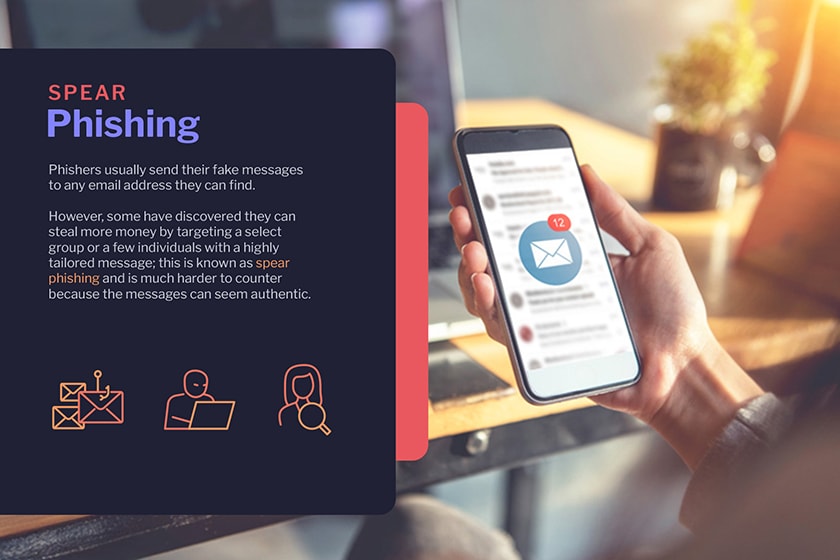
The safest rule is to avoid clicking on any links or downloading attachments from sources you don't fully trust. Services like Gmail now do a pretty good job of blocking spam and warning about dangerous links, but you should still be cautious if the sender is unknown.
A more sophisticated form of scam is targeted email or text message phishing. In this case, the messages may be written very naturally, even impersonating someone they know, making it easy for the victim to lower their guard.
Enabling two-factor authentication (2FA) is crucial to prevent unauthorized access, even if your password is compromised. However, 2FA isn't an "absolute shield." Some systems only require you to click "Allow" or "OK" to confirm login, and hackers can exploit this to trick you into agreeing to requests you didn't actually make.
Therefore, pay special attention: if your phone displays a verification request that you did not actively generate, reject it immediately. This is an important defense mechanism to help you avoid falling into the trap of scammers.
What should you do if you suspect your phone has been hacked?
If your phone suddenly drains battery quickly, runs unusually slowly, constantly displays ads, shows strange apps, or repeatedly requests logins, it's very likely your device has been hacked.
In that case, the first thing to do is delete suspicious apps and immediately change the passwords for important accounts. At the same time, you should also check your entire device to make sure there is no suspicious software secretly monitoring you.
In terms of security, iPhones are generally more difficult to hack thanks to Apple's closed ecosystem. Conversely, Android is more flexible, meaning there's a higher chance of installing apps from external sources, which in turn poses more security risks.
Although Google Play Protect helps warn about malware, Android users should still install a reputable antivirus app for a comprehensive scan, covering apps, files, and browsing data.
Another important point is to always keep your operating system updated. Older versions of Android or iOS are often vulnerable to security exploits. You can check for updates by going to:
- For Android devices:SettingnewsSystemnewsUpdate the system.
- For iOS devices:SettingnewsGeneral settingsnewsUpdate the software.
If you've tried everything and still feel your device isn't secure, the most thorough solution is to perform a factory reset. This will erase all data and applications, returning the device to its original state.