

Tips for quickly recovering deleted videos on iPhone
This detailed guide shows you two ways to recover deleted videos on your iPhone via the Recently Deleted app and iCloud, helping you salvage important data in just a few steps.
Accidentally deleting important videos on an iPhone is a fairly common problem for users. However, the iOS operating system provides built-in tools that help you recover data quickly without using third-party software.
1. Restore videos from the Recently Deleted folder.
This is the simplest method, applicable to image and video files that have been deleted within the last 30 days. After this time, the data will be permanently deleted from the device.
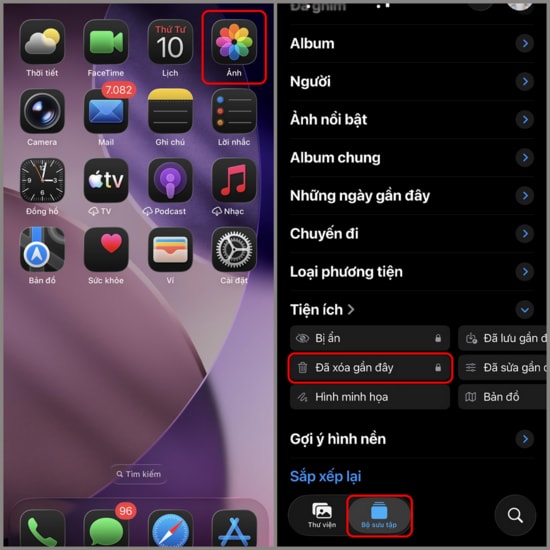
Step 1:Open the applicationImageOn iPhone. Switch to a tab.Album(Collection), scroll to the bottom of the screen and select the itemRecently deleted.
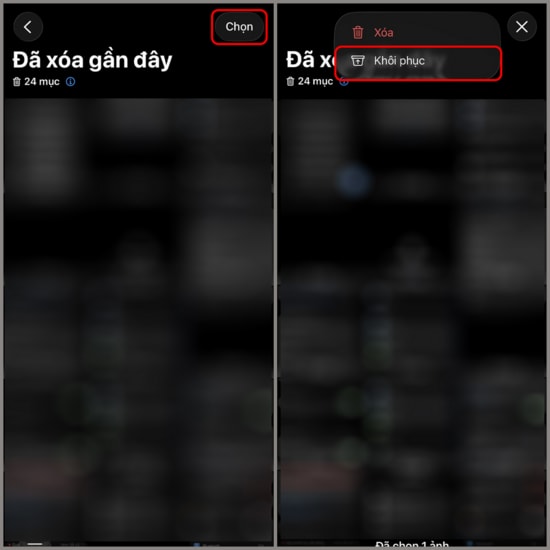
Step 2:Press the buttonSelectIn the upper right corner of the screen, select the videos you want to restore. Then, tap the three-dot icon and choose.RestoreTo return the video to its original position in the library.
2. How to recover deleted videos using iCloud
If you have iCloud sync enabled, you can retrieve your data through a web browser from your computer or other devices.
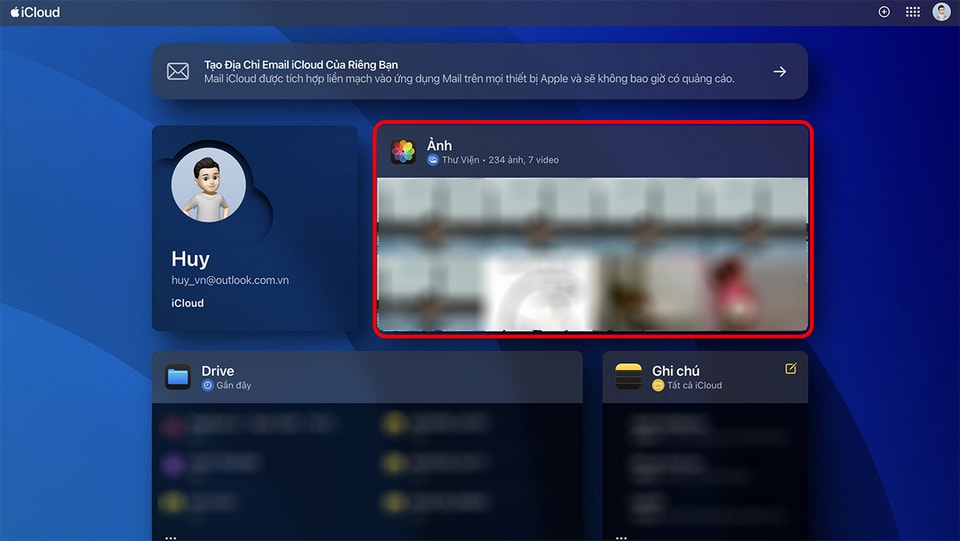
Step 1:Access the websiteiCloud.comLog in using your Apple ID and password.

Step 2:On the main iCloud management page, find and tap the app icon.Image.
Step 3:In the left-hand menu bar, click on the itemRecently deletedSelect the video you want to retrieve, then click the button.Restoreat the top to complete the process.

Note: To avoid future data loss, you should regularly check your iCloud storage capacity and ensure that automatic backups are always enabled.