

Tips for effectively freeing up 15GB of Google storage
Optimizing your Gmail, Google Photos, and Google Drive storage space helps you maintain 15GB of free storage without paying monthly fees for Google One.
Google offers 15GB of free storage per account, but this is often quickly filled up by emails, photos, and files on Drive. Instead of paying a monthly subscription fee, users can apply manual cleanup techniques and built-in tools to reclaim storage space.
How to free up storage space on Gmail
Gmail often takes up space due to large attachments and promotional emails that accumulate over the years. To check this, users scroll to the bottom of their inbox to see the percentage of space used.
The most useful tool is the search bar at the top. You should click on the search options icon (slider) to filter emails by criteria:
- Size:Look for emails that are large in size (e.g., over 5MB or 10MB).
- Attachments:Check the "There are attachments" box to remove large, unnecessary documents.
- Time:Filter out old emails from years ago to delete them in bulk.
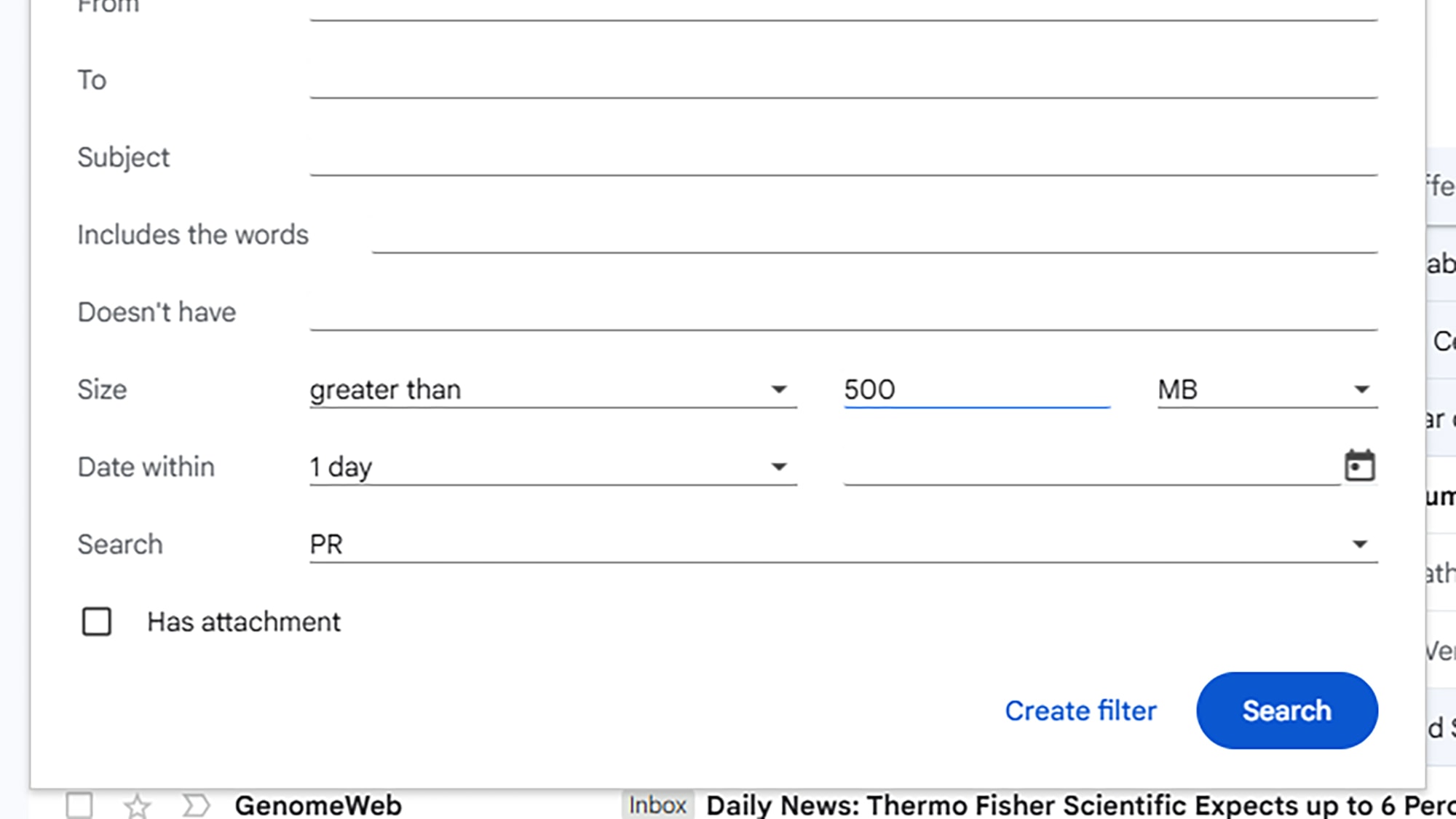
After seeing the list of results, you can select all of them and click the trash can icon. Don't forget to empty both the "Trash" and "Spam" folders to free up space immediately.
Optimize Google Photos using power saving mode.
Google Photos provides intelligent sorting tools to help users identify junk data. In the left-hand navigation panel, click on the storage section to see cleanup suggestions such as:
- Large photos and videos.
- Screenshots are not necessary.
- The image is blurry or the video format is not supported.
Another important feature is "Convert existing photos and videos to a storage-saving mode." When activated, Google compresses multimedia files to reduce their size. However, this action is irreversible, so users should consider this if they want to maintain the original quality of important photos.
Managing files on Google Drive
In Google Drive, the list of largest files is usually displayed in priority when you click on the storage size. This is the quickest way to identify which videos or document sets are taking up space.
Users can sort files by "Movement Date" or "File Size" to find outdated data. If you need to delete an entire old project, select the folder and use the "Move to Recycle Bin" command.
Use Google Takeout to back up your data locally.
For a thorough cleanup without losing data, the best solution is to use Google Takeout. This tool allows you to export all data from Mail, Drive, and Photos to your computer or external hard drive.
Once you have a secure backup on your personal computer, you can confidently delete files from the cloud. Maintaining a habit of checking regularly will help you make the most of your 15GB of free storage without ever worrying about being locked out of the feature due to running out of space.