

Quick tips to block messages from strangers on TikTok to enhance your privacy and security.
Annoyed by strange messages on TikTok? Follow these three simple steps to protect your privacy and enhance your safe entertainment experience.
TikTok is a popular platform for entertainment and connecting with friends; however, receiving too many messages from strangers can be annoying for users. To protect your personal space and avoid spam, you can easily set your privacy settings with just a few simple steps right on the app.
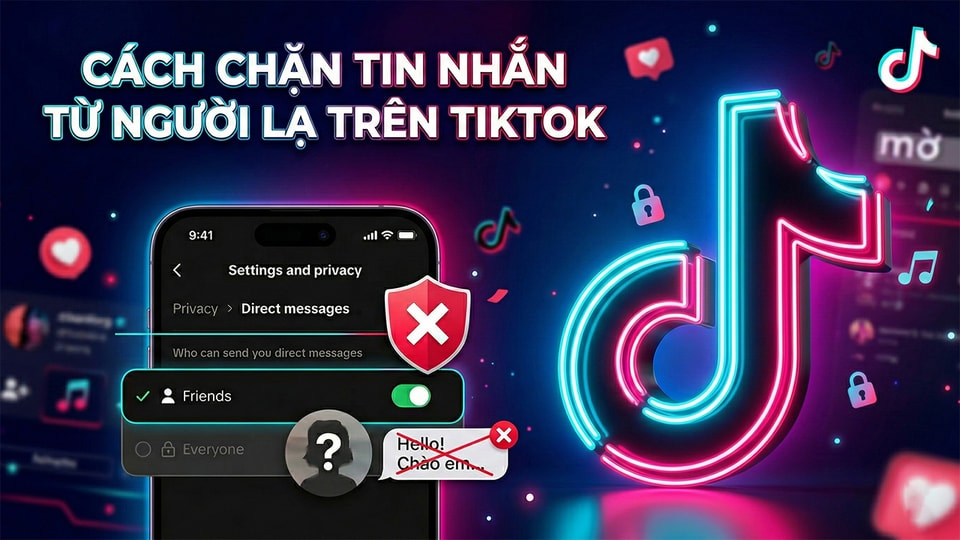
Detailed instructions on how to block messages from strangers on TikTok.
Controlling who can send direct messages helps users limit unwanted harassment or scams. Below is a specific process to optimize your account security.
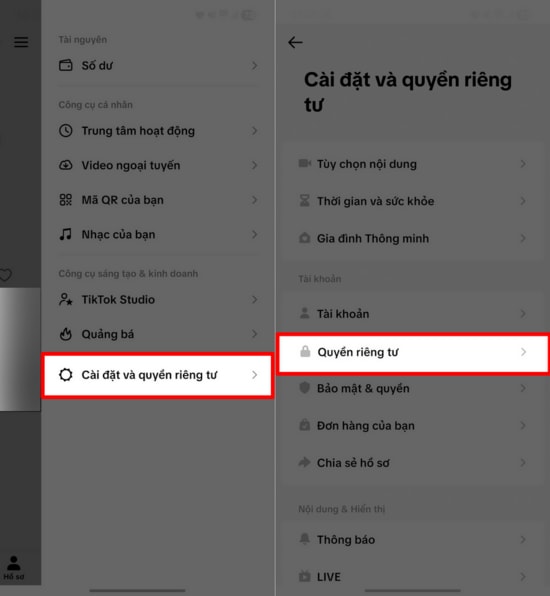
Step 1: Access the Settings and Privacy menu.
First, open the TikTok app and tap the three horizontal lines icon in the upper corner of the screen to access the Menu. From there, select the option...Settings and Privacy, then continue pressingPrivacyTo access the security settings for your personal account.
Step 2: Customize the Direct Messages section
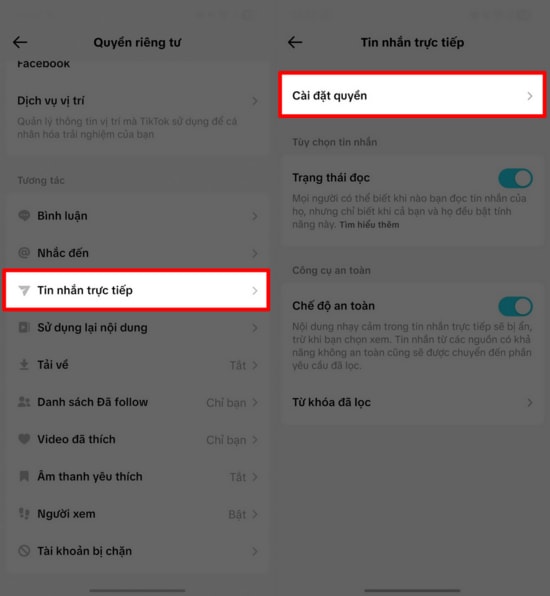
In the Privacy interface, find and select the option.Direct messageThis is where TikTok allows users to customize the details of who can send them direct text messages.
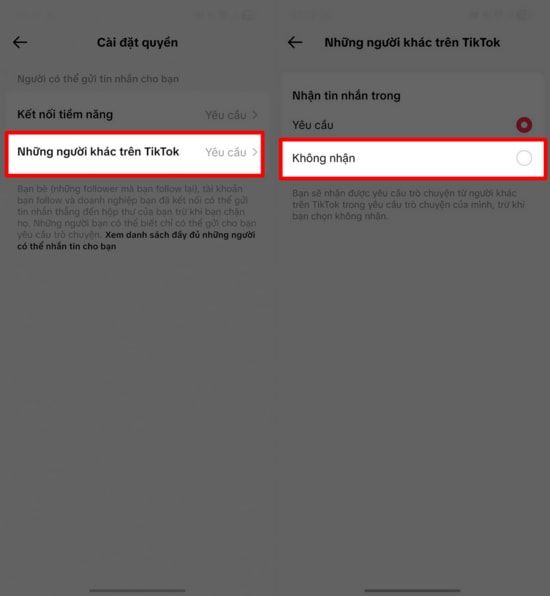
Step 3: Disable the feature to receive messages from strangers.
Finally, click on the item.Other people on TikTokand switch the option to the modeNot acceptedTo complete the setup, enable this mode. Once enabled, you will no longer receive messages from unknown accounts, maximizing your privacy while using the app.
Overall, proactively managing your privacy not only helps you avoid trouble from strangers but also creates a healthier social media environment. With just a few simple steps, you can effectively protect your TikTok account every day.