

Quick tips to check for scam websites using 3 purely Vietnamese tools.
Users can proactively identify fake websites and malicious links through the nTrust app, the Network Trust portal, or the lookup number 156.
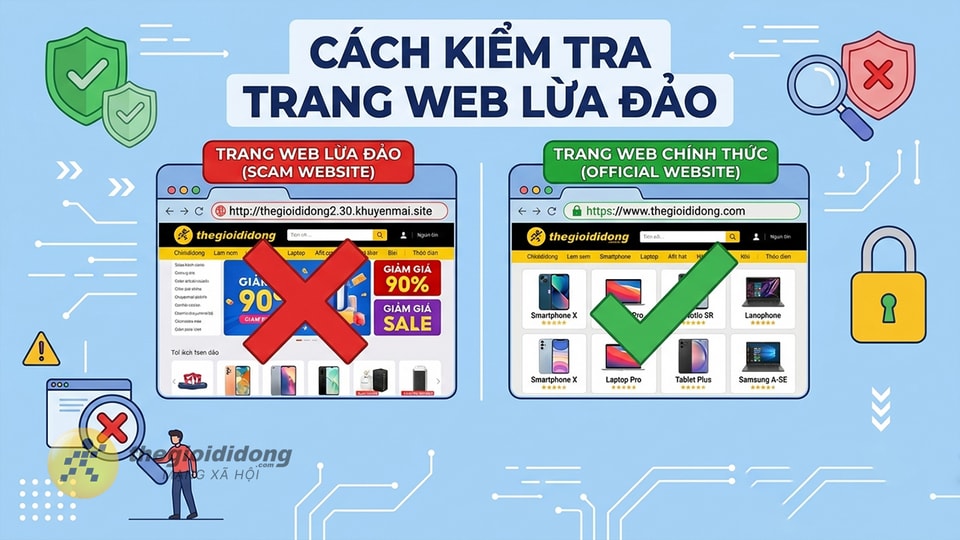
The current online environment poses many risks from sophisticated fake websites. Simply clicking on a malicious link can put users at risk of having their personal information stolen, being infected with malware, or losing control of their bank accounts. To protect yourself, you can use the following three methods to check for phishing websites using tools developed in Vietnam.
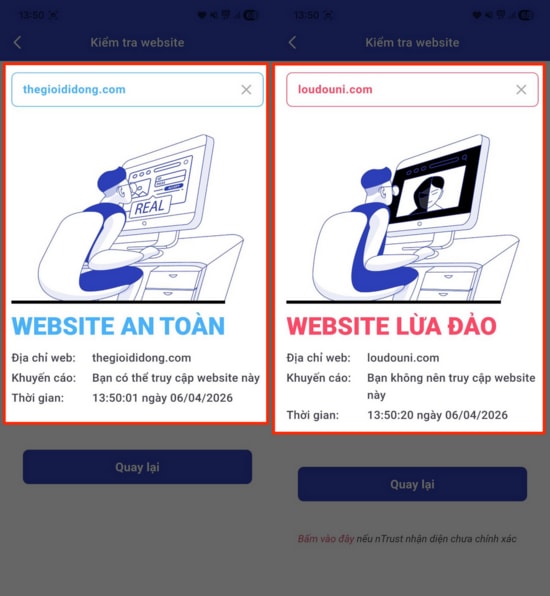
1. Use the nTrust app from the National Cybersecurity Association.
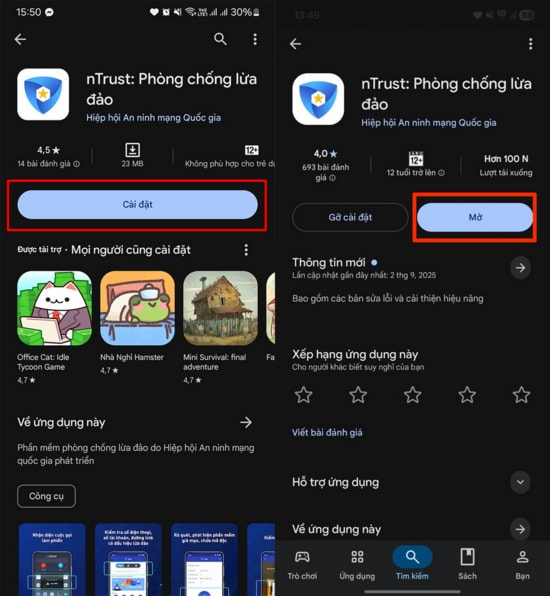
nTrust is free anti-phishing software that helps detect suspicious activity by checking phone numbers, website addresses, account numbers, and scanning for malware.
- Step 1:Find and install the nTrust app from Google Play (Android) or the App Store (iOS).
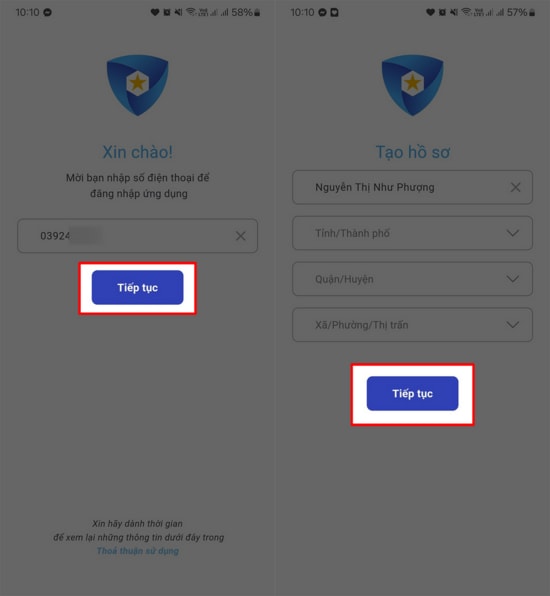
- Step 2:Enter your phone number and other necessary information to register for an account.
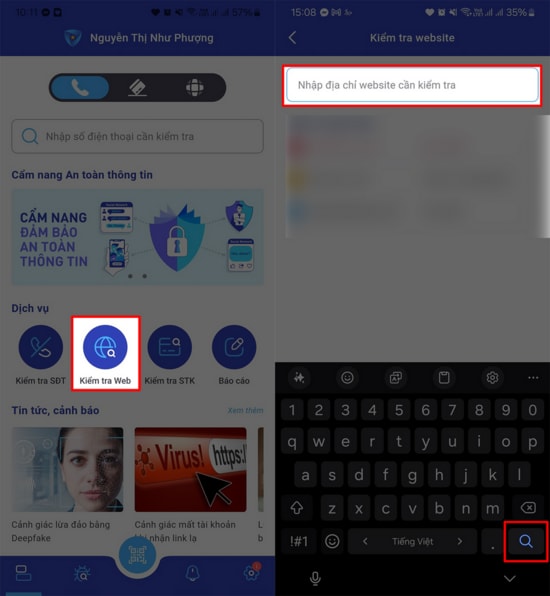
- Step 3:On the main interface, select the itemCheck the website.
- Step 4:Paste the suspicious URL into the blank field and wait for the system to verify it.
2. Check via Network Trust Portal
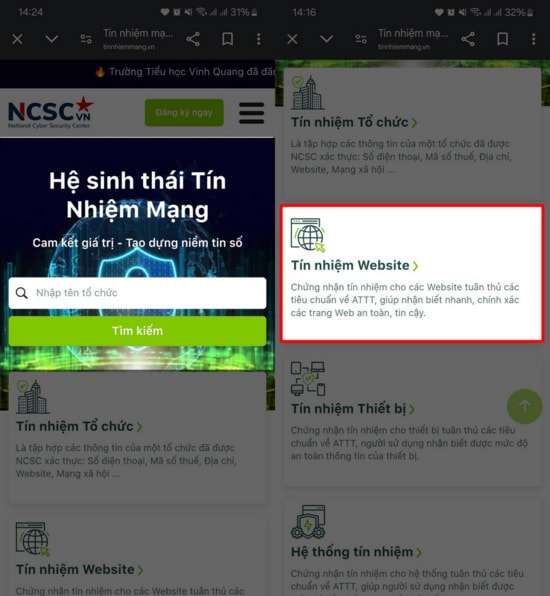
Network trust is an ecosystem that helps verify the reliability of organizations and websites in the online environment, operated by the National Cybersecurity Monitoring Center (NCSC).
- Step 1:Access the Network Trust homepage and select the section.Website trust.
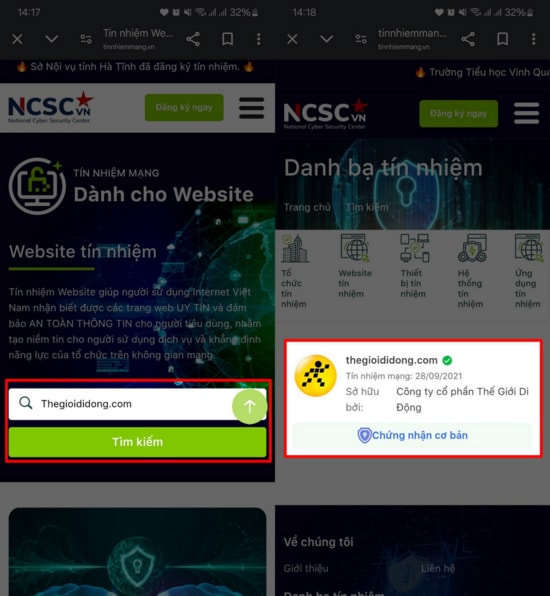
- Step 2:Enter the domain name of the website you want to check into the search box and press Enter.SearchThe system will return the result indicating whether the website is on the safe list or not.
3. Check for information on fraudulent domain names and websites.
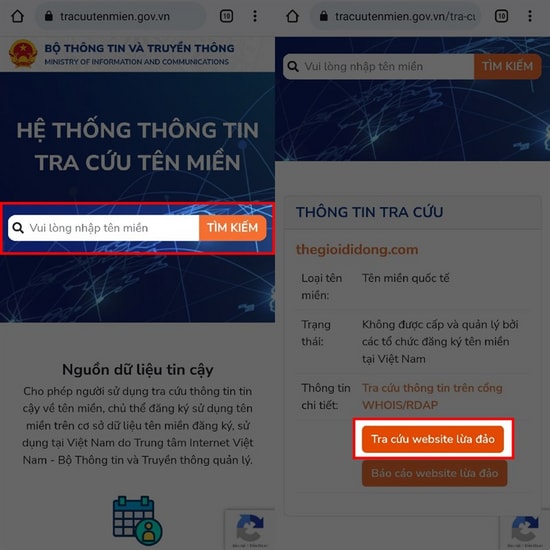
This method helps users clearly identify the origin of a domain name and check if that address has ever been reported as a phishing scam.
Look up via SMS
Users can compose messages using the following syntax:TCTM [Domain name or website link]send156To receive domain name information quickly.
Online lookup
- Step 1:Access the Domain Name Lookup website. Enter the website address you want to check into the search box and press Enter.Search.
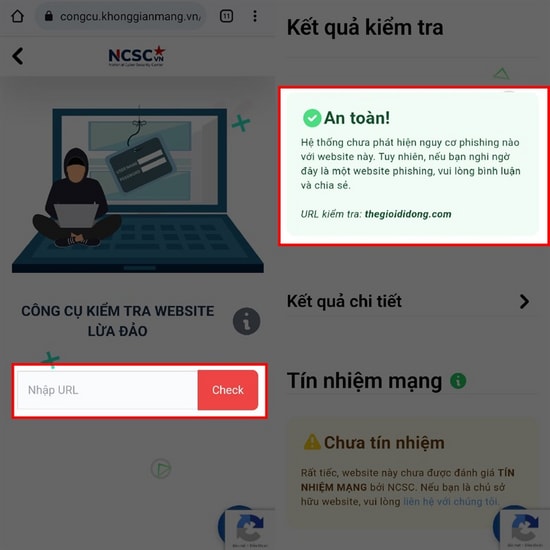
- Step 2:To check the safety level in more detail, select the option.Check for scam websites., then enter the URL and pressCheckto see the detailed results.
Proactively using these authentication tools will help you establish a strong layer of protection, minimizing the risk of being scammed or having your assets stolen in the digital space.