

10 Google Meet tips to optimize your professional online meetings.
From instant meeting setup to AI-powered automatic note-taking, these tips help users work and study remotely more effectively.
Google Meet is a popular online meeting platform, but not everyone is unlocking its full potential. Mastering its hidden features can optimize time, enhance interaction, and maintain professionalism in the digital workplace.
Quick meeting setup and language support.
The quickest way to start a work session is to type.meet.newEnter this command directly into the browser's address bar. This bypasses intermediate steps, instantly creating a meeting room so users can share the link with their partners.
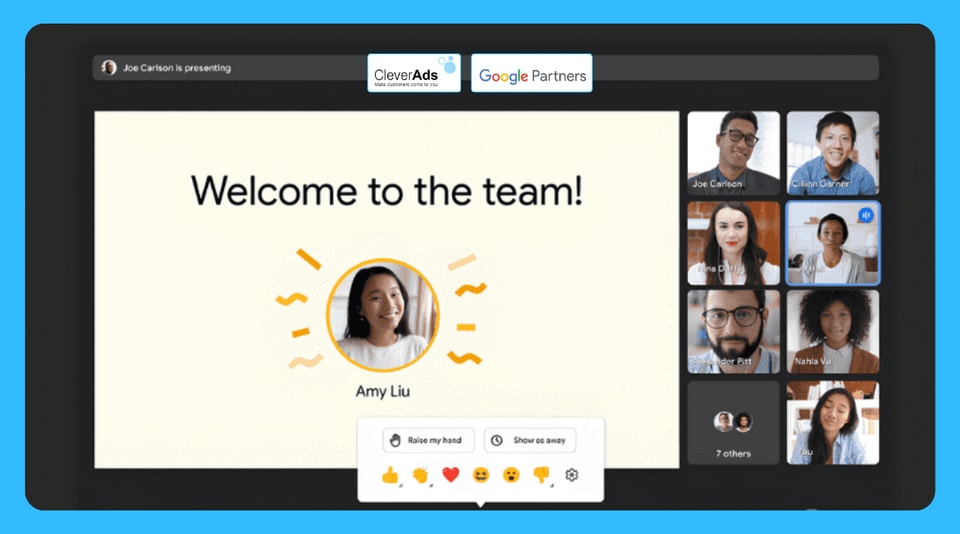
In addition, the live subtitle feature is a powerful tool for those with hearing impairments or working in environments with limited sound. Users can activate it by selecting "Enable subtitles" at the bottom of the screen. For Google Workspace Business and Enterprise versions, the system also supports live translation into multiple languages in the Settings.
Optimize audio and video
To address the issue of noise in public spaces, Google Meet integrates intelligent noise cancellation. The system filters out sounds such as keyboard clicks or echoes. Users can enable this feature in the Sound section of the Settings menu.
For those who need to multitask, Chrome's "Picture-in-Picture" mode allows you to minimize the meeting video into a floating window. This lets you follow the discussion while simultaneously working on other applications or tabs without interruption.
Enhancing interaction for mixed-gender teams.
Google Meet offers comprehensive solutions for hybrid work teams:
- Adaptive sound:Allows multiple people in the same meeting room to use their personal devices without feedback or echo.
- Companion mode:It helps users in the office connect to the meeting room hardware to interact on an equal footing with those meeting remotely.
- Integrate Google Slides:Allows for live presentations, assigning co-presenters, and adding notes directly on slides within the Meet interface.
AI-powered meeting management and support.
In large discussions, the featureOpinion poll(Polls) help gather opinions quickly and objectively. Operators can set up anonymous voting to ensure the integrity of the results. For personnel management, the featureTrack attendanceThe report will be automatically sent to the organizer's email address in Google Sheets format after the meeting ends.
Notably, the featureGesture detectionIt allows users to raise their hand and speak using actual actions in front of the camera instead of pressing virtual buttons. Ultimately, the tool...Please make a note for me.Gemini's AI integration will automatically summarize meeting content into Google Docs, allowing participants to focus entirely on the discussion without worrying about missing important information.