

Windows 11: Performance-Optimizing Features You Should Know
Discover how to leverage Copilot AI, manage windows with Snap Layouts, and personalize your workspace to boost productivity on Microsoft's latest operating system.
Windows 11 is not just a visual upgrade from Windows 10; it also brings significant improvements to optimize performance and user experience. This operating system integrates intelligent tools such as the Copilot AI assistant, Snap Layouts window management system, and deep personalization capabilities, helping users work more efficiently.
Optimize workspace and interface.
One of the most noticeable changes in Windows 11 is the user interface. Microsoft focused on creating a clean, flexible, and easily customizable workspace to suit each individual's workflow.
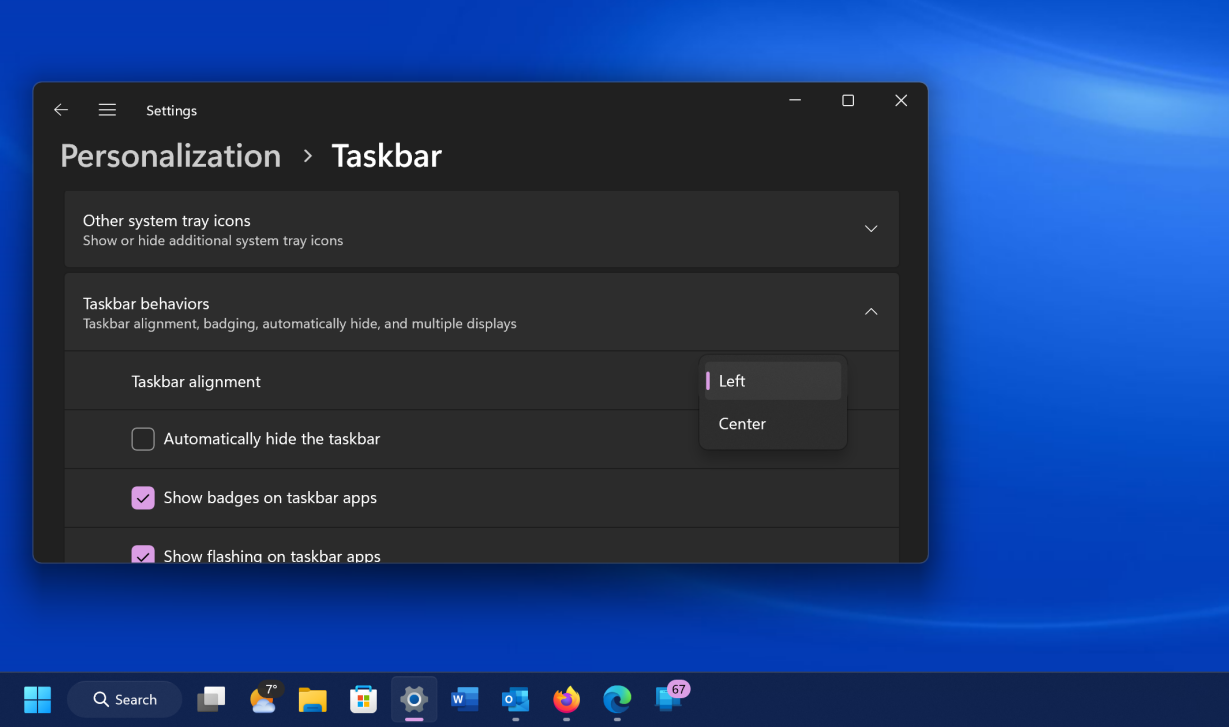
- Move the Start button:Users can easily move the Start button and taskbar icons back to the familiar left corner via this method.Taskbar Settings > Taskbar Behaviors > Taskbar Alignment.
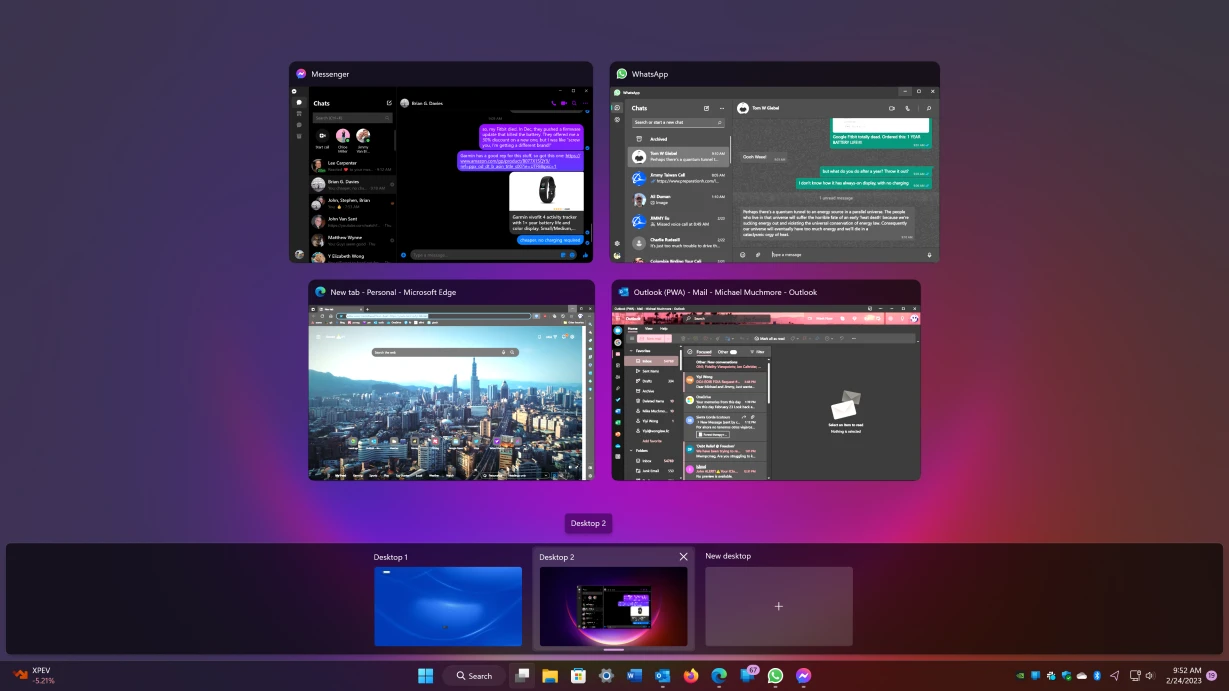
- Manage multiple desktops:The Multiple Desktops feature allows you to create separate virtual screens for work, entertainment, or study. Each desktop can have a different wallpaper for easy differentiation.
- Customize the interface with Themes:Windows 11 offers many themes, either pre-installed or from the Microsoft Store, allowing for synchronized changes to colors, wallpapers, cursors, and sounds.
- Shake to clear the screen:The Title Bar Shake feature, when activated inSettings > System > MultitaskingThis feature allows users to shake the title bar of a window to minimize all other windows, helping them focus on the main task.
Improve your productivity with smart multitasking tools.
Windows 11 introduces powerful tools to help users manage tasks and maintain focus effectively, especially when handling multiple applications simultaneously.
Snap Layouts and Snap Groups
This is a significant improvement over previous versions. By hovering over the maximize window button, a Snap Layouts menu appears, offering pre-designed window layouts. Users can quickly split the screen into two, three, or four sections at different ratios, depending on screen size. The arranged window groups are saved as Snap Groups on the taskbar, allowing for easy switching between workspaces.
Focus Sessions and File Explorer Tabs
Focus Sessions is a feature built into the Clock app that allows users to set up uninterrupted work periods. It temporarily hides notifications and integrates with Spotify for background music. Meanwhile, File Explorer now supports tabbed browsing, allowing multiple folders to be opened in the same window, making file management more organized without having to open multiple separate windows.
The Power of AI: Copilot Assistant and Integrated Applications
Artificial intelligence (AI) is one of the main focuses of Windows 11, deeply integrated into the operating system through the Copilot assistant and default applications.
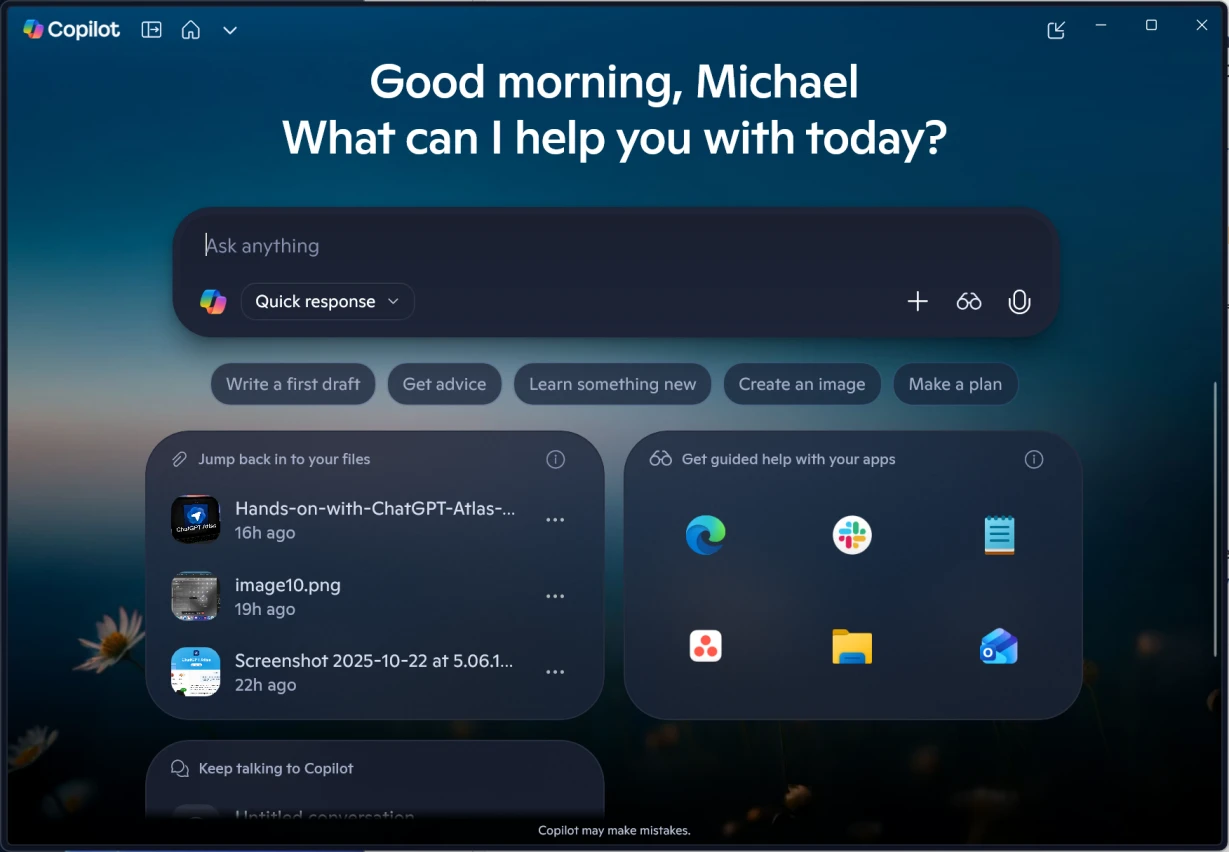
Copilot can be activated using a keyboard shortcut.Windows + CAI functions as an intelligent assistant capable of answering questions, summarizing text, creating images from descriptions, writing code, and even interacting with on-screen elements to guide users through tasks. Additionally, applications like Photos, Paint, and Designer are equipped with AI features, allowing users to remove backgrounds, eliminate objects from photos, or create illustrations with just a few clicks.
Seamlessly connect devices within the ecosystem.
Windows 11 enhances connectivity and synchronization between PCs and other devices, creating a seamless work ecosystem.
- Phone Link:This application allows you to connect your smartphone (both Android and iOS) to your PC to receive notifications, reply to messages, make calls, and access photos directly from your computer.
- Passkeys:Passkey support enhances security by using biometric identification (fingerprint, facial recognition) or Windows Hello PIN to log in to websites and applications instead of traditional passwords.
- Windows Backup:The new backup application helps store files, settings, applications, and login information to OneDrive. When switching to a new computer, users can easily restore their entire setup.
Other notable improvements
Besides its major features, Windows 11 also includes many small but useful improvements for everyday use.
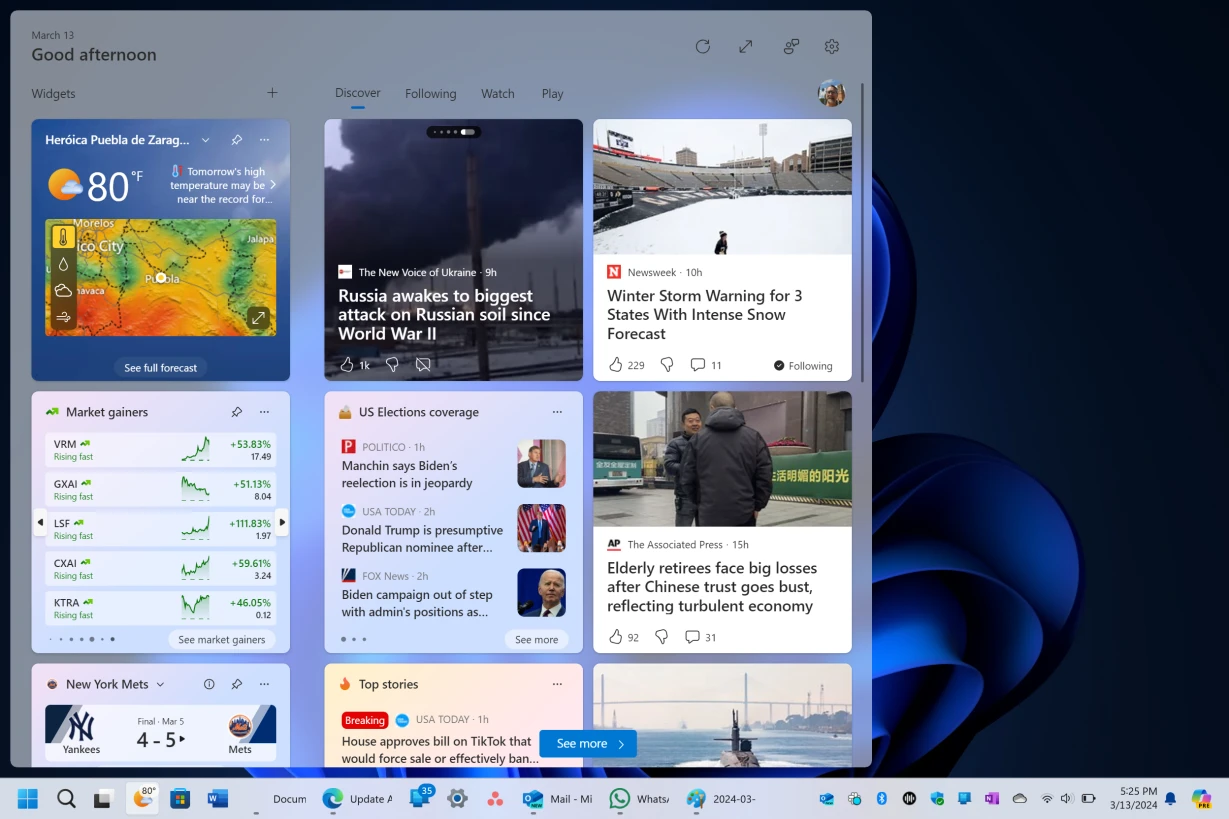
- Widgets Table:It provides quick information on weather, news, schedules, stock prices, etc., which can be personalized to the user's preferences.
- New shortcut:Shortcuts such asWindows + W(Open Widgets)Windows + A(open Quick Settings), andWindows + Z(Opening Snap Layouts) makes the process faster.
- The app has been refreshed:Applications like Media Player and Sound Recorder have been redesigned with modern interfaces and more features.
- Improvements for Gamers:Game BarWindows + GIt provides tools for screen recording, monitoring system performance, and accessing features like Auto HDR.