Windows 11 Start Menu Changes: New Interface, Suggestions Item Hidden
Microsoft has officially revamped the Start Menu in Windows 11 25H2 and 24H2, bringing a unified scroll layout and the long-awaited option to completely hide the Suggestions item.
Microsoft is rolling out a new design for the Start Menu on Windows 11, expected to be included in the 25H2 and 24H2 updates. The most notable change is the consolidation of pages into a single, larger scrollable layout and the ability to completely hide the controversial "Recommended" section.
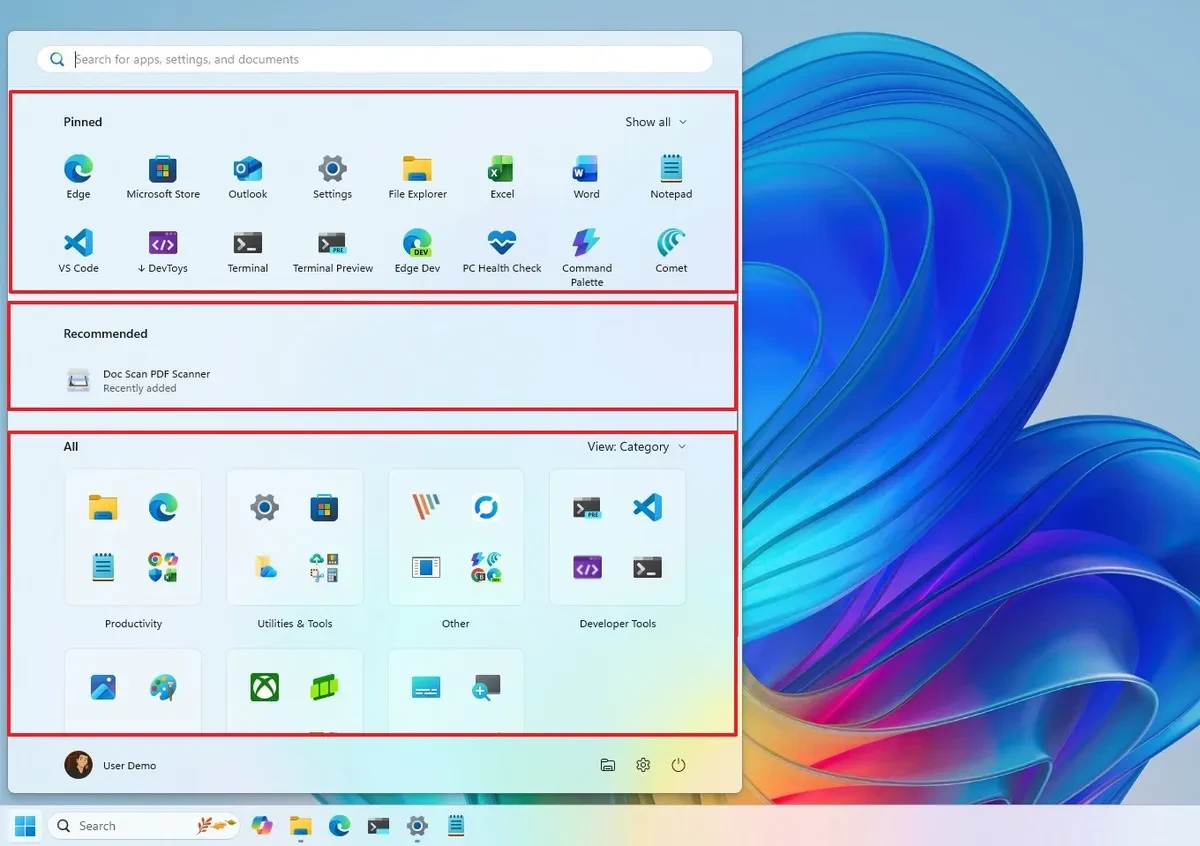
Key changes in the new Start Menu design.
This update not only brings aesthetic changes but also significantly improves the user experience through structural and functional adjustments.
Unified and flexible scrolling layout
The new Start Menu eliminates separate pages, replacing them with a single scrollable interface divided into three main sections: "Pinned," "Recommended," and "All." This layout is larger and automatically adjusts to screen resolution; however, users cannot manually resize it.
Additionally, the Start Menu will display a toggle switch for quick access to the mobile sidebar if a device is connected via the Phone Link app.
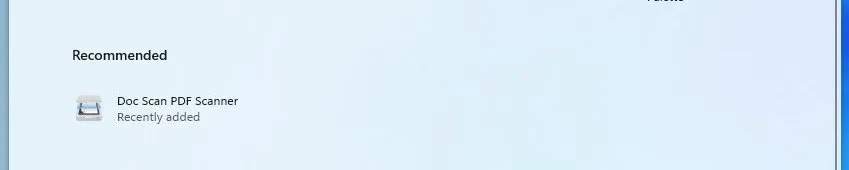
The ability to completely hide the "Suggestions" section.
Đáp ứng phản hồi từ người dùng, Microsoft hiện cho phép ẩn hoàn toàn phần "Đề xuất". Thay vì một nút chuyển đổi duy nhất, người dùng cần vào Settings > Personalization > StartAnd turn off all options in the "Recommended" section. This will remove the area displaying recently used files and applications, as well as applications promoted from the Microsoft Store.
Sắp xếp ứng dụng thông minh hơn
Mục "Tất cả" (All) giờ đây được tích hợp trực tiếp vào giao diện chính thay vì là một trang riêng. Người dùng có thể lựa chọn giữa các kiểu bố cục khác nhau, bao gồm:
- Danh mục (Category): Chế độ xem mặc định mới, tự động nhóm các ứng dụng tương tự vào thư mục. Hệ thống cần phát hiện ít nhất ba ứng dụng cùng loại để tạo một nhóm mới.
- Lưới tên (Name grid): Hiển thị ứng dụng dưới dạng lưới theo thứ tự bảng chữ cái.
- Danh sách tên (Name list): Hiển thị ứng dụng dưới dạng danh sách truyền thống.
Chi tiết các khu vực chức năng
Each section of the new Start Menu has been refined to optimize space and accessibility.
The "Pinned" section
This area displays two rows of applications by default, each row capable of holding up to eight applications. Users can click the "Show more" or "Show less" options to adjust the number of applications displayed. Features such as creating application group folders remain unchanged.
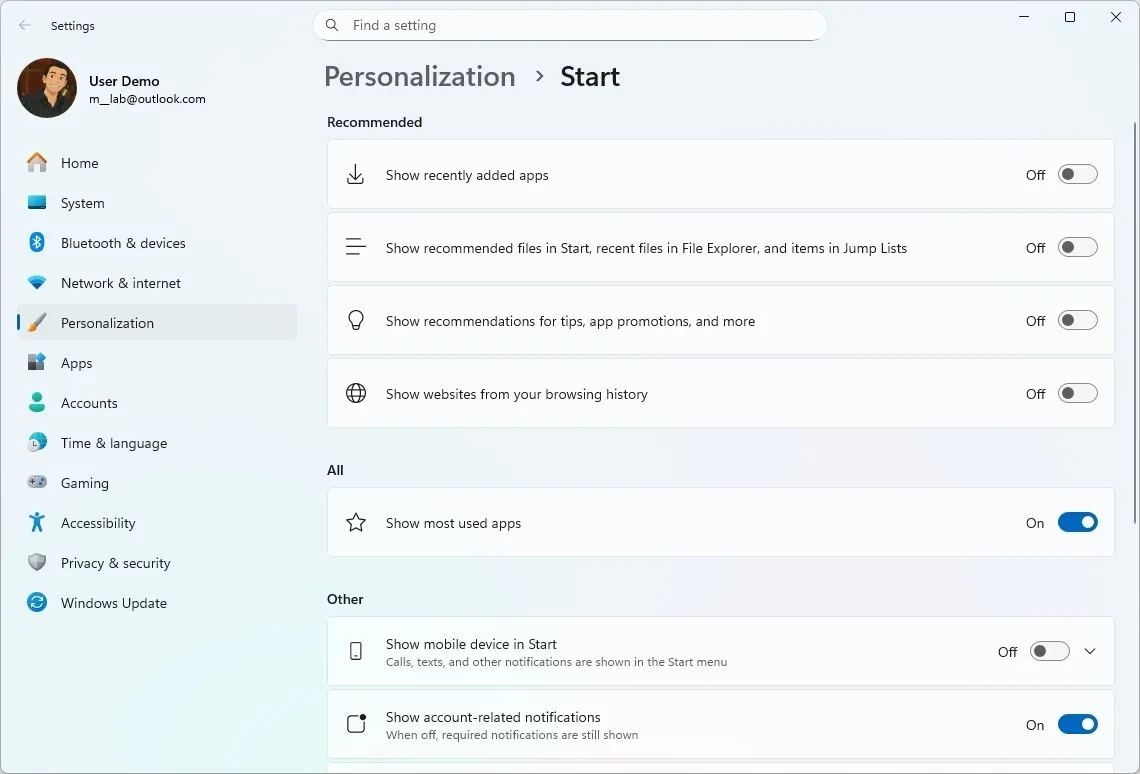
The settings page has been updated.
The Start Menu settings page (in Settings > Personalization > Start) has also been adjusted to match the new design. The old layout options have been removed, replaced by three main settings groups: "Suggested," "All," and "Other," making it easier for users to customize aspects of the new experience.
Update roadmap and how to get early access.
Microsoft plans to officially roll out the new Start Menu as part of the November 2025 Security Update. However, this is a phased rollout, meaning not all users will receive it immediately.
Users can receive the update earlier by going toSettings > Windows UpdateTurn on the "Get the latest updates as soon as they're available" option and then check for updates. This feature is available in Windows 11 versions 25H2 and 24H2, starting with builds 26200.7019 and 26100.7019 (requires installing update KB5067036).
CTVX