
10 tips for installing Wi-Fi and network infrastructure to make your home internet faster and more stable.
Optimizing internet access isn't just about upgrading your plan; it also depends on infrastructure planning, cable selection, and smart device placement right from the installation stage.
Many people mistakenly believe that simply subscribing to a high-speed internet package (500Mbps or 1000Mbps) will automatically guarantee a fast connection. However, the actual experience depends heavily on the internal network infrastructure. According to professional technicians, optimizing your home network through proper planning from the start will help you avoid intermittent network issues and save on upgrade costs later.
1. Differentiating between package speeds and actual user experience.
Your internet provider's plan only represents the speed of the connection to your home. The actual speed you perceive is influenced by the quality of your Wi-Fi, the processing power of your end devices, and the layout of your routers/mesh. Therefore, for a truly smooth network, you should prioritize optimizing your home network infrastructure rather than focusing solely on increasing your internet provider's bandwidth.
2. Integrated planning for smart home systems.
If you intend to use a smart home, you need to plan both high-voltage and low-voltage electrical systems during the renovation phase. Having the infrastructure ready for devices such as door locks, video intercoms, cameras, and automatic curtains will ensure stable system operation and avoid the need to drill holes in walls for additional wiring later.
3. Choose the right network cable for your needs.
A common mistake is buying expensive data center cables (like Cat7, Cat8) when you don't really need them. For home use, Cat5e or Cat6 cables are the best options due to their high-speed transmission capabilities, low cost, and ease of installation. Cat6A should only be considered if you need 10Gbps speeds over long distances.
4. Notes on shielded cables and grounding
Shielded cables are only effective when properly grounded and equipped with specialized connection accessories. In typical Vietnamese homes, which often lack such systems, using shielded cables sometimes doesn't deliver the expected results and can even be costly.
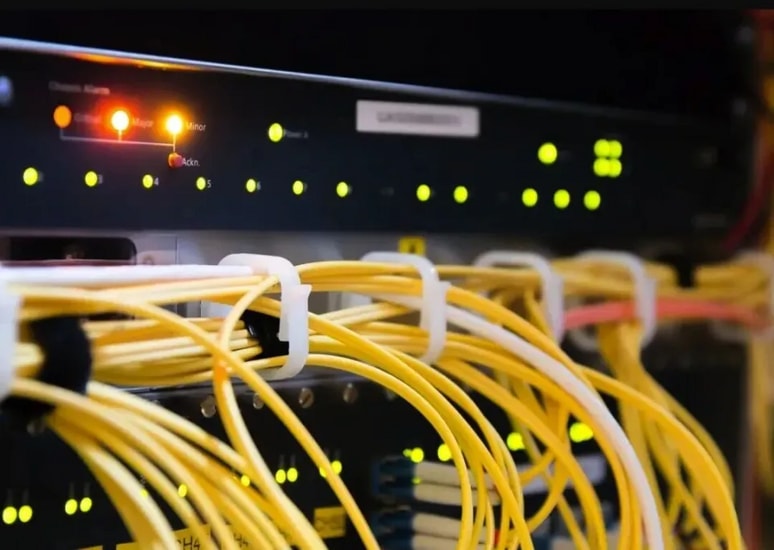
5. Use butterfly fiber optic cables for future redundancy.
To prepare for future massive bandwidth demands, installing "butterfly" fiber optic cables is a smart solution. This type of cable has low interference, long transmission capabilities, and the potential to upgrade to speeds exceeding 10Gbps without changing existing in-wall wiring infrastructure.
6. Ensure the underground pipelines are functioning properly.
In-wall network conduit should be installed with minimal bends and to minimize the risk of blockages. A good conduit infrastructure allows you to easily add more cables or replace old ones without affecting the aesthetics of your home. This is considered the most important investment in building a home network.
7. Deploy network access points in key areas.
Each functional room should have at least one or two wired network access points to serve fixed devices such as Smart TVs, PCs, or network attached storage (NAS). Additionally, remember to leave power outlets and LAN ports near the entrance to provide power and signals for security devices such as cameras or smart locks.
8. Optimize electrical cabinets and wall boxes.
The in-wall boxes should be deeper than usual to easily accommodate the connection modules. At the same time, the central control cabinet needs to be large enough to house the broadcasting equipment, ensuring good heat dissipation and neat cable management to avoid cross-signal interference between devices.


