
10 tips for using Microsoft Teams to double your productivity.
Discover hidden features in Microsoft Teams such as AI-powered noise isolation, real-time collaboration with Loop, and call delegation to Copilot to optimize workflows.
Microsoft Teams has become the go-to platform for collaboration in many modern offices. However, not all users are fully exploiting the platform's potential. Applying smart techniques can not only save time but also improve the quality of remote collaboration.
Optimize visibility and focus during calls.
To maintain focus while multitasking, the window pinning feature is essential. While on a call, you can keep the Teams window visible over other applications by selecting [option].More optionsin the upper right corner and pressPin window on topThis makes it easy to track colleague feedback while still referencing data in another window.
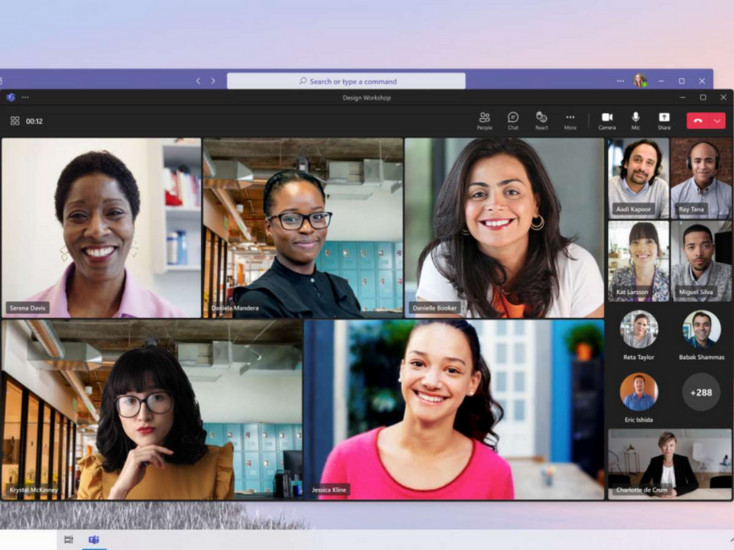
In addition, voice isolation technology is a lifesaver for those who frequently work in public spaces. AI will recognize your voice and eliminate surrounding noise. You only need to spend about 30 seconds creating a voice profile in a quiet environment to activate this feature.
Professional collaboration and information sharing tools
Connecting applications within the Microsoft ecosystem is significantly simplified through two key features:
- Share from Outlook:You can send emails and attachments directly to Teams by selectingShare to Teamson the Outlook toolbar. This eliminates cumbersome manual download and upload steps.
- Microsoft Loop components:This is a step forward in real-time collaboration. By inserting the Loop icon into a conversation, you can create charts or to-do lists that everyone can edit directly, with data automatically syncing across both Outlook and Whiteboards.
Additionally, when it comes to forwarding information, Microsoft Teams now allows users to send up to 5 messages simultaneously in a single packet, helping to maintain context and the order of content when sharing with other groups or individuals.
Using AI and mobile devices to improve meeting efficiency.
The live transcription feature helps latecomers or those who are distracted catch up on the meeting content. To begin, the organizer selectsMore servicesnewsRecord and transcribenewsStart transcriptionThis recording will include the speaker's name and display information in near real-time.
For greater flexibility while on the go, you can use your phone as a second device during meetings. While in a meeting on your computer, open Teams on your mobile device and selectJoin callnewsAdd this deviceThe phone can now act as a mobile webcam or a presentation control device.
Smart meeting and call management
If you have a Premium account, the intelligent meeting recap feature will provide a visual timeline, allowing you to jump directly to the conversation where your name is mentioned instead of having to watch the entire video again.
Notably, the April 2026 update will introduce the Copilot call authorization feature. This AI assistant can screen calls, block spam, and automatically schedule callbacks based on the user's schedule. Currently, this feature is being tested in the Microsoft 365 Copilot Frontier program with English as the language setting.
Finally, the featureMeet Nowin the sectionCalendarIt lets you quickly create private meetings to capture ideas or practice presentations, with content securely stored on OneDrive for later review.


