
4 warning signs that your Android phone may be infected with a virus and how to deal with it.
Modern Android phones are equipped with multiple layers of advanced security, but cyber threats are still constantly emerging. If your device shows unusual behavior, it's highly likely that malware has silently infiltrated it.
Modern Android devices are equipped with numerous protection mechanisms to prevent malware and cyberattacks. However, in the context of increasingly sophisticated online scams, no system is completely immune to cybersecurity risks.
Many people believe that installing antivirus software on Android is no longer necessary. However, users can still inadvertently download malicious apps, access fake websites, or click on dangerous links on the internet. In such cases, the phone not only experiences performance issues but also risks having personal data, account information, and other sensitive data stolen.
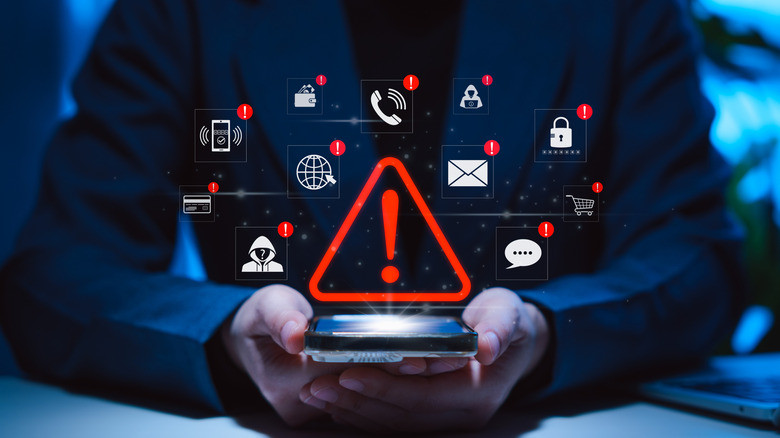
Fortunately, malware often leaves some telltale signs. If detected early, users can take timely action before the damage becomes serious.
1. The phone is exhibiting unusual behavior.
One of the clearest signs that an Android phone may have been infected with a virus is when activities occur beyond the user's control.
For example, the phone might automatically send messages, make calls, open apps, or perform actions that the user never initiated. In some cases, unfamiliar apps may be automatically installed without permission.
If the device frequently exhibits such unusual behavior, users should have it checked immediately to determine the cause.
2. Numerous strange ads and pop-ups appear.
Constantly appearing advertisements or pop-ups are a common sign of malicious adware.
If your phone suddenly displays more ads than usual, especially when you're not browsing the internet or in apps that don't normally have ads, this could be a sign that your device has been compromised.
Users should also be wary of notifications requesting app downloads, fake virus alerts, or unusual advertising content.
3. The battery drains quickly and the phone frequently overheats.
Viruses or malicious applications often run silently in the background to collect data, display ads, or communicate with remote servers. These activities can cause your phone to consume more resources than usual.
If the battery drains unusually quickly despite unchanged usage habits, or the device frequently overheats even when not running demanding applications, users should have the system checked.
Of course, this phenomenon could also stem from an old device or a degraded battery. However, when accompanied by other suspicious signs, this is a warning that should not be ignored.
4. Suspicious activity appears on online accounts.
One of the biggest risks of malware is the theft of login credentials.
If users notice unusual logins to their social media accounts, email accounts, or banking services, receive unexpected password change notifications, or see transactions of unknown origin, they should take immediate action.
Additionally, a sudden surge in mobile data usage could also be a sign that a malicious app is secretly transmitting data from the device to the attacker's server.
What should you do if you suspect your phone is infected with a virus?
If you suspect your Android phone has been compromised, you should boot your device into Safe Mode. This mode will temporarily disable third-party apps, helping to determine if the problem stems from a recently installed app.
In addition, review the entire list of applications on your device and remove any applications of unknown origin or that you no longer use. Users should also check the access permissions of each application to detect unusual permissions such as unnecessary access to contacts, messages, or location.
In the event of a data breach, it is necessary to quickly change the passwords for important accounts and notify the bank or financial institutions involved if payment information is relevant.
How to protect your Android phone from cyber threats
To reduce the risk of malware infection, users should prioritize downloading apps from trusted sources such as the Google Play Store and avoid installing Android installation files (APKs) from unknown sources.
Additionally, regularly updating Android and apps to the latest versions will help patch any discovered security vulnerabilities. Users should also avoid using insecure public Wi-Fi networks, regularly clear their cache, and use strong, different passwords for each account.
Most importantly, always be wary of suspicious links in emails, messages, or social media. If a link looks suspicious, it's best not to click on it. In many cases, user caution is the most effective protection against cyber threats.


