
Ensure absolute data security on Windows with VeraCrypt encryption.
VeraCrypt is a powerful open-source solution that helps create encrypted virtual vaults, protecting sensitive information from unauthorized access with passwords and two-factor authentication.
In today's digital environment, protecting data on Windows goes beyond simply using a computer login password. The most secure method is to use encrypted vaults. VeraCrypt, a leading open-source tool, allows users to create virtual drives protected by military-grade encryption algorithms that can be completely hidden when not in use.
How VeraCrypt works
Instead of locking individual files, VeraCrypt creates a file that acts as a "container." When mounted through the software, this file appears as a normal hard drive in File Explorer. Users can copy and edit data from it just like a USB drive or external hard drive.
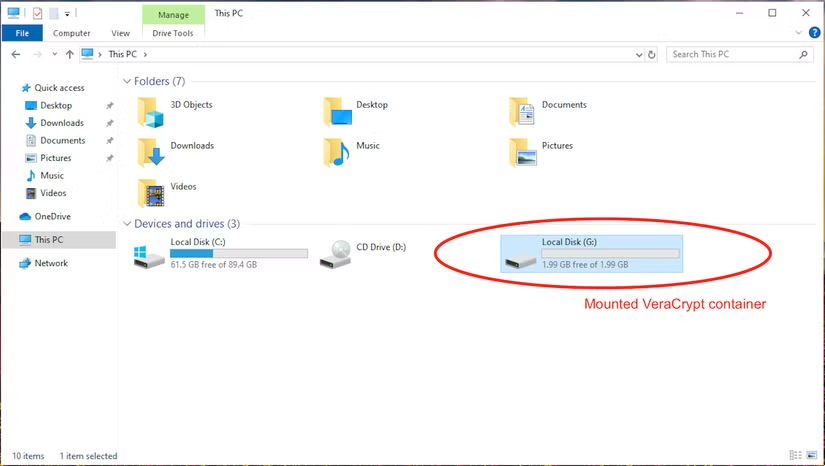
When the job is complete, unmounting the drive will cause it to disappear completely, restoring the file to its harmless state on the system. VeraCrypt uses algorithms such as AES, Serpent, and Twofish to ensure that data cannot be compromised without the correct authentication information.
Instructions for setting up a new encrypted storage repository.
To begin, users need to download and install the version of VeraCrypt compatible with their operating system. The software's main interface displays a list of available drive letters ready to mount virtual storage.
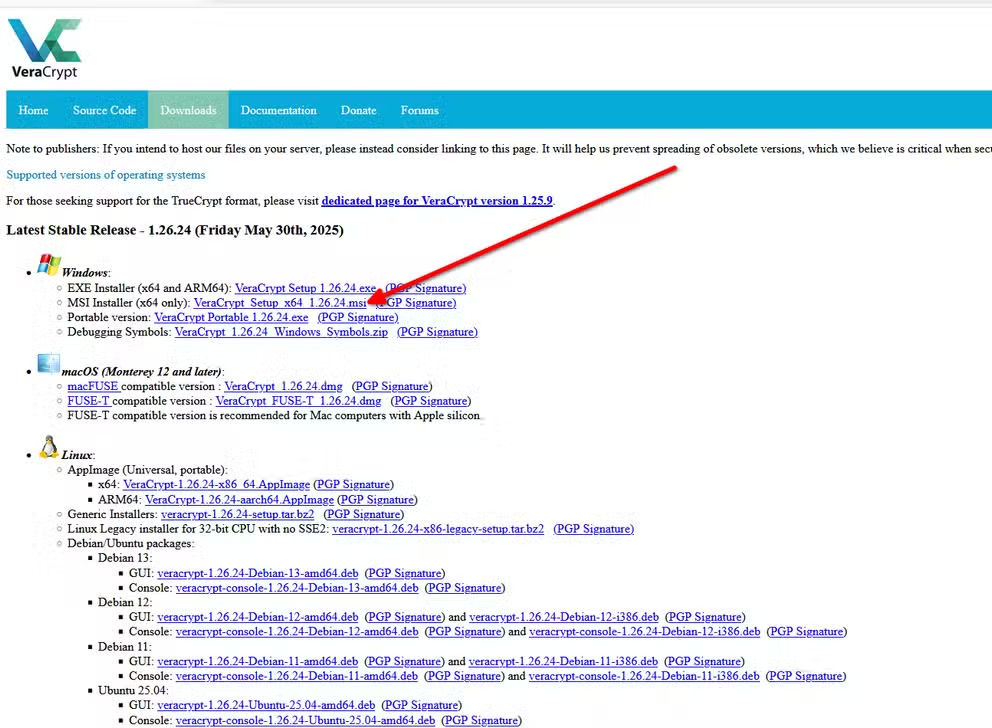
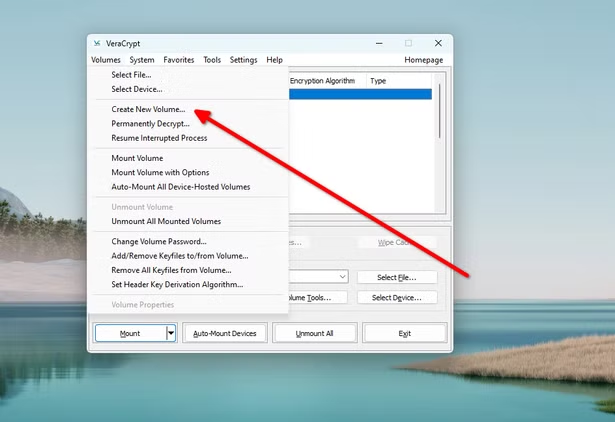
The process of creating a repository includes the following main steps:
- SelectCreate Volumeand keep the default option.Create an encrypted file container.
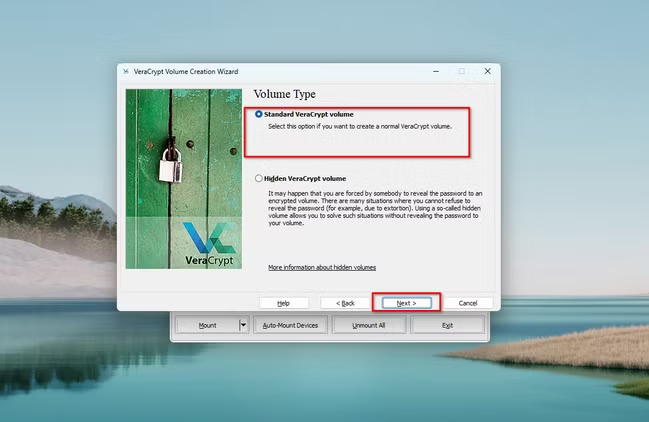
- SelectStandard VeraCrypt volumeto create a standardized archive.
Next, you need to specify where to save the container file. You can save it on your internal hard drive or external storage devices such as USB drives.
Algorithm and security selection
VeraCrypt offers several encryption options. The AES algorithm is the most popular choice due to its balance between speed and security. Users also need to define a fixed storage capacity, noting that this parameter cannot be changed after initialization.
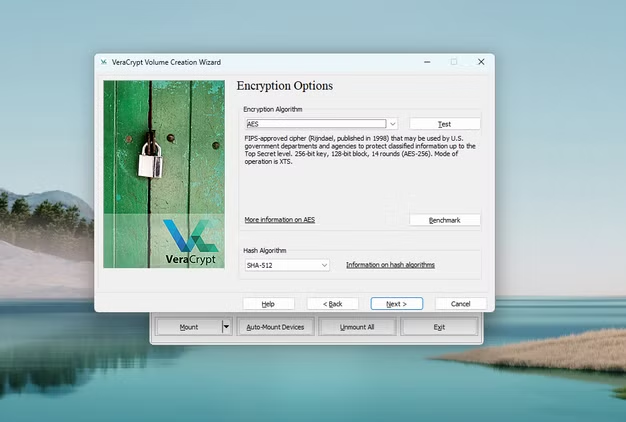
For maximum security, experts recommend using passwords longer than 20 characters. Additionally, VeraCrypt supports...Key Files– a form of two-factor authentication (2FA). To unlock the vault, you must have both the password and the correct master key file.
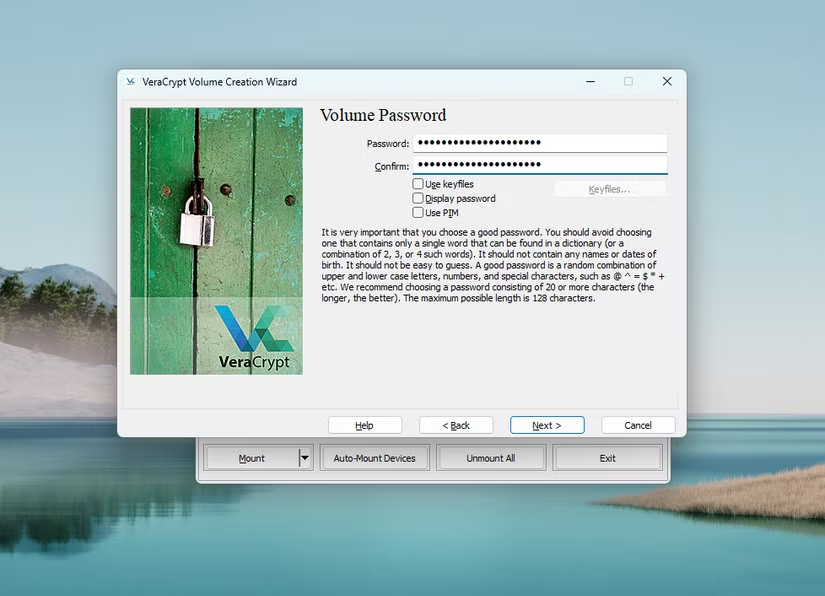
Initialization and practical use
One unique aspect of VeraCrypt is its ability to generate encryption keys based on the user's random mouse movements. This creates a real-world noise source to produce unpredictable encryption keys.
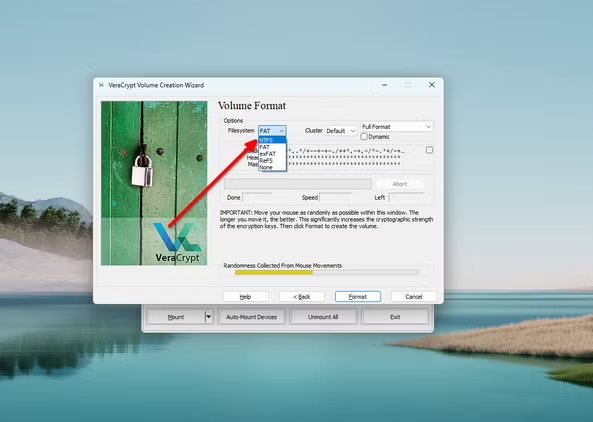
Regarding file systems, users should prioritize the following format:exFATIf you frequently store files larger than 4GB or require high compatibility.
How to access encrypted data
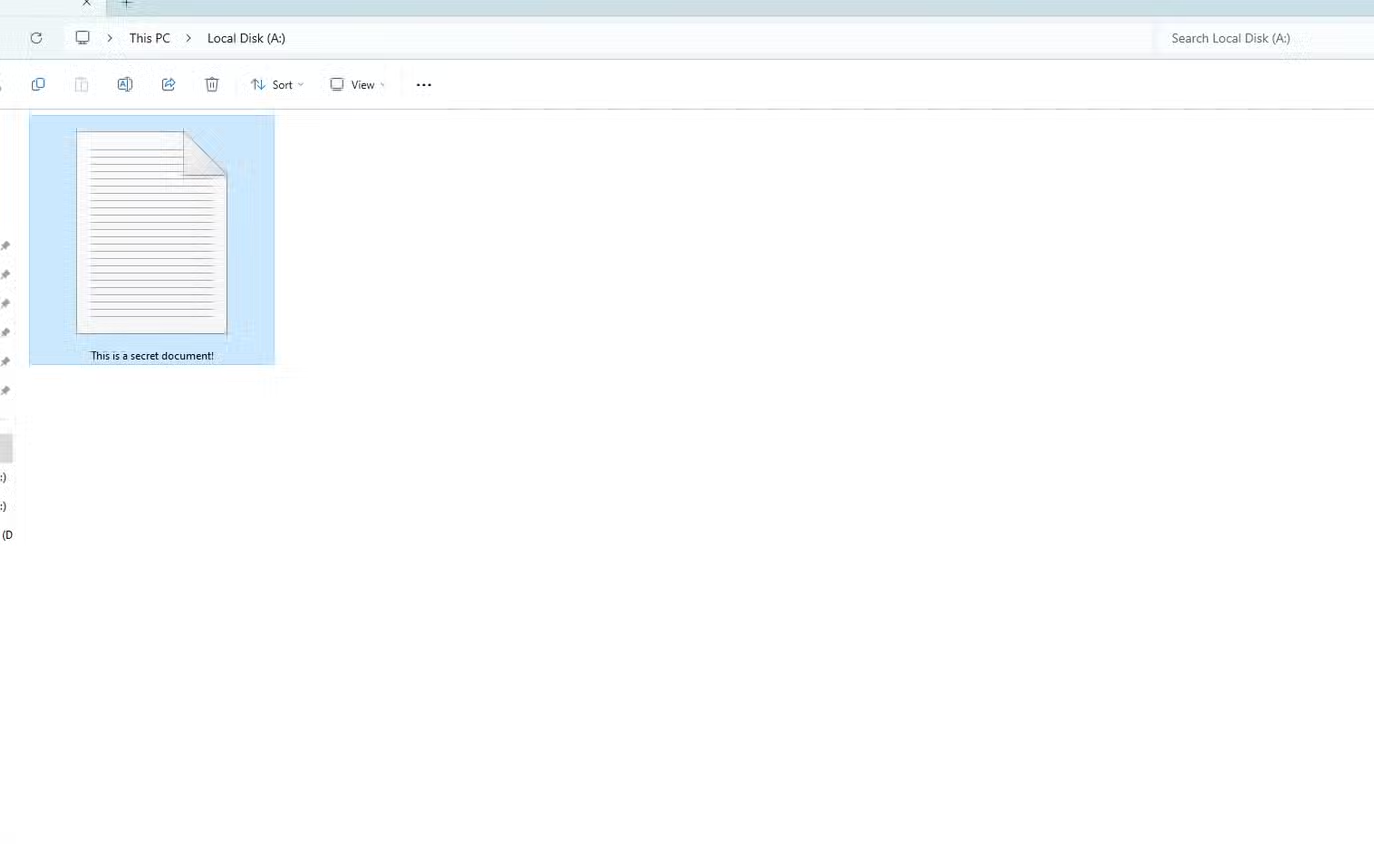
Whenever you need to use it, open VeraCrypt, select the container file, choose an available drive letter, and press Enter.MountAfter entering the correct authentication information, the drive will appear in File Explorer.
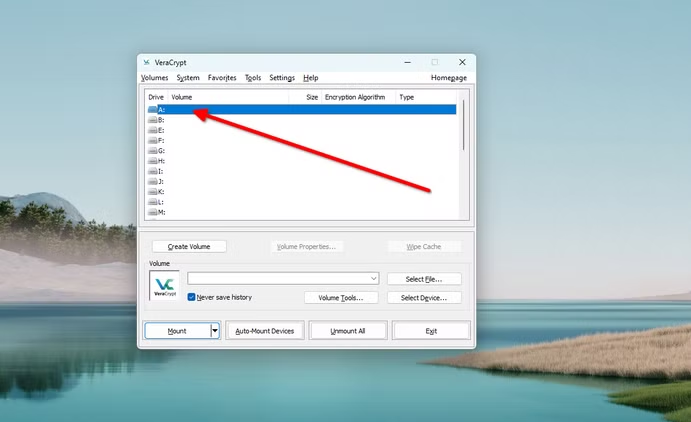
After your session ends, remember to pressUnmountTo close the archive and protect the data immediately.
VeraCrypt is available in both installable and portable (no installation required) versions, offering great flexibility for those who frequently move data between different computers while still ensuring absolute privacy.


