
Turn your old smartphone into a home surveillance camera.
By knowing how to utilize old smartphones, users can set up their own home water quality monitoring system.
Currently, the market offers many types of surveillance cameras for users to choose from, such as Vantech, Questek, etc., with prices ranging from a few hundred thousand to several million VND per set. However, if you have old smartphones, you can utilize them and turn them into remote home monitoring devices at a lower cost.
Solution for connecting two devices
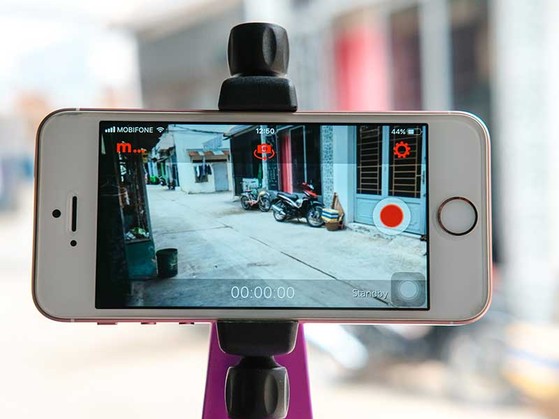
First, prepare two smartphones, one old and one new. The old smartphone will act as the camera, and the new smartphone as the monitoring device. Download and install the Manything app on both smartphones from http://manything.com. The app is compatible with Android and iOS devices. It can detect motion and send alerts via text message or email, automatically record audio, and provide a graph listing all recorded activity. Once complete, click the "Sign up" button to create a free account or log in quickly using Facebook. The app's interface is relatively simple. On the old smartphone, tap the "Camera" option to assign it the monitoring function; conversely, the new smartphone will act as the management device (Viewer).
In the Recording mode section, users should choose Record on motion (automatically records when motion is detected) instead of Continuous recording to save storage space. The Sensitivity threshold is where you can change the sensitivity; the lower the number, the more immediately the smartphone will record upon detecting even the slightest movement, and vice versa.
 |
For example, if the area you need to monitor includes a birdcage and you don't want your smartphone constantly recording when the bird moves, you can skip this by tapping on Detection Zones and removing that area from the monitoring zone. Additionally, Manything includes built-in alerts via text message or email when unusual movement is detected. To activate this, enable the "Send Push Notifications" and "Send alert emails" options in the Motion Detected section.
On your smartphone used for management, log in with the same account and select the Viewer function, then choose the camera you want to monitor in real time. Here, users can review all previously recorded videos, share them with friends, or upload them to the Manything user community. If you want to view them on a computer, simply access https://manything.com/, log in, select the camera you want to monitor, and follow the instructions.
Take advantage of software applications.
Besides Manything, you can try installing the AtHome Video Streamer app on your old smartphone (used as a surveillance camera) at https://goo.gl/5z6Jld, compatible with iOS, Android, and Windows devices. The main interface will include the camera screen, CID (camera identifier), Username, and Password for remote connection. For easier memorization, users should tap the menu icon in the upper left corner, then press Change and change it as desired. Note that the password must be at least six characters long and include lowercase letters, uppercase letters, and numbers.
Similarly, on the device used for management, install the AtHome Camera app at https://goo.gl/oXbxhU. Once completed, users simply log in with the same account, and the previously added cameras will automatically be displayed. Otherwise, you need to tap the plus icon in the upper right corner and select Add Camera by CID or Add Camera by QR Code. Below are function buttons for recording, press and hold to speak through the microphone, change quality, take photos, night mode, and many other options.
According to tests, the application works quite effectively, allowing you to access the camera from anywhere, as long as the device is connected to the Internet or 3/4G. However, for the camera to function stably, you should keep the device continuously plugged into a power source.
Use inexpensive cameras. In addition, users can also invest in affordable camera devices such as Xiaomi Yi Home, XiaoFang, 360 Camera, etc., with prices starting at just a few hundred thousand VND. Configuration is relatively simple; you just need to install the manufacturer's app on your smartphone, then power on the camera and add the device to the management list. |
According to PLO
| RELATED NEWS |
|---|