
How to fix the problem when the VNeID app is inaccessible.
What are the reasons why the VNeID app is inaccessible and how to fix it? Below are detailed instructions on how to effectively resolve common errors.
The VNeID application may sometimes experience access issues due to various reasons. Below are effective solutions based on common errors and how to fix them.
1. Check and ensure a stable network connection.
One of the most common reasons why VNeID cannot be accessed is due to an unstable network connection.
This application needs to synchronize data in real time with the Ministry of Public Security's system, so if the connection is weak or unstable, the application may load slowly, freeze, or even be unable to log in.
Try switching between Wi-Fi and mobile data (4G/5G), or restarting your modem/router to improve the signal.
2. Restart the application or device.
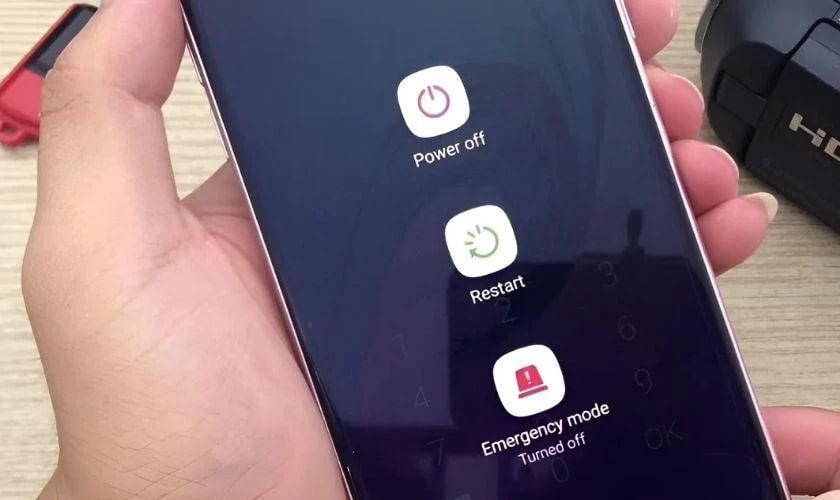
If the app freezes or becomes unresponsive, completely close the app from the multitasking interface and reopen it after a few seconds.
On iPhone, swipe up from the bottom of the screen (with Face ID) or double-tap the Home button (with Touch ID) to see running apps and swipe to turn off VNeID.
On Android, tap the multitasking button and swipe to close the app. If the problem persists, restarting your phone may help refresh the system and resolve temporary errors.
3. Update the app to the latest version.
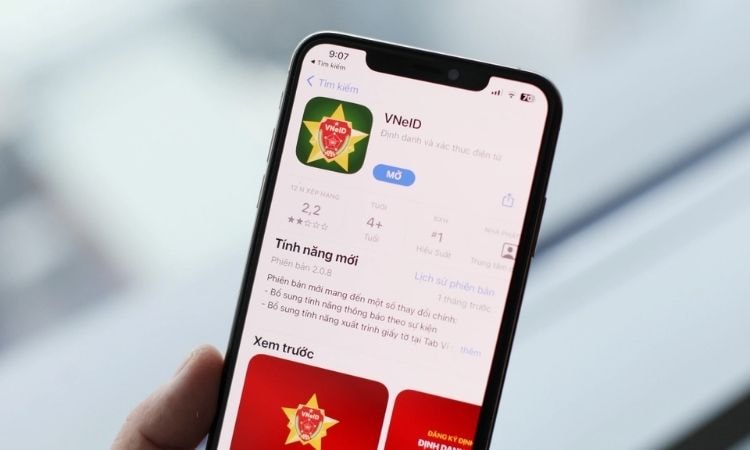
The VNeID application is regularly updated to fix bugs and improve performance. If you are using an older version, it may not be compatible with your system or device.
Please check and update the app from the Google Play Store (Android) or the App Store (iOS). This will also help the app run more stably and avoid errors.
4. Clear the application's cache.
Corrupted cache data can cause the application to malfunction.
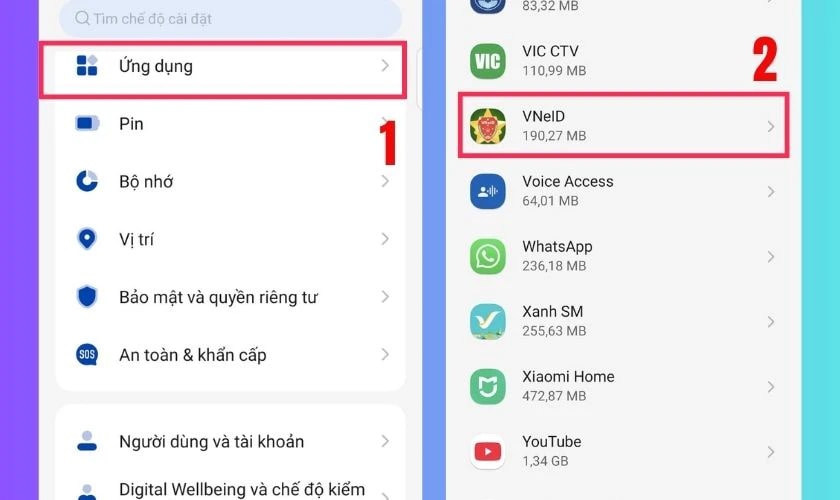
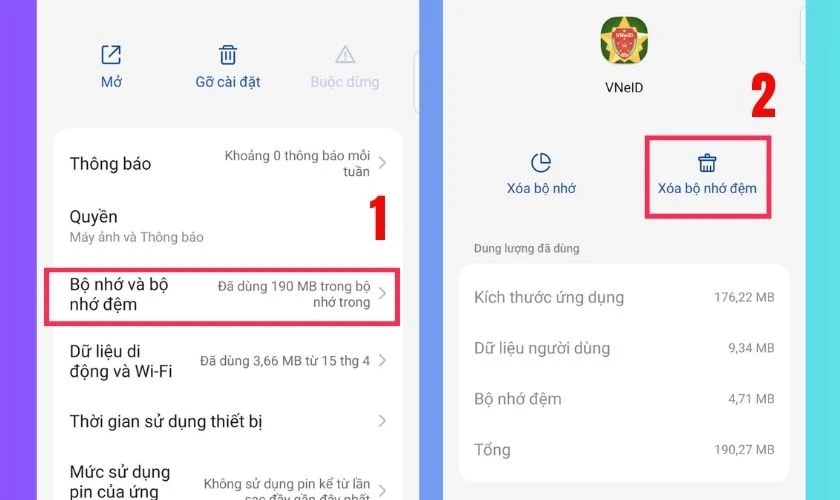
On Android, you can go to Settings > Apps > VNeID > Storage > Clear cache.
On iOS, the operating system doesn't allow clearing the cache of individual apps, so you can try uninstalling and reinstalling the app to achieve a similar effect.
5. Disable developer mode or any software that interferes with the system.
If your phone has been tampered with (such as rooting on Android or jailbreaking on iOS), the VNeID app may not work due to security reasons.
This application is designed not to run on devices with unauthorized access to ensure data security. You need to restore your phone to its factory system state or disable developer mode (if enabled) by going to Settings > System > Developer Options and switching it off.
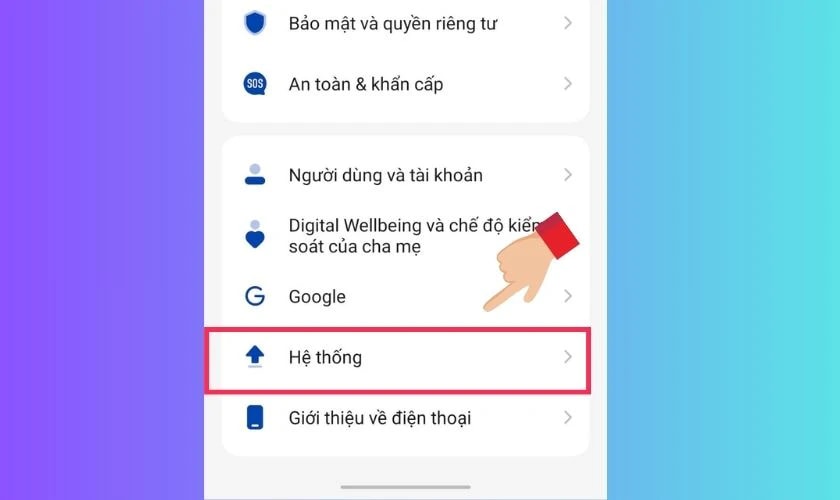
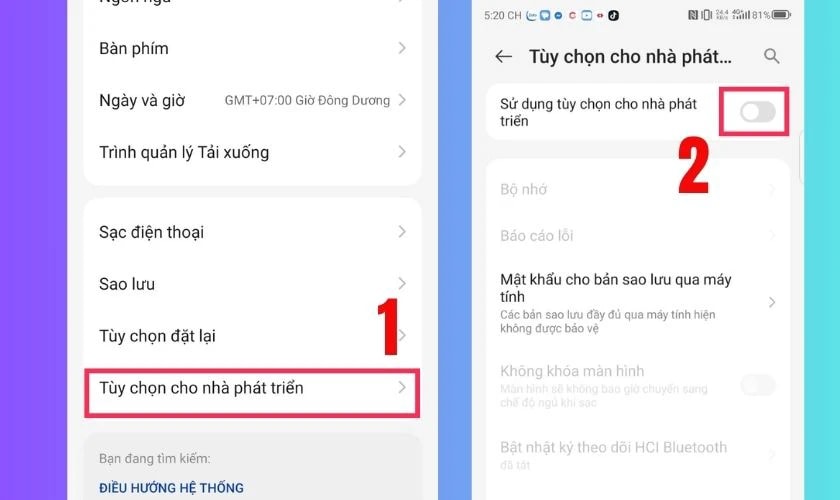
6. Check and grant full permissions to the application.
The VNeID application requires certain access permissions such as camera, storage, location, and network permissions to function correctly. If these permissions are not granted, the application may encounter errors.
Go to Settings > Apps > VNeID > Permissions and make sure all necessary permissions are enabled.
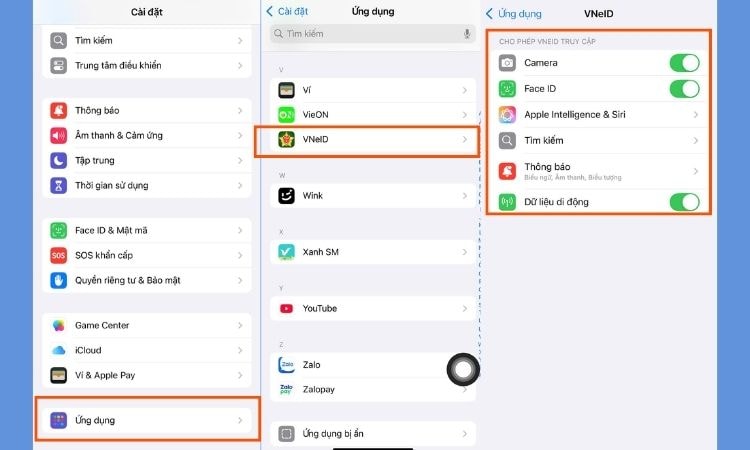
7. Uninstall and reinstall the application.
If the above methods don't work, try completely uninstalling the VNeID app and reinstalling it from the app store. This will remove any corrupted files or incorrect settings. After reinstalling, you will need to log in again using your credentials.
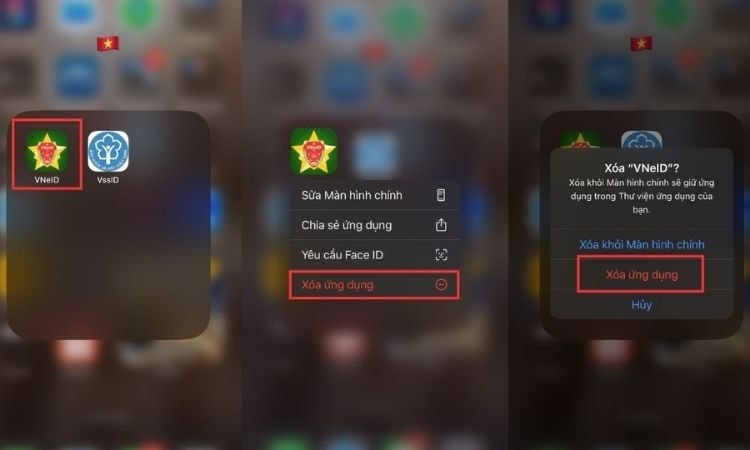
8. Contact the police for assistance.
Some errors may be related to your electronic identity account, such as information not being synchronized with the National Population Database, the registered phone number being already taken, or the account not being activated. In this case, you need to contact the police station where you registered your account for assistance in checking and updating your information.
To contact the VNeID hotline of the Ministry of Public Security for assistance, simply call 1900 0368. This hotline is set up to receive and answer all feedback, requests, and questions from citizens at the central level.
9. Be patient and wait in case of system errors.
Sometimes, problems may occur because the VNeID system server is undergoing maintenance oroverload, especially during peak hours. If you suspect a system error, try accessing the site again after a few hours or monitor official announcements from the Ministry of Public Security.
.jpg)
10. Ensure device compatibility.
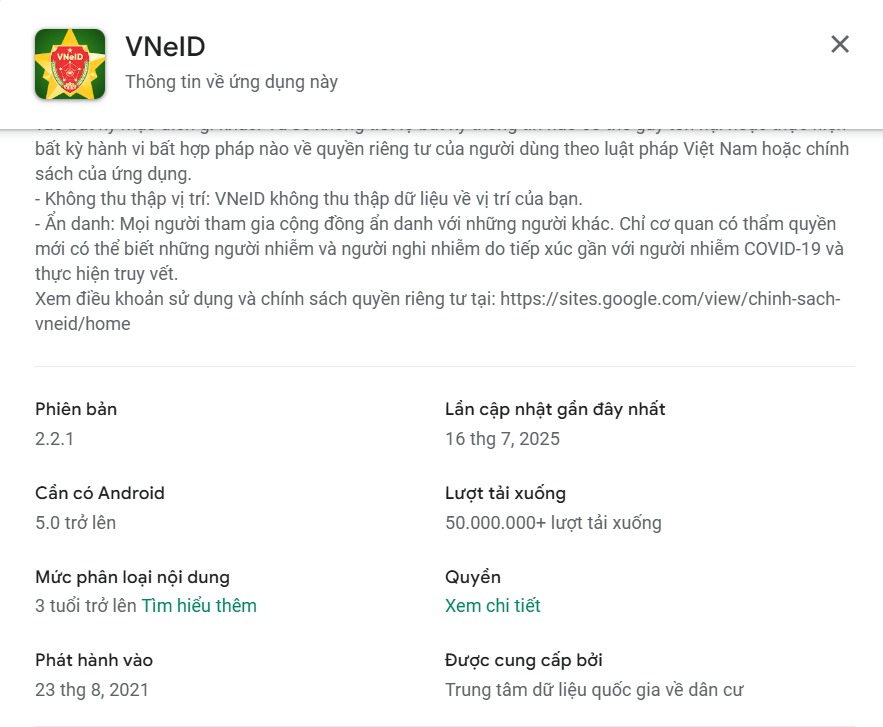
The VNeID app requires a device running Android 5.0 or later or iOS 13 or later. If your phone has an older operating system, the app may not work. Please check and upgrade your operating system if necessary.
If the above methods don't resolve the issue, you should contact the police or VNeID's technical support department for more specific guidance.


