
Do smartphone apps track your contacts?
Your smartphone's contact list contains important personal information such as your phone number, email address, and relationships. But are the apps you install every day secretly accessing and tracking this data?
Most smartphone apps, when installed, require you to grant access to certain personal data. This could include your location, calendar, photo storage, and even your contacts.
For apps that make calls, send messages, or use social media, accessing your contacts is quite understandable because they need your phone number to help you find friends, sync contacts, and suggest connections.
However, not all access requests are entirely harmless. In some cases, malicious applications or sophisticated spyware can exploit this permission to collect contact data without your knowledge. In such instances, your information and that of those in your contacts could be exploited for nefarious purposes.
Regardless of the reason, an app accessing contacts is a sensitive issue directly related to privacy. If a phone is infected with malware, the risk doesn't stop at contacts but can spread to other data as well.
However, you can still control the situation by selectively choosing apps before installing them, reviewing and disabling unnecessary permissions, or requesting the deletion of personal data when you no longer use the service.
Why would an app want to access your contacts?
When installing a new app, many people often click "Allow" without much thought. But have you ever wondered why the app needs your contacts?
The answer lies in the data. For developers, personal data, including contacts, is a valuable resource. Depending on each app's policy, the information you provide may be used to improve services, suggest friend connections, or even share with advertising partners. Meanwhile, most apps on app stores are free, so leveraging data becomes a way to generate revenue.
In essence, your data is being “commercialized.” Information such as location, age, marital status, shopping history, and contact networks can be compiled into detailed profiles for personalized advertising. Some data brokerage companies even combine various legitimate sources to build comprehensive digital profiles of users.
Don't ignore the Privacy Policy.
To understand how your data will be used, the best way is to read the Privacy Policy before installing any application. Although the content is often long and difficult to understand, it clearly explains the following requirements:
- What type of data does the application collect?
Why do we need that data?
- Is it shared with third parties?
- How long is the data stored?
Do users have the right to request the deletion or modification of data?
If an app lacks transparency or doesn't clearly disclose how it handles information, that's a sign to be wary. In fact, many apps still collect more data than necessary.
Is stopping app installations a viable solution?
Stopping the installation of new apps might help reduce risk, but it's almost impossible in the digital age. Smartphones are designed to have apps installed and used every day.
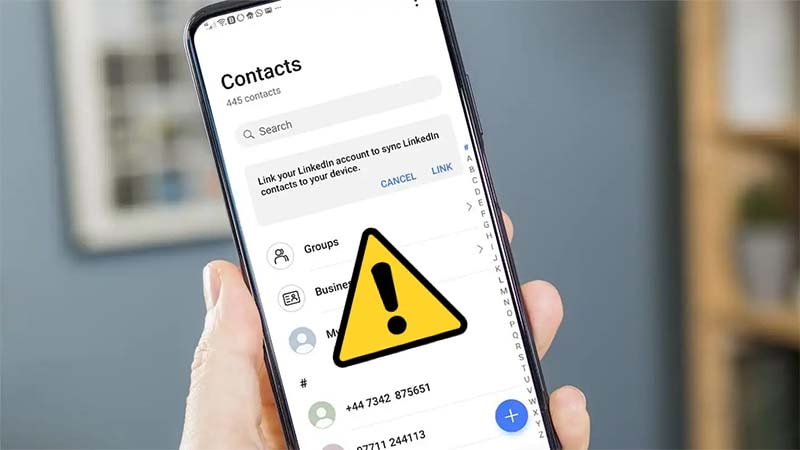
Even if you don't use third-party apps, data can still be collected through default services. For example, when using Gmail, Google Maps, or YouTube, your activity is linked to your Google account. You can turn off ad personalization or limit activity tracking, but this sometimes reduces the quality of content suggestions.
This is a familiar trade-off: the more you want the service to "understand" you, the more data you have to share.
Controlling app access is a more effective solution.
A more practical and balanced solution is to proactively manage access permissions on your phone.
You can go to the sectionSetting→Privacy→Directory(or similar settings depending on your operating system) to see which applications are allowed access. If you find an unrelated application that still has permission to read your contacts, disable it immediately.
Many devices also allow you to select a "Only allow while in use" mode, which restricts apps from accessing data while running in the background. Regularly checking the permission list also helps you detect apps that abuse permissions or collect unnecessary data.
If you suspect an app is infringing on your privacy, you should uninstall it and consider requesting that the provider delete your personal data from their system.
In the digital age, personal data is a valuable asset. Applications requesting access to contacts aren't always dangerous, but they shouldn't be taken lightly. The important thing isn't to abandon technology, but to use it wisely and safely.


