
How to set up efficient battery charging mode on iPhone and Android phones.
Charging your smartphone may seem like a simple task, but it has a significant impact on its lifespan. By adjusting a few settings on your iPhone and Android device, you can optimize the charging process and protect your battery more effectively.
In fact, most smartphones today use lithium-ion batteries, which degrade gradually over time and are particularly sensitive to "extreme" charging conditions.
Regularly keeping the battery at 100% for extended periods or letting it completely drain before recharging will accelerate the "aging" process, reducing battery capacity and performance over time.
It's worth noting that both iPhones and modern Android devices already have built-in smart features to mitigate this problem, such as optimizing charging or limiting the maximum battery level.
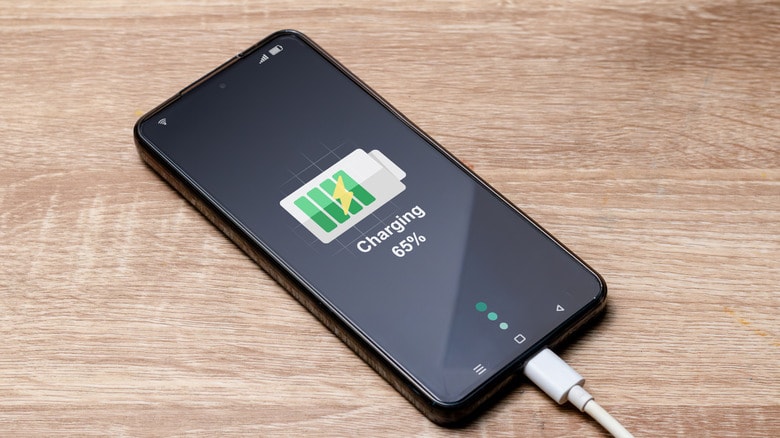
However, in reality, not all users are aware of the existence of these options, or proactively activate them to take advantage of the benefits they offer.
Setting up the correct iPhone charging mode helps extend battery life.
On Apple devices, users can easily find battery protection options in the Settings.
Simply go to Settings → Battery → Charging, where you'll find two important features: Optimal Battery Charging and Charging Limits.
Optimized Battery Charging:
This is a smart feature that helps your iPhone learn your usage habits. When enabled, the phone will only charge to about 80%, then pause and only fully charge to 100% just before you usually unplug it. This helps reduce the time the battery is at full charge, a factor that causes battery degradation.
Charge Limit:
If you want tighter control, you can set a fixed maximum charge level such as 80%, 85%, 90%, or 95%. For example, choosing 85% will put less stress on the battery compared to always charging it to 100%.
Note that the Optimized Battery Charge feature works best when you have a consistent charging schedule, such as charging overnight every day. If you charge randomly during the day, the system may not predict accurately and will keep the battery at 80% for longer.
Optimize charging settings on Android to maintain long-lasting battery life.
Not only iPhones, but Android devices also come equipped with many similar features to protect the battery, although the names and locations of these features may vary depending on the manufacturer.
On Samsung phones, you can find the Battery Protection feature by going to Settings → Battery → Battery settings. When enabled, the system will limit the maximum charge level to around 85%, helping to reduce the time the battery stays fully charged.
With Google's Pixel line, Adaptive Charging works similarly to the iPhone. It learns your usage habits, especially your sleep schedule, to delay charging to 100% until just before you wake up. You can find it in Settings → Battery → Adaptive Options.
Other Android manufacturers also have their own versions, although the names may differ, such as Battery Protection, Optimized Charging, or Smart Charging. The common goal of all of them is to reduce the time the battery stays at 100%, thereby slowing down the degradation process.
If you haven't used it before, go to Settings → Battery and look for options related to "battery protection" or "charge limits" to activate it.
Why shouldn't you charge your battery to 100% regularly?
Lithium-ion batteries perform best when maintained between 20% and 80%. Regularly charging them to 100% and leaving them at that level for extended periods (e.g., overnight charging) subjects the battery to greater electrochemical stress, leading to reduced capacity over time.
Similarly, letting the battery completely drain before charging is also detrimental to its long-term lifespan. This is why manufacturers incorporate smart mechanisms to limit these two extreme situations.
Enabling battery protection features doesn't weaken your phone; on the contrary, it helps the device maintain stable performance for longer, even after 2-3 years of use.
Overall, changing your charging habits is one of the simplest ways to extend your smartphone's lifespan. By simply activating the features available on your device, you can better protect your battery without needing any additional apps or accessories.


