
How to update to iOS 27 Public Beta: The most stable beta version brings end-game mode to iPhone.
Apple has officially released iOS 27 Public Beta with a unique endgame mode. This is the most stable public beta version available for iPhone users.
Apple has officially released the iOS 27 Public Beta, giving general users the opportunity to experience the latest features early. Unlike the Developer Beta version, which often contains many system bugs, the Public Beta is considered the most stable update in the testing phase, allowing users to access "end game" mode and many performance improvements without too much risk.
iOS 27 Public Beta: Differences compared to the Developer Beta
For users unfamiliar with Apple's update roadmap, Public Beta is a publicly released test version that the company releases after refinements through internal testing. The main purpose of this phase is to gather feedback and real-world data from a large user community to detect and fix remaining bugs that the development team hasn't found in a smaller environment.
Because it was released after the Developer Beta, the iOS 27 Public Beta is generally significantly more stable and less prone to serious bugs that disrupt usage. However, users should also note that this is not yet the final official version. Some minor interface bugs or battery drain issues may still occur depending on the device and the compatibility of third-party applications.
Should you upgrade to iOS 27 Public Beta right now?
If you're using earlier versions of the iOS 27 Developer Beta, switching to the Public Beta is a very sensible decision to improve device stability. For users on older operating system versions (like iOS 26), you should think carefully. While it offers a promising "end game" mode, if your iPhone is your primary work device and requires absolute stability, waiting for the official release in the fall is still the safer option.
Detailed instructions on how to upgrade to iOS 27 Public Beta.
To safely and accurately experience the iOS 27 Public Beta early, users need to follow the instructions below:
Step 1: Register for Apple's beta testing program.
First, you need to make sure your Apple ID account is already registered for the Apple Beta Software Program. If not, go to Apple's official developer or beta program website to register.
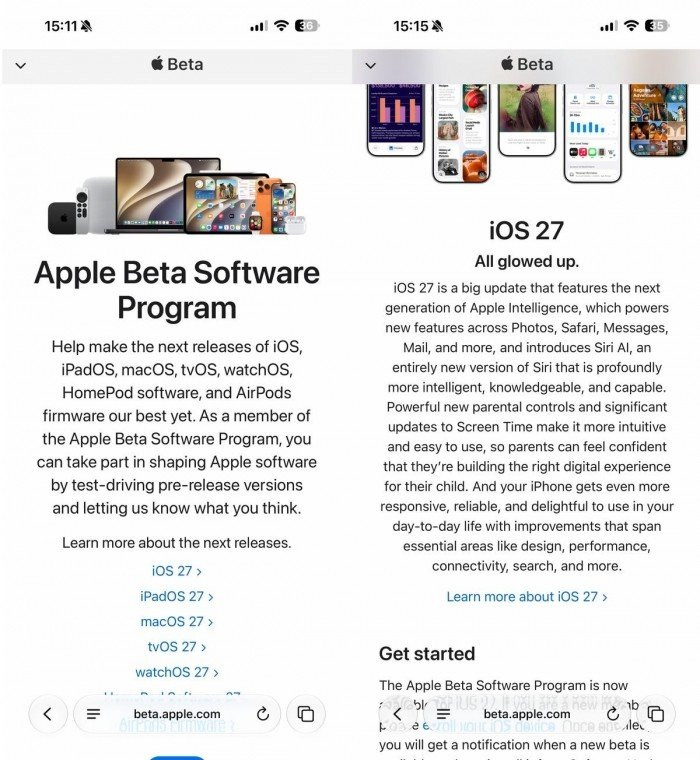
Step 2: Enable Beta update notifications in settings.
After successfully registering, open your iPhone and access the following link:SettingsnewsGeneral settingsnewsSoftware UpdateHere, find the itemBeta Updatesand chooseiOS 27 Public Betafrom the list that appears.
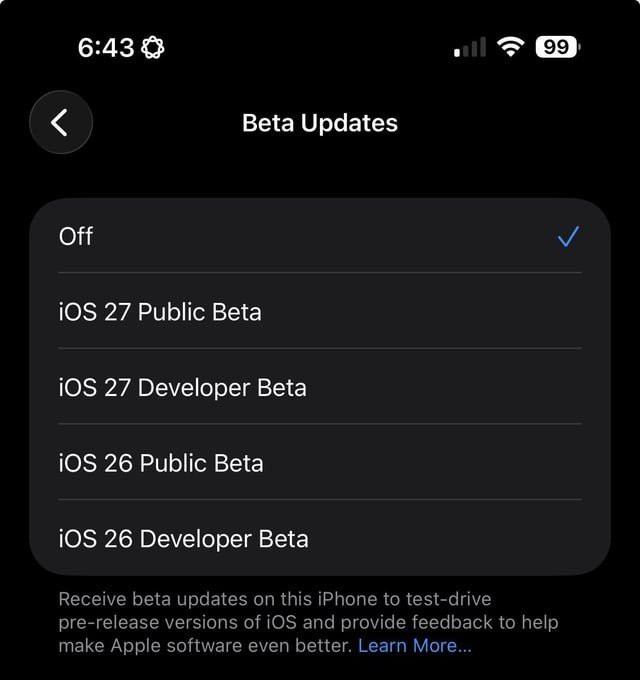
Step 3: Download and install
Finally, return to the Software Update screen. At this point, the iOS 27 public beta will appear, similar to a regular update. You just need to tapUpdate NowFollow the on-screen instructions to complete the upgrade process.
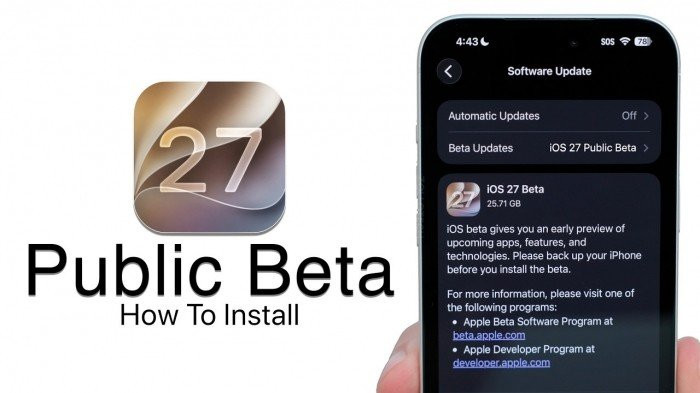
Experiencing the iOS 27 Public Beta not only gives you early access to new technology but also contributes significantly to perfecting the operating system before Apple releases the official global version. We hope you have enjoyable experiences with the new features on your iPhone.


