
How to transfer ownership of files and folders on OneDrive
OneDrive doesn't currently support direct ownership transfer, but users can use a trick to create a backup copy to transfer data to another account.
Within the Microsoft 365 ecosystem, OneDrive plays a crucial role in storage and collaboration. However, a major limitation is that the platform does not offer the option to directly transfer ownership of files and folders like SharePoint. Even if you grant full control to others, downgrading your own permissions will not change the original owner's status.
An alternative solution is to use the Copy to feature.
Although there isn't an official feature, you can still transfer data by creating a parent folder and using the copy command. This method essentially creates a new copy of the data on the destination account, giving the recipient full control over the files.
Detailed steps:
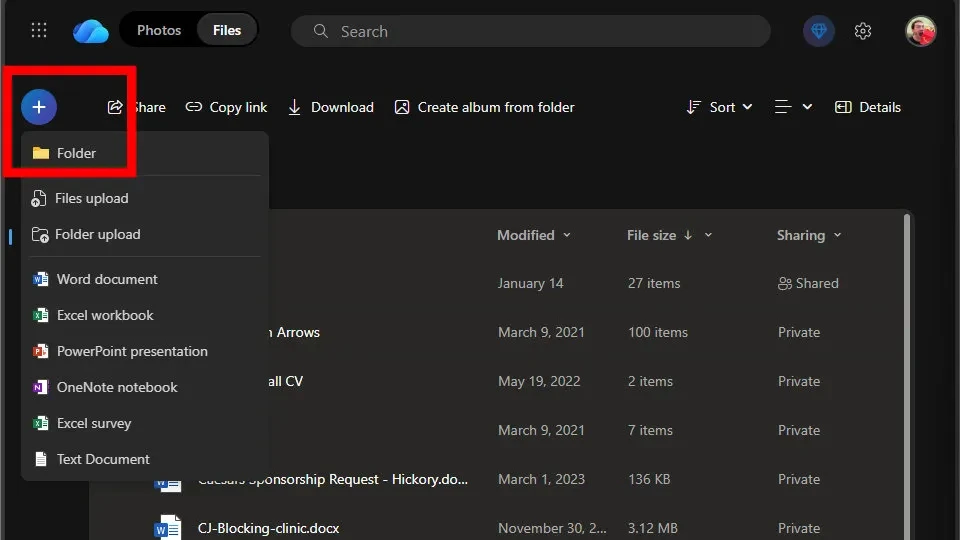
- Prepare:Using the account storing the data, create a new folder (parent folder) and move all the files you want to transfer into it using the Move to feature or drag and drop.
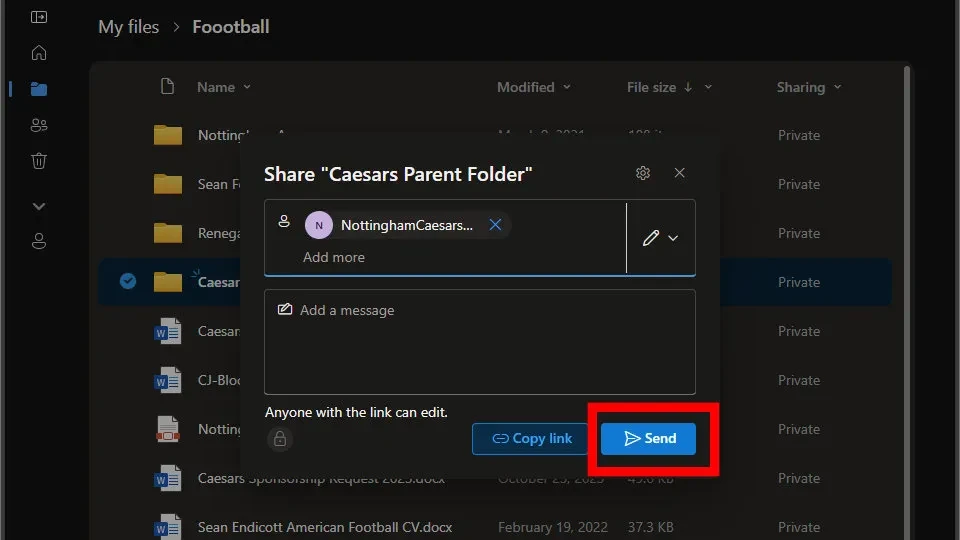
- Share:Share this parent folder with the recipient's account.
- Received:Using the recipient's account, access the shared folder.
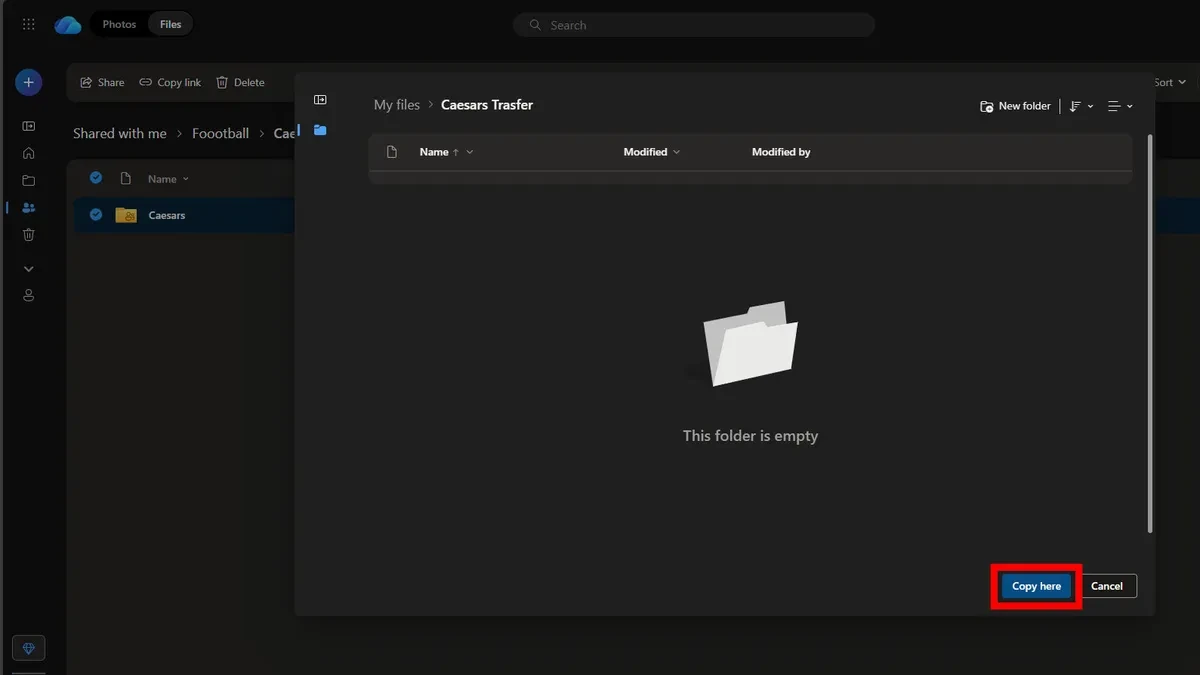
- Copy data:Select the folders or files inside, click the three-dot icon (...) and selectCopy to.
- Confirm location:Select the destination folder on the new account and press Enter.Move hereto complete the copy creation process.
Technical limitations to note
Although this solution helps address the data transfer issue, users need to be aware of some technical hurdles to avoid data loss:
| Characteristic | Limits / Status |
|---|---|
| Maximum file size | No more than 100GB per file |
| Maximum number of files | Supports moving up to 30,000 files simultaneously. |
| Old sharing link | Completely disabled on the new copy. |
| Version History | Reset to factory settings |
Addressing special situations
Switching between personal and business accounts
The Copy to feature often doesn't work effectively when moving data between different organizations or between personal and work accounts. In this case, the most reliable method is to use File Explorer on your computer to perform the drag-and-drop operation manually.
Processing data for employees who have left the company.
In a business environment, archiving the files of a former employee requires Microsoft 365 administrator privileges. Administrators can access the SharePoint Admin Center to grant access to that employee's OneDrive archive to the new person in charge.
Mastering these alternative methods allows users to manage data more flexibly, ensuring uninterrupted workflow when changing accounts or handing over projects in a digital work environment.


