
How to reduce the file size of Arena of Valor to make it run smoother on low-configuration devices.
After prolonged use, Arena of Valor often consumes a lot of memory, causing lag. Cleaning up unnecessary resources and videos helps optimize performance on weaker phones.
To reduce the file size of Arena of Valor, players should clean up unnecessary resource packs such as skill effects, additional sounds, and saved match videos. This method significantly frees up cache memory, helping the game run more smoothly on devices with limited specifications.
Learn about resources in Arena of Valor.
Arena of Valor game resources include all image, sound, and effect data that are loaded to enhance the user experience. Specifically, the system stores 3D models of heroes, skins, skill effects, voiceovers, and detailed maps of game modes.
The main reason games are becoming increasingly resource-intensive is due to regular updates. Whenever there's a new event or champion, the application automatically downloads additional files. If not cleaned up regularly, these temporary files and cache accumulate, causing the game's size to swell, leading to memory overload and frame rate drops during combat.

Instructions on how to reduce game resource usage.
Deleting unnecessary resources is a direct solution to reduce the load on your phone's memory. You can follow these detailed steps:
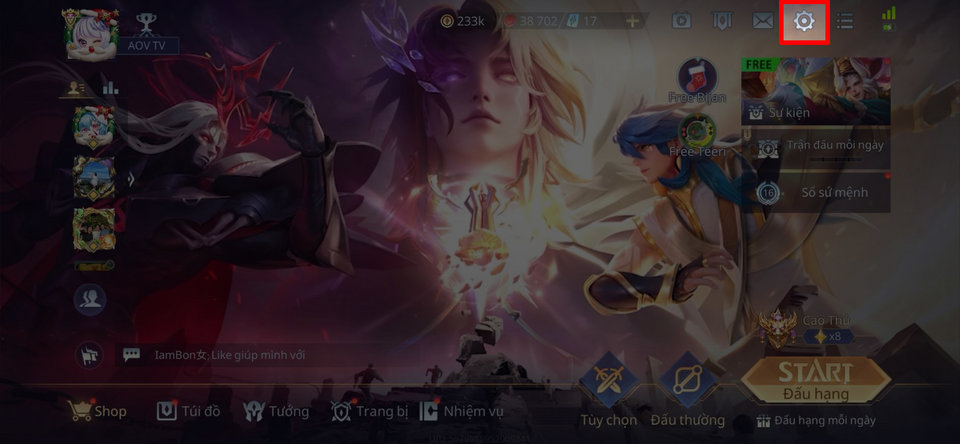
Step 1:Open the Arena of Valor app, and on the main screen, tap the gear icon.Settingin the upper right corner of the screen.
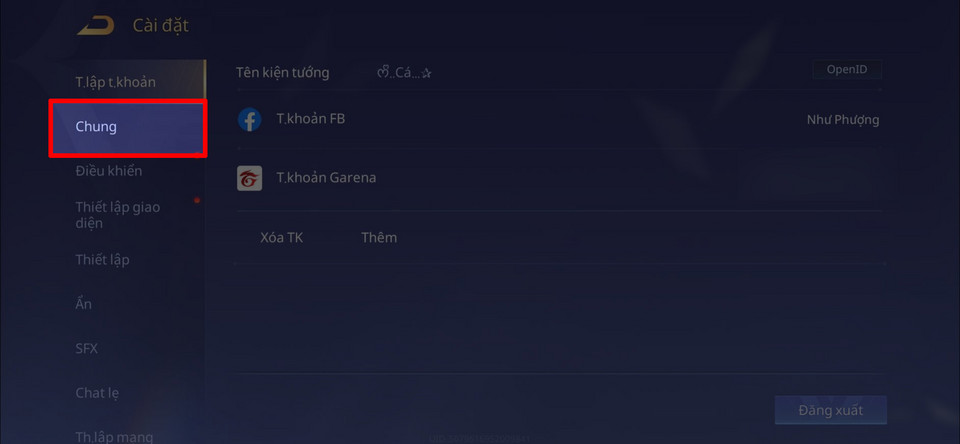
Step 2:In the menu on the left, find and select the item.SharedTo manage system options.
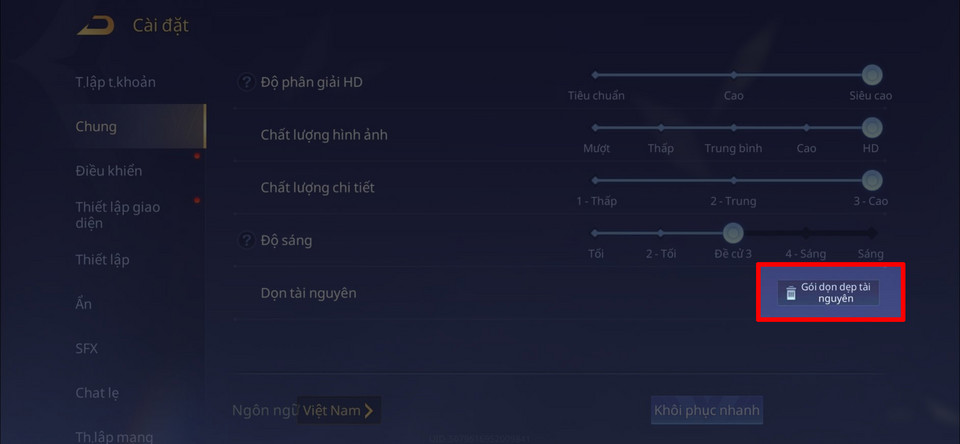
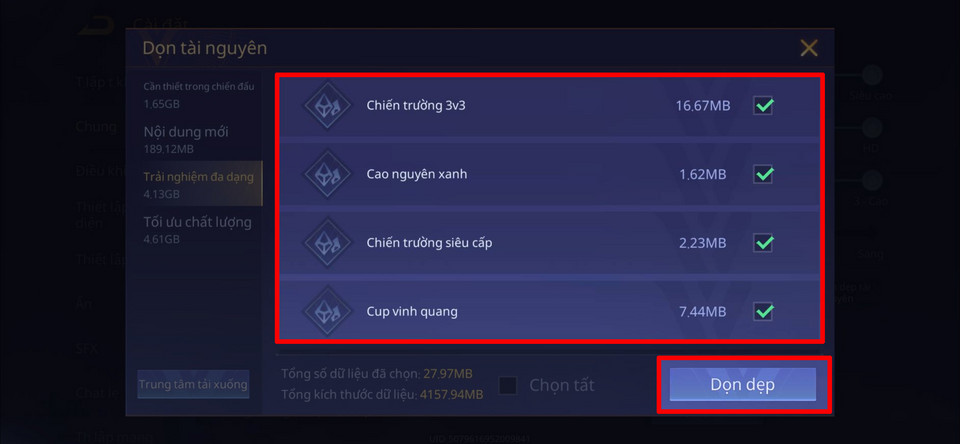
Step 3:Scroll down and selectClean up resourcesThis is where you manage all the data packages downloaded to your computer.
Step 4:The system will list packages such as New Content, Diverse Experiences, or Quality Optimization. Please select the unnecessary options (except for the mandatory System Data Package).
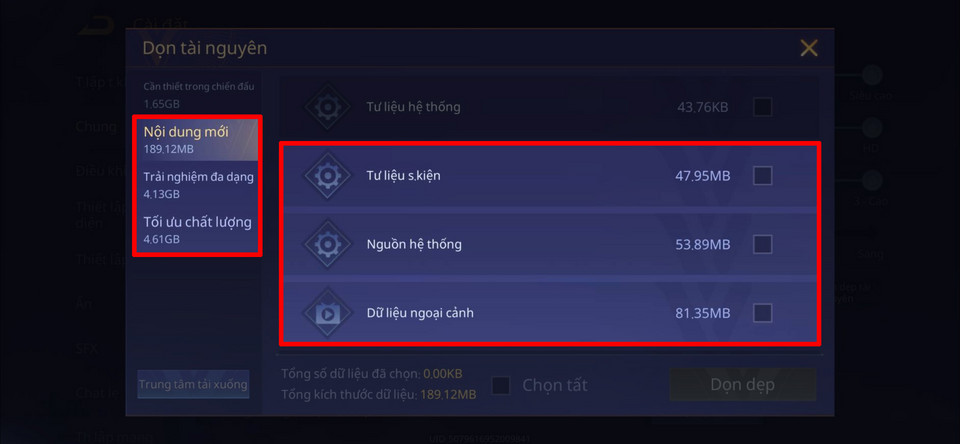
Step 5:After making your selection, pressClean upThis will allow the system to delete the data. This process will help reduce the game's size immediately.
How to delete match videos to free up more storage space.
Besides game resources, recorded match videos are also a reason why memory fills up quickly. To clean up this section, do the following:
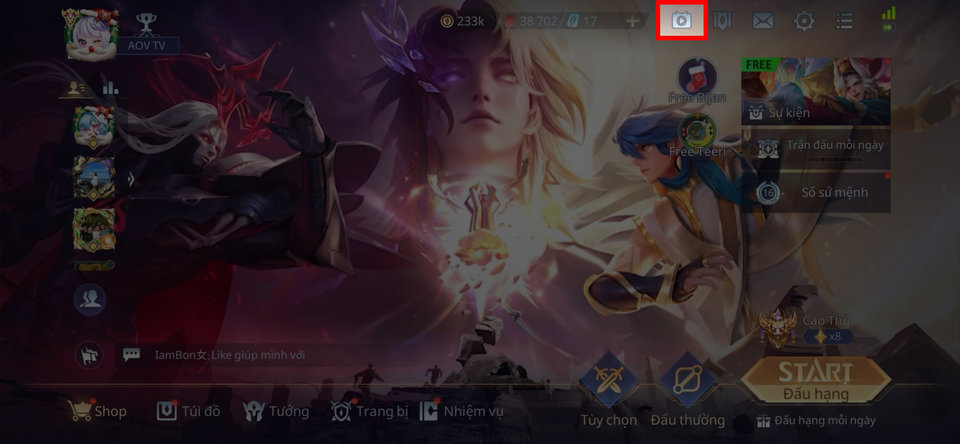
Step 1:On the home screen, tap the icon.VideoIt's located in the upper right corner.
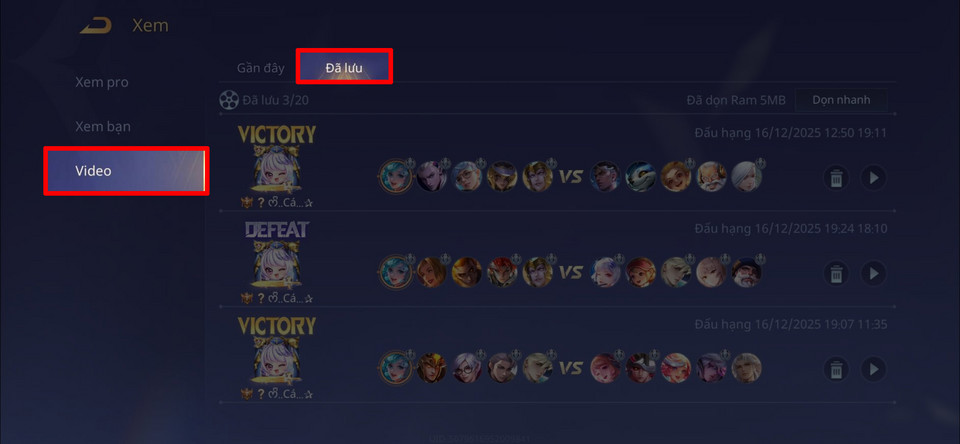
Step 2:Select tabSavedTo view a list of videos currently stored locally on your device.
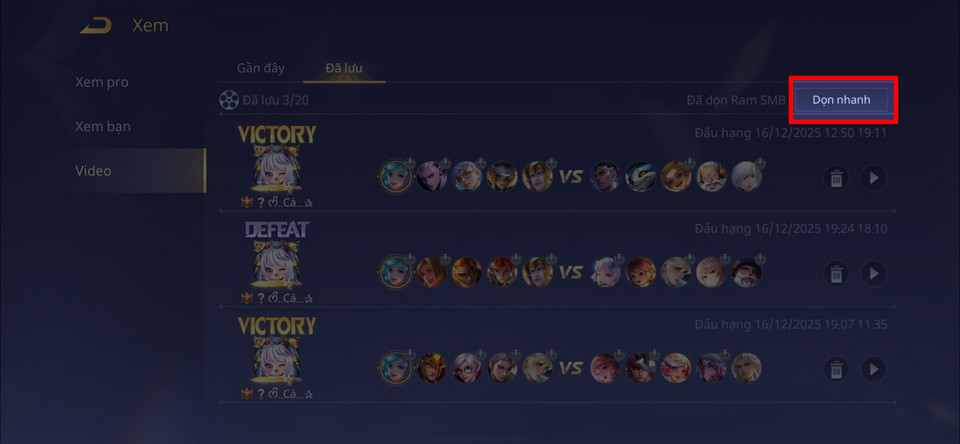
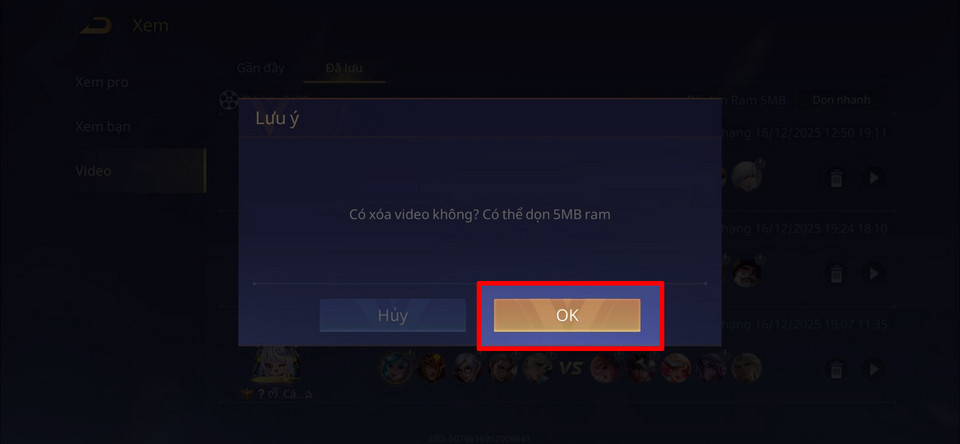
Step 3:Use the featureQuick cleanupTo delete all videos that are no longer useful.
Step 4:Confirm the action to complete the storage freeing process.
Will deleting resources affect my account?
It's important to note that deleting resources only affects the data displayed on the device and absolutely does not result in the loss of accounts, champions, or skins. All player information is securely stored on Garena's servers.
However, players should be aware that the visual experience will be significantly reduced. Beautiful skill effects, detailed sound, or gorgeous costume models may be omitted or only displayed at default settings. This is a necessary trade-off for stability and smoothness on older devices or those with weaker configurations.


