
How to open/create a formula management window in Excel
In Excel, the Name Manager window helps you manage data range names and formula names in your spreadsheet. Here's the easiest way to open or create the Name Manager window:
Step 1: Open the Watch Window
To open the Watch Window, first highlight the entire data table where you want to view the formula. Then, on the toolbar, selectFormulasthen selectRoad Window.
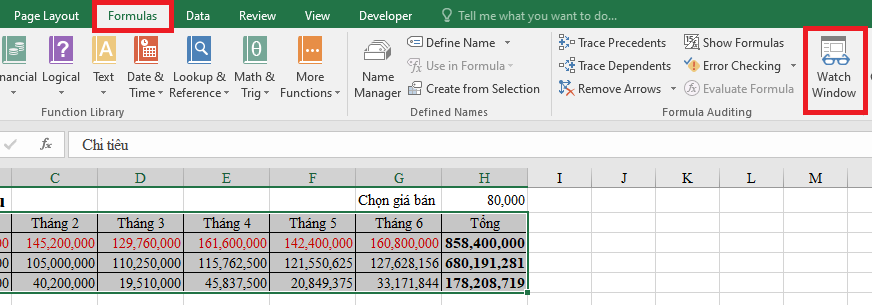
Step 2: Select Add Watch
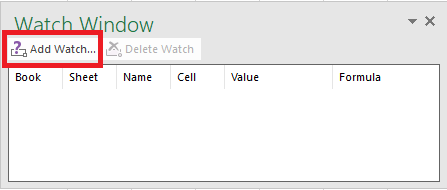
After the Watch Window appears, selectAdd Watch.
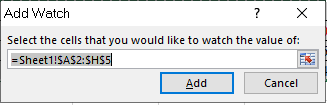
At this moment, the windowAdd WatchThis will display the data range we selected in Step 1. You selectAddTo continue.
Step 3: Customize the Watch Window
After completing Step 2, a data table like the one below will appear. This is the window for monitoring and managing the formula. Each data point is divided into different columns. In this table, the column...EnvironmentIt will display the formula and column.ValueDisplay the corresponding value.
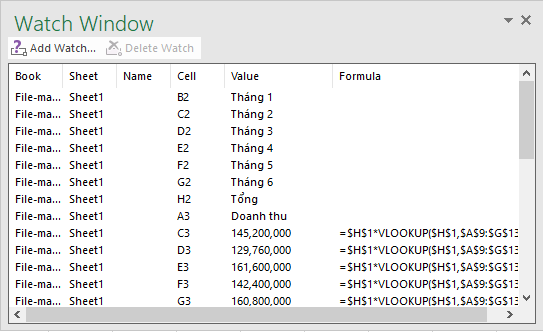
You can attach the Watch Window to the recipe bar by double-clicking the gray area in the window. The interface will then appear as shown below:
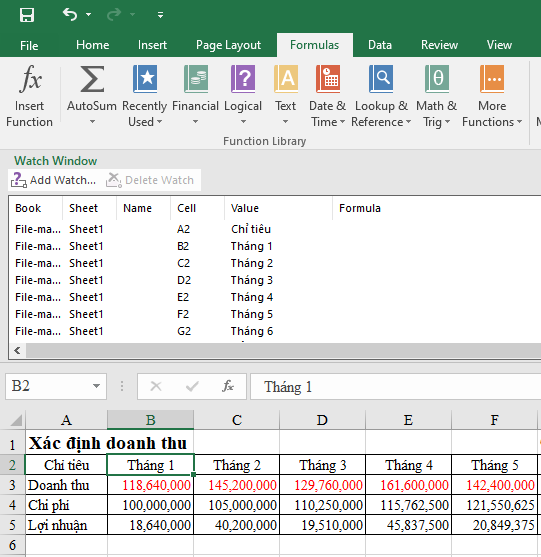
To return to the initial minimized interface, place your cursor in the gray area of the window until a four-way arrow appears, then move the window away from the formula bar.
In this interface, you can also delete data. To delete, select the data row you want to delete and then select [option].Delete WatchThe data is only deleted from the management window, not from the data table.
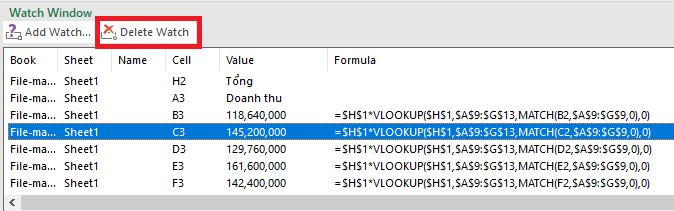
To close this window, click again.Road Windowor randomlyxon the window.
How to open/create a formula management window in Excel using ChatGPT
1. Open the Name Manager window.
The easiest way to open Name Manager is:
Press the key combination: Ctrl + F3
Or go to the Ribbon:
Select the Formulas tab on the toolbar.
Click on Name Manager.
.png)
2. Create a new named formula or data range.
When the Name Manager window opens, click New to create a new name.
Enter a name in the Name field, select the cell range, and enter a formula in the Refers to field.
Press OK to save.
.png)
3. Edit or delete the assigned name.
Select an item in Name Manager.
Click Edit to change the formula or range.
Press Delete if you want to remove that name.
.png)
This way, you can easily manage formulas and data ranges quickly in Excel.


