
The easiest way to buy iCloud storage for iPhone and Mac in 2026.
This guide provides detailed instructions on how to upgrade your iCloud+ storage plan from 50GB to 12TB, helping you quickly free up iPhone memory, along with the latest pricing and payment methods.
For Apple ecosystem users, iCloud is an essential online storage service for backing up photos, videos, and syncing data between devices. However, the default 5GB of free storage is often insufficient for daily use. Upgrading to iCloud+ not only expands storage space but also provides additional advanced security features.
1. Updated iCloud+ storage plan prices for 2026
Apple has now added massive storage options to cater to both professional and home users. Below is a detailed price list:
| Data package | Subscription fee (VNĐ/month) | Key features |
|---|---|---|
| 50GB | 19,000 VND | Suitable for personal basic photo storage. |
| 200GB | 69,000 VND | Supports sharing for up to 5 members. |
| 2TB | 249,000 VND | Large file storage for the whole family. |
| 6TB / 12TB | From 749,000 VND | A massive archive for in-depth data. |
2. How to buy iCloud storage on iPhone and iPad
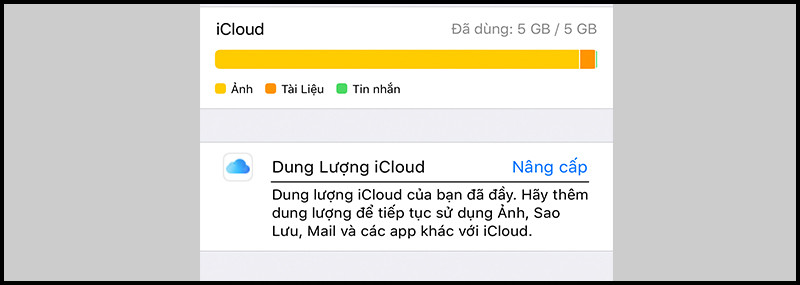
When the system notifies you that your iCloud storage is full, you should upgrade immediately to avoid interrupting the backup of important apps like Photos or Mail.
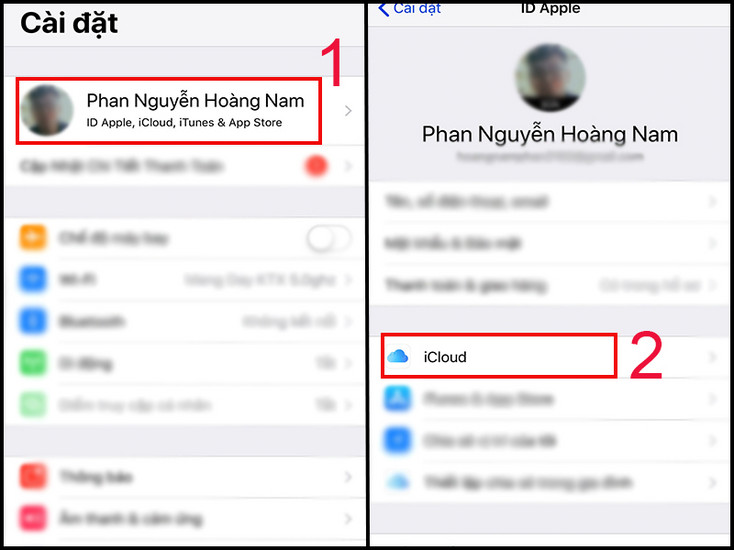
Step 1:AccessSetting, tap on your Apple ID account name in the first line, then select the optionRCA.
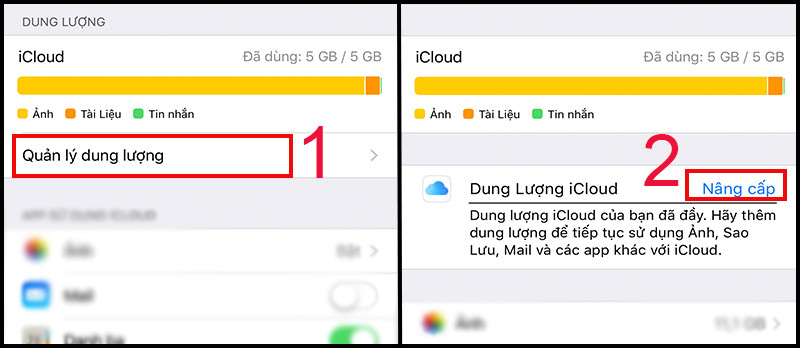
Step 2:In the iCloud interface, selectAccount storage managementNext, click onUpgradeorChange your data plan.
Step 3:Select your desired storage capacity (e.g., 50GB or 200GB), then pressBuyand confirm the transaction using Face ID, Touch ID, or your Apple ID password.
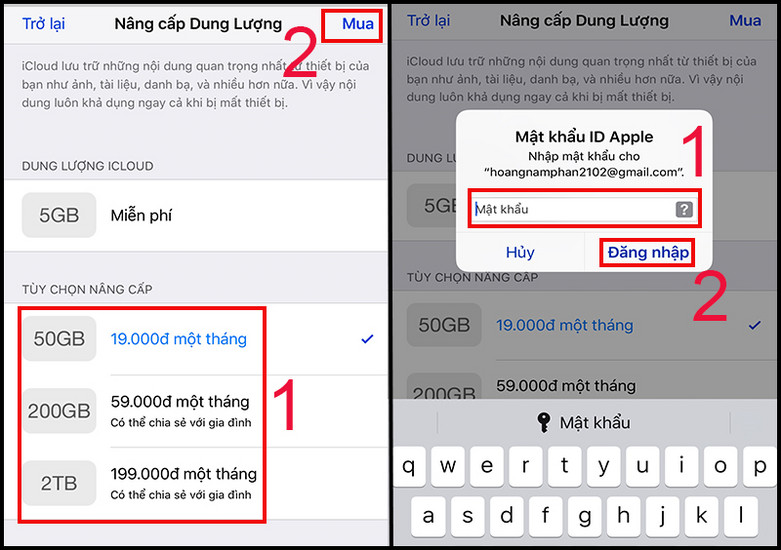
3. How to upgrade iCloud storage on a MacBook
Upgrading on macOS is just as simple as on mobile devices:
Step 1:OpenSystem settings, click on the iconAccount name (Apple Account)in the upper left corner.
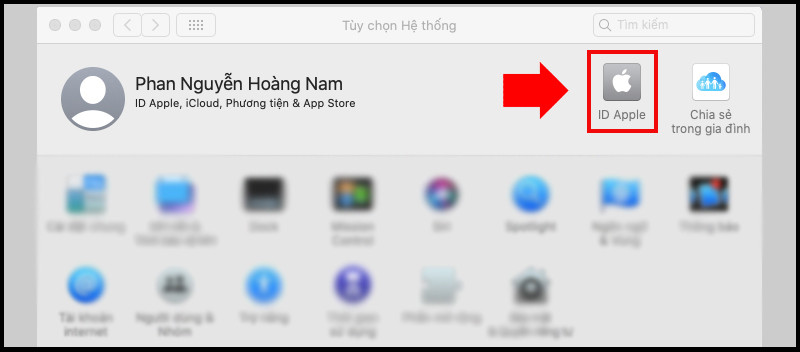
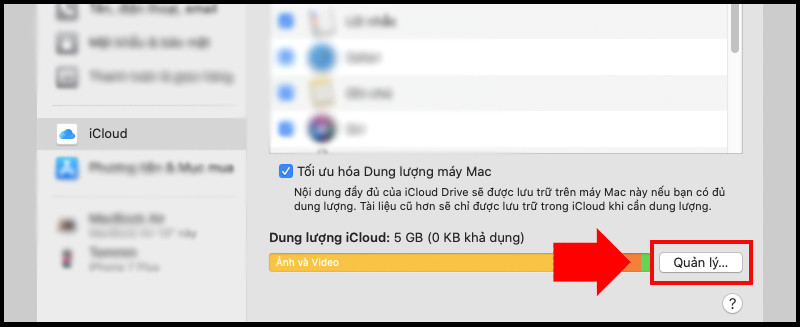
Step 2:Select itemRCAand press the buttonManage...on the right side of the capacity bar.
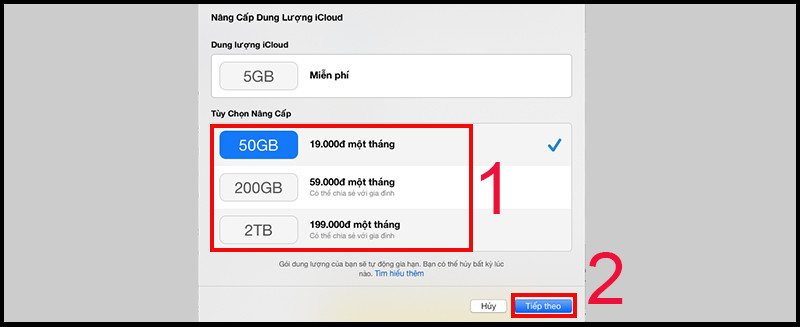
Step 3:SelectBuy more storage...To switch to the plan selection interface.
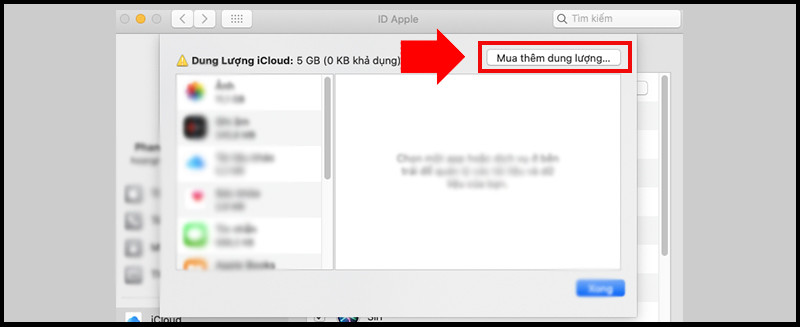
Step 4:Select the storage plan you need, then pressNextEnter your computer password or Apple ID to complete the process.
4. Popular iCloud payment methods in Vietnam
Users in Vietnam can easily pay their monthly iCloud fees through the following channels:
- E-wallets (MoMo, ZaloPay):This is the most common method, allowing direct linking to your Apple ID without needing an international card.
- International payment cards:Use a Visa or Mastercard (card number, expiry date, and CVV code will be required).
- NAPAS domestic cards:Several banks have started supporting direct payments for Apple services.
Note regarding the error of being unable to purchase storage space.
If you encounter any errors during the transaction, please check your balance in your e-wallet or bank account. Also, ensure your information is correct.PostcodeThe province/city information has been correctly entered in the payment information section.
How is the storage capacity calculated after purchase?
When you upgrade to the 50GB plan, your total storage will be 50GB (including the initial 5GB free), not cumulatively totaling 55GB.


