
How to prevent smartphones from tracking and collecting your activity data.
Smartphones can secretly collect data, record audio, access cameras, or track location if you don't exercise strict control. Below are warning signs that your smartphone is being monitored and effective ways to prevent it.
Whether you use an iPhone or Android, your device can still be exploited for surveillance. At a serious level, hackers can install spyware to access all your data, eavesdrop on your microphone, remotely turn on your camera, or track your location in real time.
High-value targets such as politicians, journalists, and businesspeople often face sophisticated attacks. However, ordinary users can also become victims, from malware sent via email and phishing messages to apps secretly installed when someone has physical access to their device.
Here are some warning signs that your device is being monitored and how to effectively prevent it.
1. Pay attention to the privacy warning light: The first sign to check.
Both iPhones and Android phones have built-in alerts that notify users when the camera or microphone is in use, helping them know if the device is recording video or audio.
On iPhones, an orange dot will appear when the microphone is active, while a green dot will be displayed when the camera or both the camera and microphone are activated.
On Android, a green icon in the corner of the screen indicates whether the camera or microphone is being accessed. If these indicators suddenly light up while you're not making a call, recording a video, or taking a photo, it could be a suspicious sign that an app is secretly using the sensor.
To check, iPhone users can go toSettingnewsPrivacy & SecuritynewsCamera/Micro, and also enable the "App Privacy Report" to track browsing history.
On Android, openSettingnewsPrivacynewsPrivacy DashboardTo view details and revoke permissions for unnecessary applications. If you detect an unfamiliar application, you should delete it or disable its permissions immediately.
2. Battery drains quickly, device overheats unusually, data usage spikes.
Unusually rapid battery drain, the device overheating even when not in use, or a sudden surge in mobile data usage are common signs that your phone may be being monitored.
This is because spyware applications often operate silently in the background to record audio, collect location data, or transmit data to remote servers, causing the system to run continuously. Users can proactively check this by viewing battery consumption statistics for each application.
On iPhone, go toSettingnewsBatteryto see which app is using the most energy; meanwhile, on Android, accessSettingnewsBatterynewsBattery usageTo monitor the details, if you notice an unfamiliar or rarely used app that is consuming a significant amount of battery power, you should review its access permissions or consider uninstalling it.
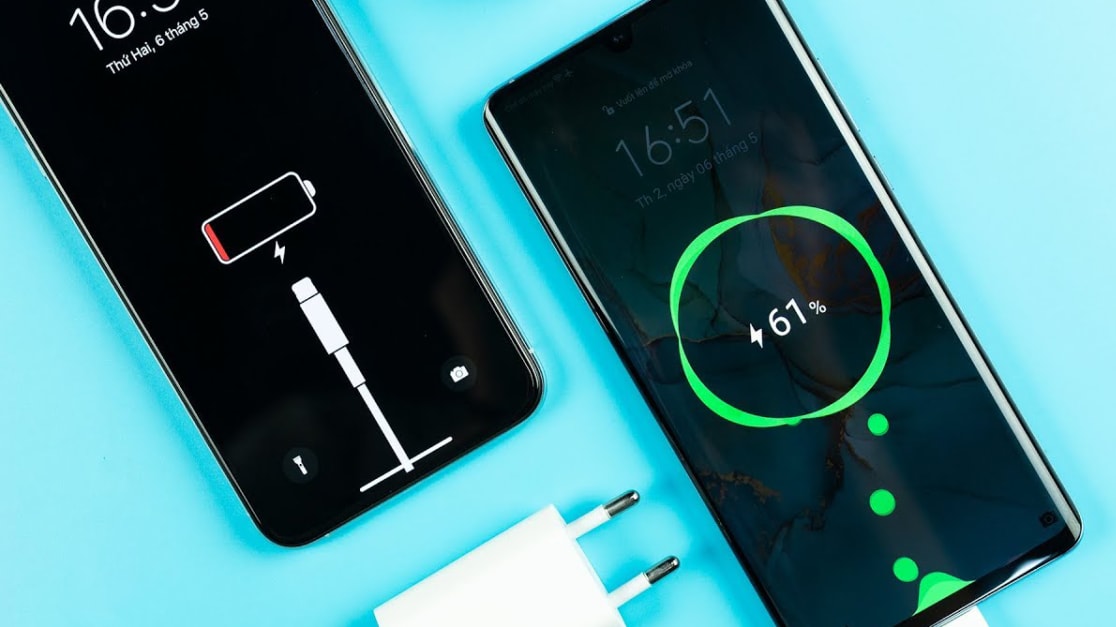
In addition, check your mobile data usage. On an iPhone, go toSettingnewsMobile; with Android, selectSettingnewsNetwork & InternetnewsInternetThen check with your network provider. Apps that silently consume a lot of 4G/5G data even when you rarely open them are a warning sign that shouldn't be ignored.
3. The screen turns on by itself, the computer slows down, or restarts automatically.
If your phone frequently turns on its screen without notifications, operates unusually slowly, or even restarts on its own for no apparent reason, it could be a sign that an app is running in the background without permission.
However, before hastily concluding that a device is being tracked or infected with malware, users should perform some basic checks such as updating the operating system to the latest version, restarting the device, and assessing whether the device is too old or lacking sufficient storage space.
If these issues persist after troubleshooting, you should review all installed applications to identify any suspicious software.
4. Check your VPN and device management settings.
Some spyware can operate through remote device management (MDM) configurations or suspicious virtual private network (VPN) connections, allowing attackers to control and monitor devices without the user's knowledge.
On iPhone, you can check by going toSettingnewsVPN & Device ManagementTo check for unusual configurations. For Android, go toSettingnewsNetwork & InternetnewsVPNAnd check which applications have administrator privileges on the device.
If you discover configurations of unknown origin, you should record the relevant information before deleting them, especially if you need to provide evidence to authorities.
5. Review installed applications.
Users should proactively open their list of installed applications and ask themselves if they really remember installing that application, as well as carefully check the permissions the application is requesting.
Be especially wary of apps that request Accessibility permissions, device administrator privileges, or access to messages and calls, as these permissions can be exploited to track personal activity.
On Android, go toSettingnewsApplicationnewsView all appsto review; and on iPhone, accessSettingnewsPrivacy & SecurityFor detailed checks, if any suspicious activity is detected, permissions should be revoked before uninstalling the application.
6. Check your Apple/Google account and forward messages.
In many cases, hackers don't need to install spyware; they simply need to gain control of your Apple or Google account to access your data. Therefore, checking which devices are logged in is a crucial step.
On iPhone, go toSetting> [Your name] to see a list of devices linked to your account. For Android, access your Google account and select the "" option.Your device" to review. If any unfamiliar or unused devices are detected, access should be revoked immediately.
In addition, check the message and call forwarding feature. On iPhone, go toSettingnewsMessagenewsForward text messagesandSettingnewsPhonenewsCall forwarding.
On Android, open the app.Phone, into the sectionSettingAnd check the call forwarding settings. If you see any unusual settings, turn them off immediately.
At the same time, you should change your password, enable two-factor authentication (2FA), and double-check your email and social media accounts.
If you suspect you are being seriously tracked, you might consider changing your phone, registering a new number, and even contacting the authorities.
In short, smartphones are personal devices that contain almost your entire digital life. Being tracked isn't always easy to spot, but there are always warning signs such as rapid battery drain, overheating, sudden surges in data usage, unfamiliar apps, or the camera indicator light turning on unusually.
Instead of panicking, proactively check access permissions, manage accounts, update your operating system, and only install applications from trusted sources.


