
How to turn off friend syncing on TikTok to protect your personal privacy.
Disconnecting your contacts and Facebook from TikTok helps users avoid having their accounts discovered by acquaintances, control their personal information, and enhance security when using the app.
TikTok's friend sync feature by default connects to your phone's contacts and Facebook account to suggest acquaintances who are using the platform. However, this often makes your personal account easily discoverable by friends you don't want to connect with. Turning this feature off is a necessary solution to maintain privacy on social media.
Learn about the friend syncing feature on TikTok.
Friend sync is a tool that allows TikTok to scan contact data from your phone or linked social media accounts to suggest friends or display your account to others. While it helps you find friends quickly, this feature raises privacy concerns for those who want to use TikTok anonymously or limit interaction from real-life acquaintances.
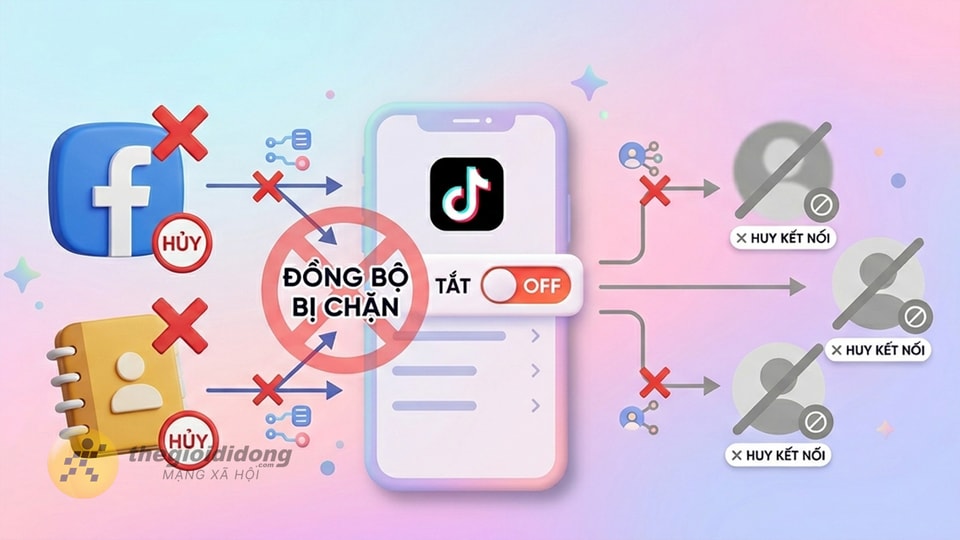
Instructions on how to turn off friend synchronization on TikTok.
To gain complete control over how your contact information is shared, you can follow these four simple steps:
Step 1: Access Settings and Privacy
First, open the TikTok app and tap on the option.FileIn the bottom right corner of the screen. Then, select the icon.three dashesin the upper right corner and tapSettings and Privacy.
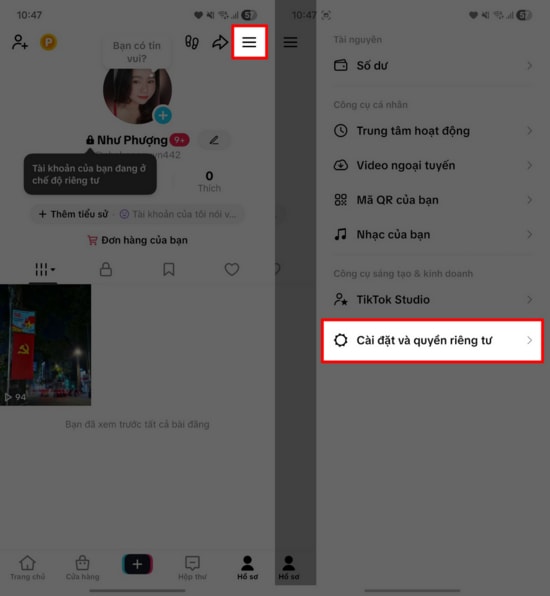
Step 2: Select the "Sync Contacts" option.
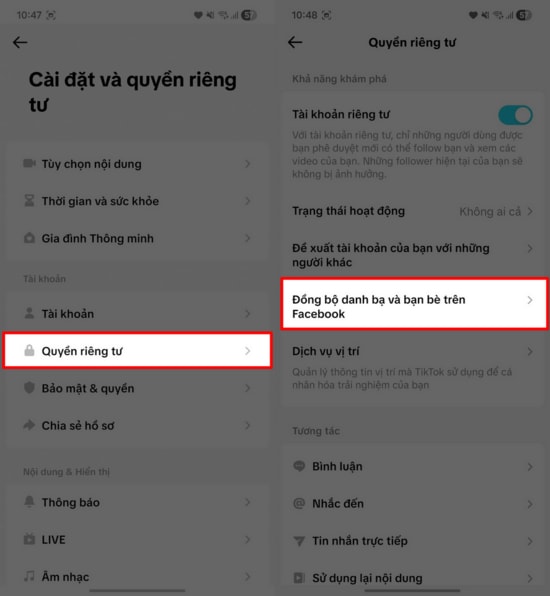
In the settings interface, find and select the item.PrivacyNext, click on the line.Synchronize your contacts and friends on Facebook.To manage connected data sources.
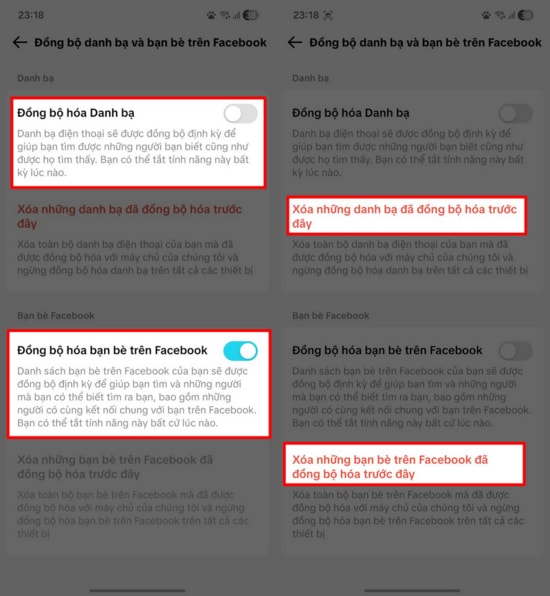
Step 3: Turn off the feature and delete the synchronized data.
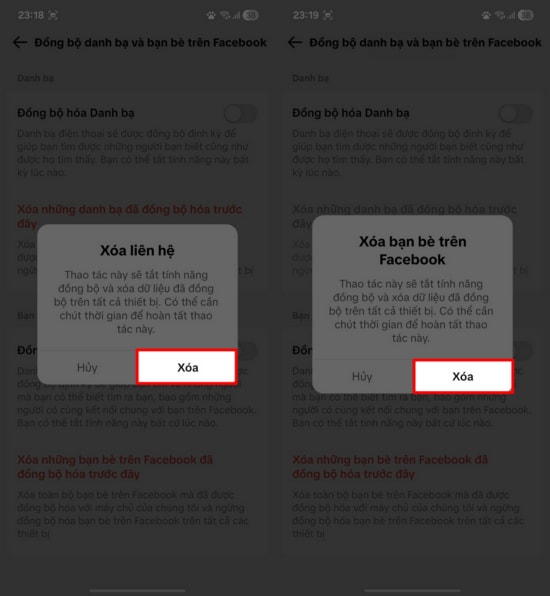
Flip the switch to turn off both options.Synchronize contactsandSync Facebook friendsTo ensure maximum safety, you need to click on the additional item.Delete synced contactsto completely remove any information that TikTok had previously stored.
Step 4: Confirm completion
A confirmation message will appear; click on it.Confirm deletionTo complete the process, TikTok will stop scanning your contacts, and your account will be less likely to be suggested to people you know in your contact list.
Actively managing sync features allows you to have a more comfortable TikTok experience without worrying about unintentionally leaking personal information.


