
How to turn off sent photo notifications on Messenger to avoid distractions and cluttered screens.
Removing the "sent photos" notification on Messenger helps keep your phone screen cleaner without missing important messages or calls from friends or work.
Messenger on your phone often displays activity notifications like "You've sent a photo." These notifications appear frequently and can be annoying, interfering with other important notifications. Turning this feature off will make the user interface cleaner and easier to manage.
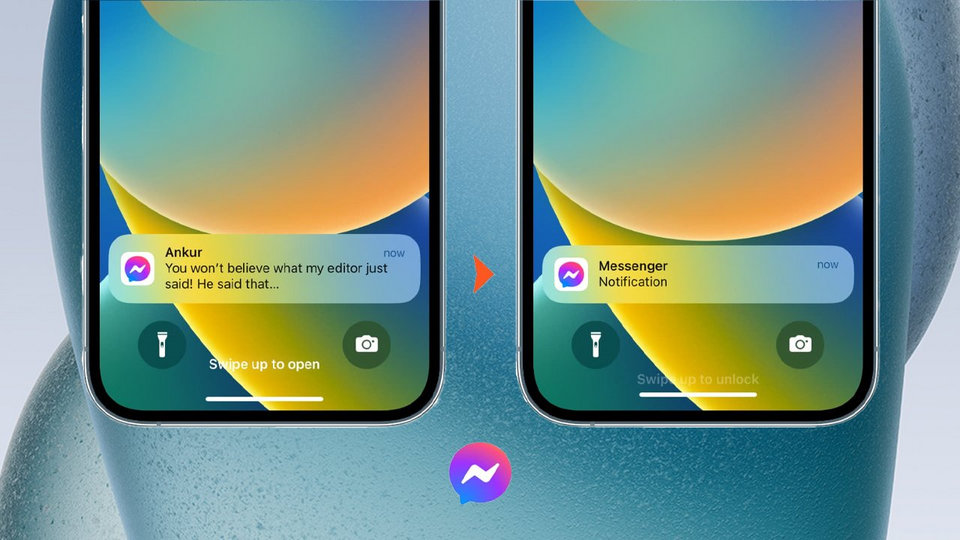
Why does Messenger show a notification that I've sent a photo?
Messenger automatically records and reminds you of recent actions in a conversation, such as sending photos, videos, or files. This feature is designed to provide real-time updates. However, due to the frequent sending of files, these notifications can easily become redundant on your phone screen.
How to turn off photo sent notifications in system settings
To turn off these activity notifications on your Android phone, follow these steps:
- Step 1:AccessSettingOn your phone, select the optionNotification, then click onApplication notification.
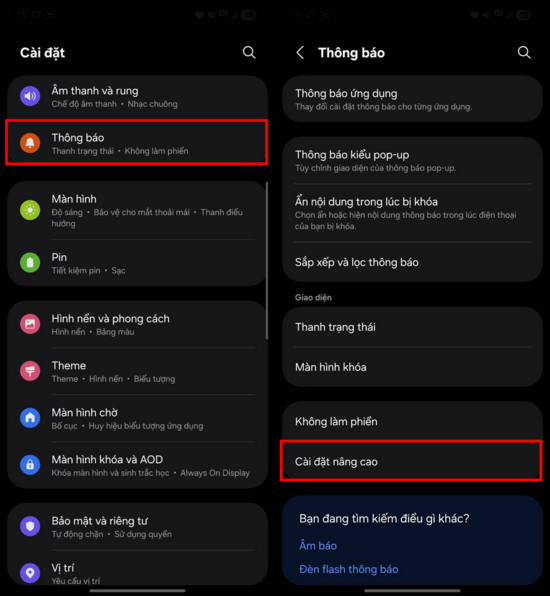
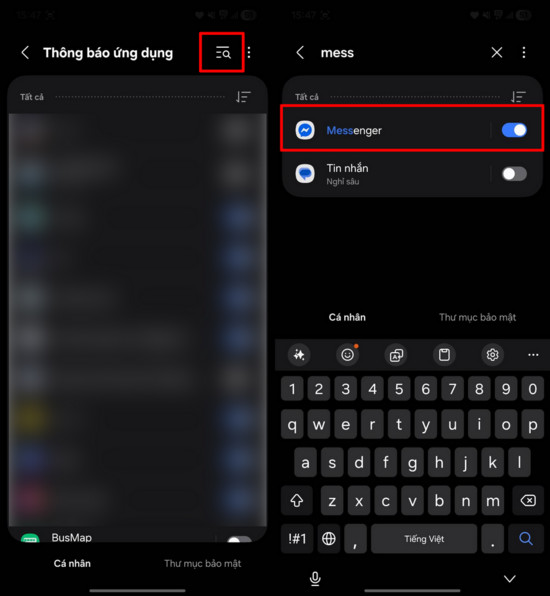
- Step 2:Find and select the application.MessengerIn the list, go to the detailed notification settings section.
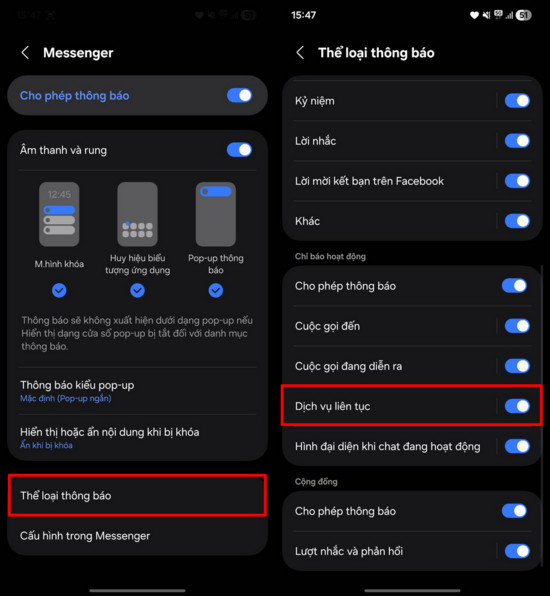
- Step 3:SelectNotification categoryScroll down to the bottom and find the item.Continuous serviceFlip the switch to turn it off here to complete.
How to turn it off directly in the Messenger app.
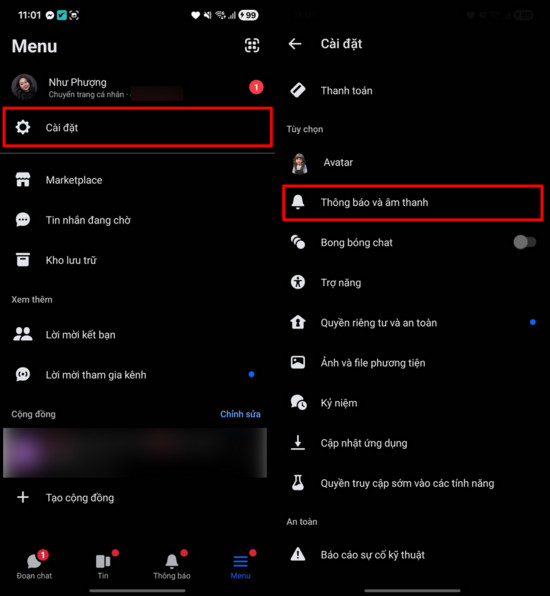
On some other phone models, you can customize it directly within the app by following these steps:
- Open the Messenger app and tap the icon.Setting(gear shape).
- Select itemNotification.
- Go to the sectionContinuous serviceand toggle this feature off.
Note regarding the ability to receive messages after turning it off.
Turning off the "Continuous Service" notification only removes the status lines that appear when you send files (photos, videos). This is completely fine.no effectThis includes notifications for new messages or calls. You will still receive full notifications when someone texts or calls as usual, helping to ensure you don't miss any important information.


