How to register dependents yourself on the tax public service portal.
This guide provides a detailed 14-step process for declaring and submitting the dependent registration form (Form 20-ĐK-TH-TCT) online, helping taxpayers save time.
Registering dependents is an important procedure that helps individuals claim family allowance deductions when settling personal income tax. Below is a detailed guide on the online process through the General Department of Taxation's public service portal for income-paying organizations.
Online registration and application submission process
Step 1: Log in to the system
Access the State Tax Public Services website (dichvucong.gdt.gov.vn). Select the section.Log inand select the login subject asBusinesses.
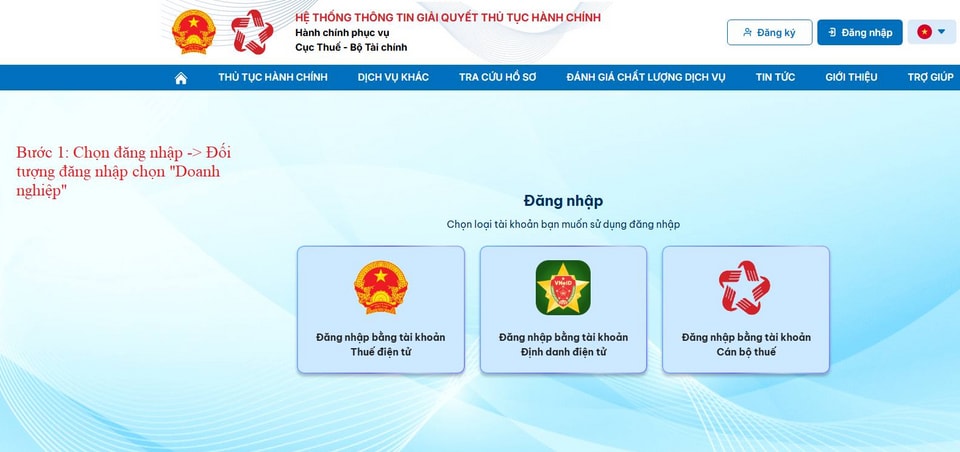
Step 2: Select the registration form.
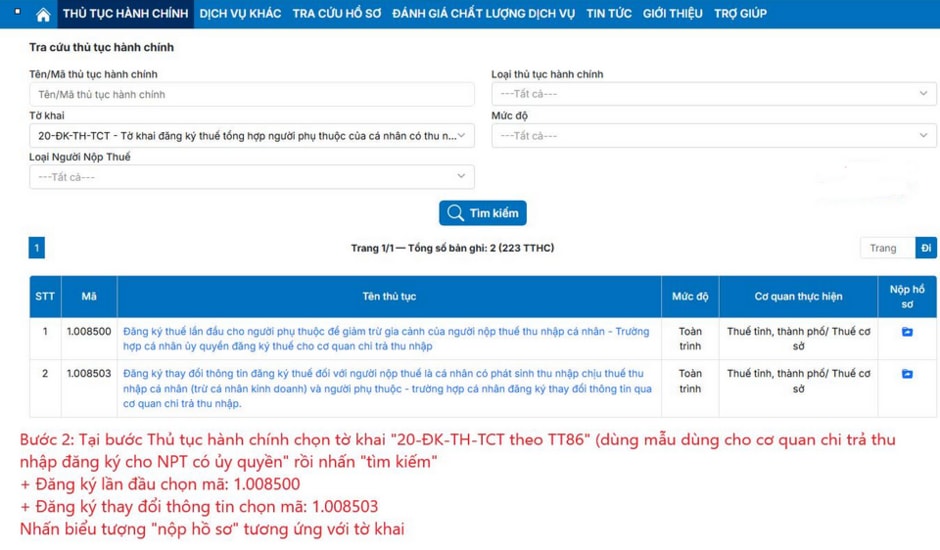
In the Administrative Procedures section, search for the application form.20-DK-TH-TCT according to Circular 86This is a form used by income-paying agencies to register authorized dependents.
- First-time registration: Select code1.008500
- Register for information change: Select code1.008503
Then, click on the icon.Submit applicationcorresponding.
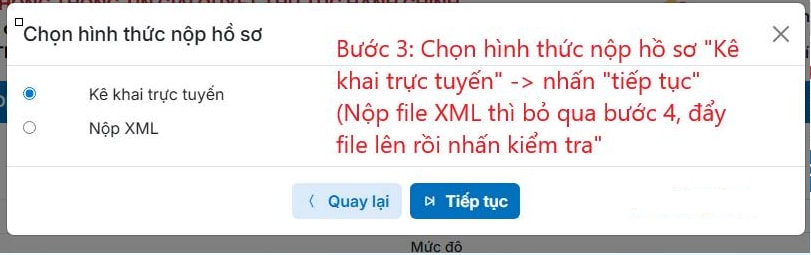
Step 3: Choose your submission method.
Choose the application submission method:Online declarationand pressContinueIf you already have an XML file, you can upload it and click "check" right at this step.
Step 4: Fill in the information and check.
Users fill in all the required information on the form. After completion, click [button/button].Check the informationto allow the system to check for errors.
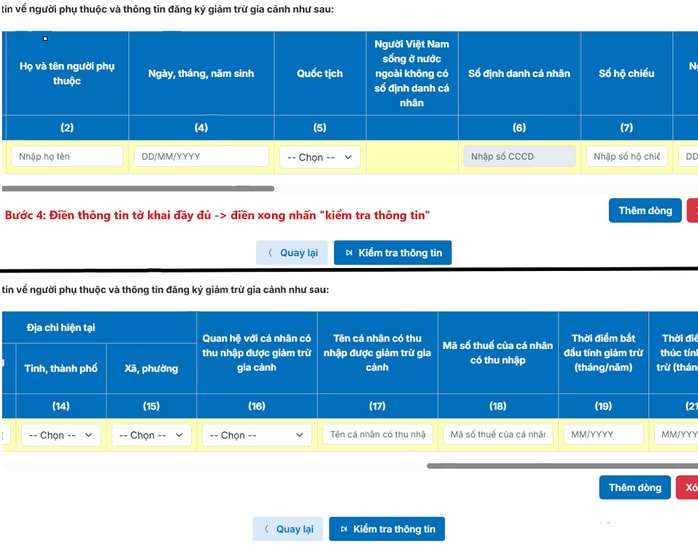
Steps 5 to 8: Search and verify temporary records.
After verification, the file will be transferred to the following section.Search temporary archive recordsHere, you select the correct type of declaration and submission period to search.
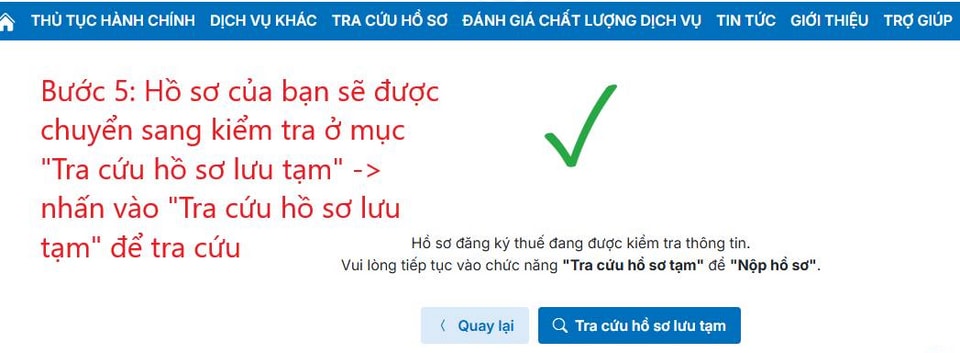
When the application status shows "Information checked," click the submit icon. If the status remains unchanged...Obtain, pressComplete the declaration.If the requirements are not met, you need to revise the information.
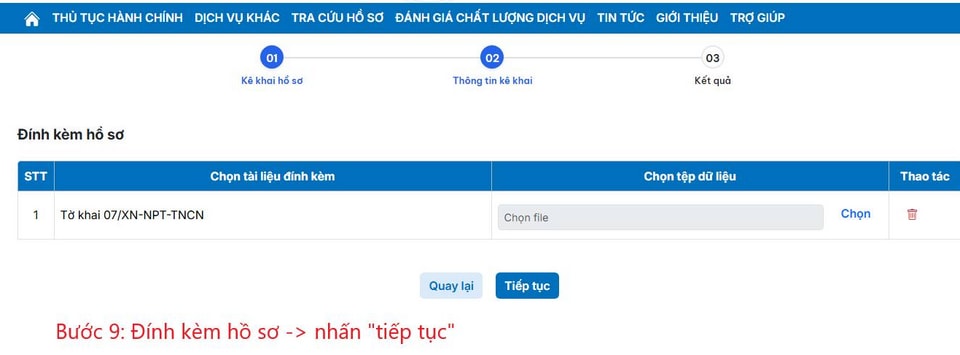
Steps 9 to 11: Attach documents and digitally sign.
Attach the necessary documents, enter the captcha code, and press Enter.Submit the declaration form.Finally, perform a digital signature to complete the process.
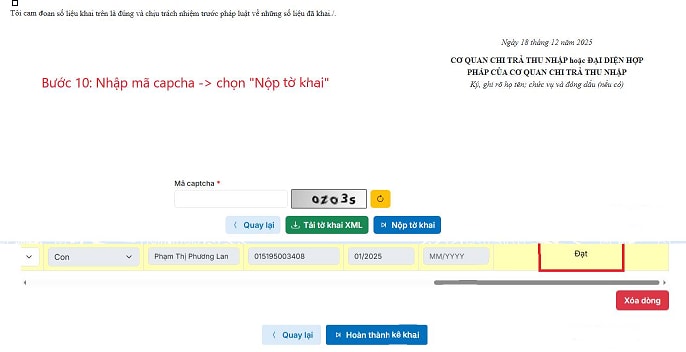
Troubleshooting Digital Signature Plugin Errors
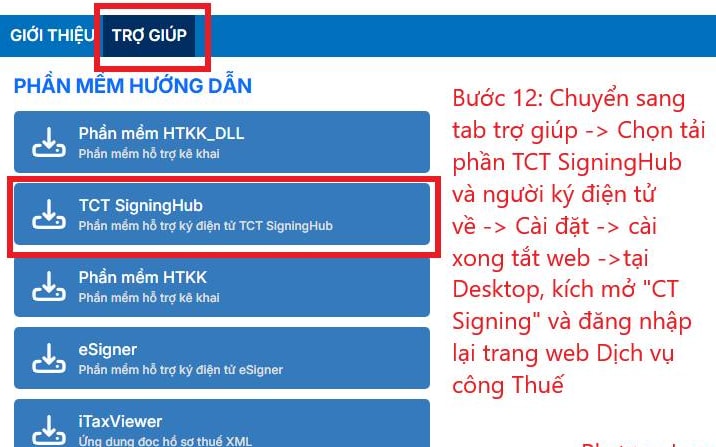
If the system notifiesThe digital signature plugin has not been installed or enabled.To do this, you need to follow these steps:
- Switch tabHelpon the website.
- Download the softwareTCT SigningHubRegarding computers and settings.
- Close your browser, open the application.CT Signingon Desktop.
- Log back into the public services website and resubmit your application using the "Lookup temporarily saved applications" section.
Check processing results
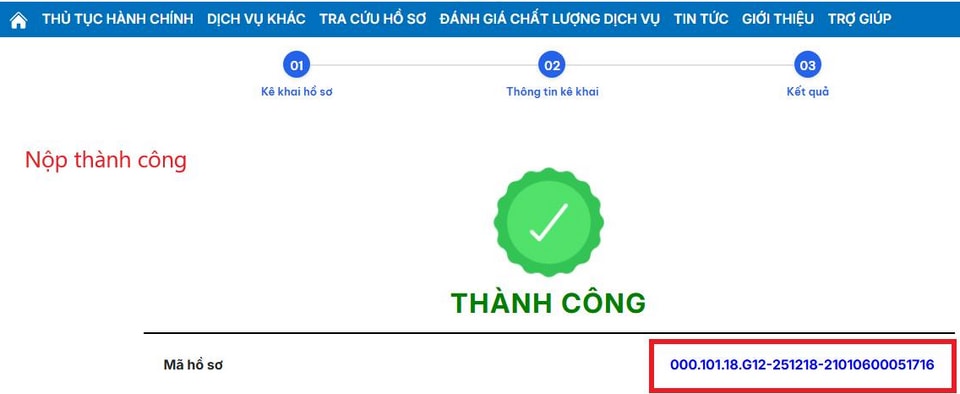
After successful submission, users can track the status in the relevant section.Check submitted applicationsEnter the case code and click search to see the processing results from the Tax authority.