
Dolphin Emulator fixes Bloom bug: Boosts GameCube and Wii graphics to 4K resolution.
After many years, Dolphin Emulator has officially fixed the Bloom effect bug that caused ghosting when increasing the resolution. This update results in sharper images and adds Game Boy Player functionality.
Dolphin Emulator, the renowned GameCube and Wii emulator, has just reached a significant milestone in improving image quality. In its latest progress report, the development team announced that they have successfully fixed the Bloom effect (brightness) at high resolution – one of the longest-standing issues that significantly degraded the visual experience.
Completely resolve ghosting issues on high-resolution screens.
Previously, when users increased the game resolution to HD or 4K, the Bloom effect in many games often malfunctioned, creating "ghosting" or full-screen blurring. This caused the image to lose its inherent sharpness when running on modern hardware.
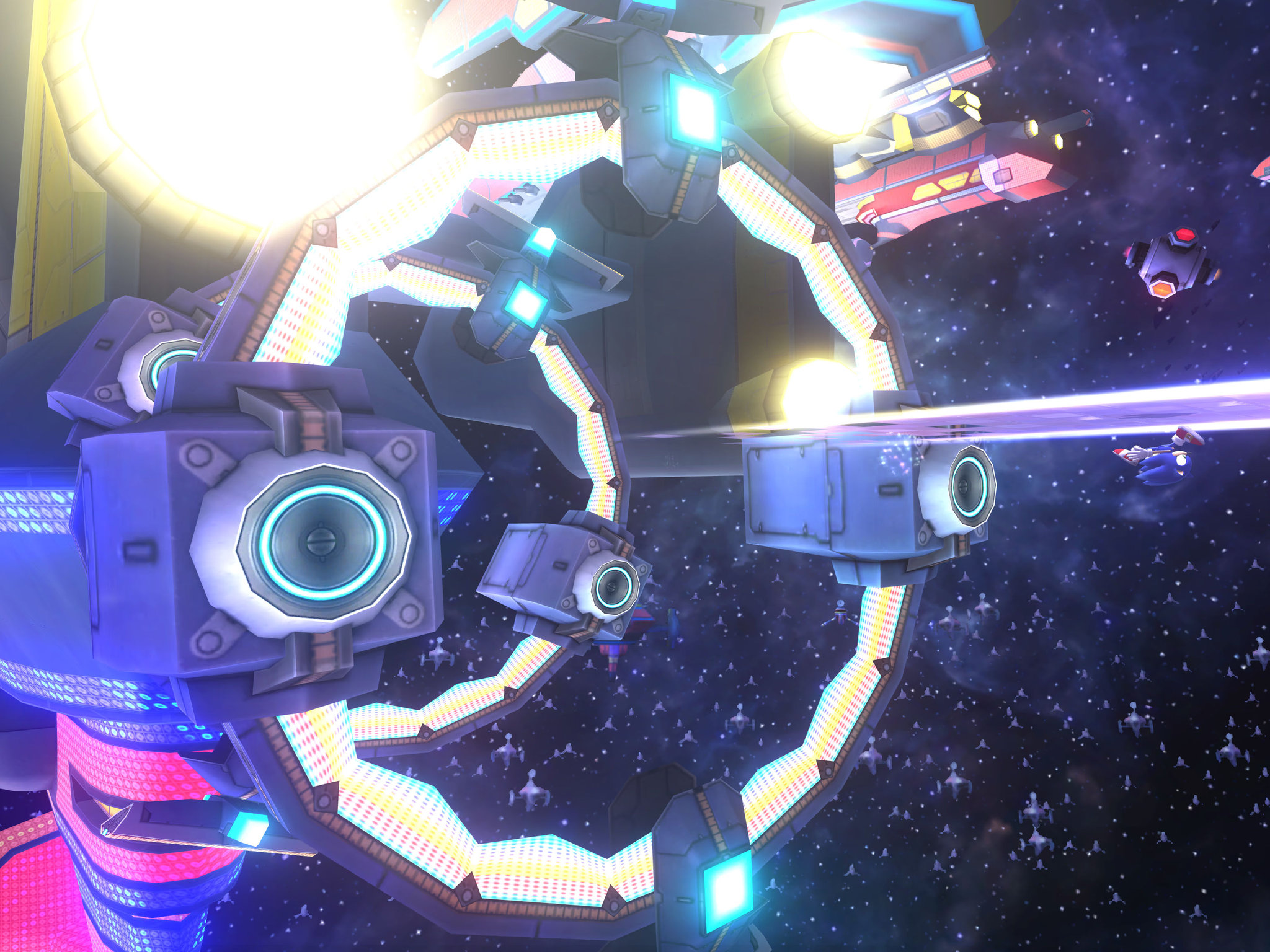
To address this issue, players previously had to accept two less-than-perfect options: either play at native SD resolution (quite blurry on modern screens), or use mods to completely remove the Bloom effect. Both methods detract from the game developer's original artistic vision.
The difference is noticeable after the update.
With the new patch, the lighting processing algorithms have been refined to be fully compatible with the resolution upgrade. The result is clearer, sharper images while retaining the characteristic shimmering lighting effects. This change is particularly noticeable in games that utilize many complex lighting effects.
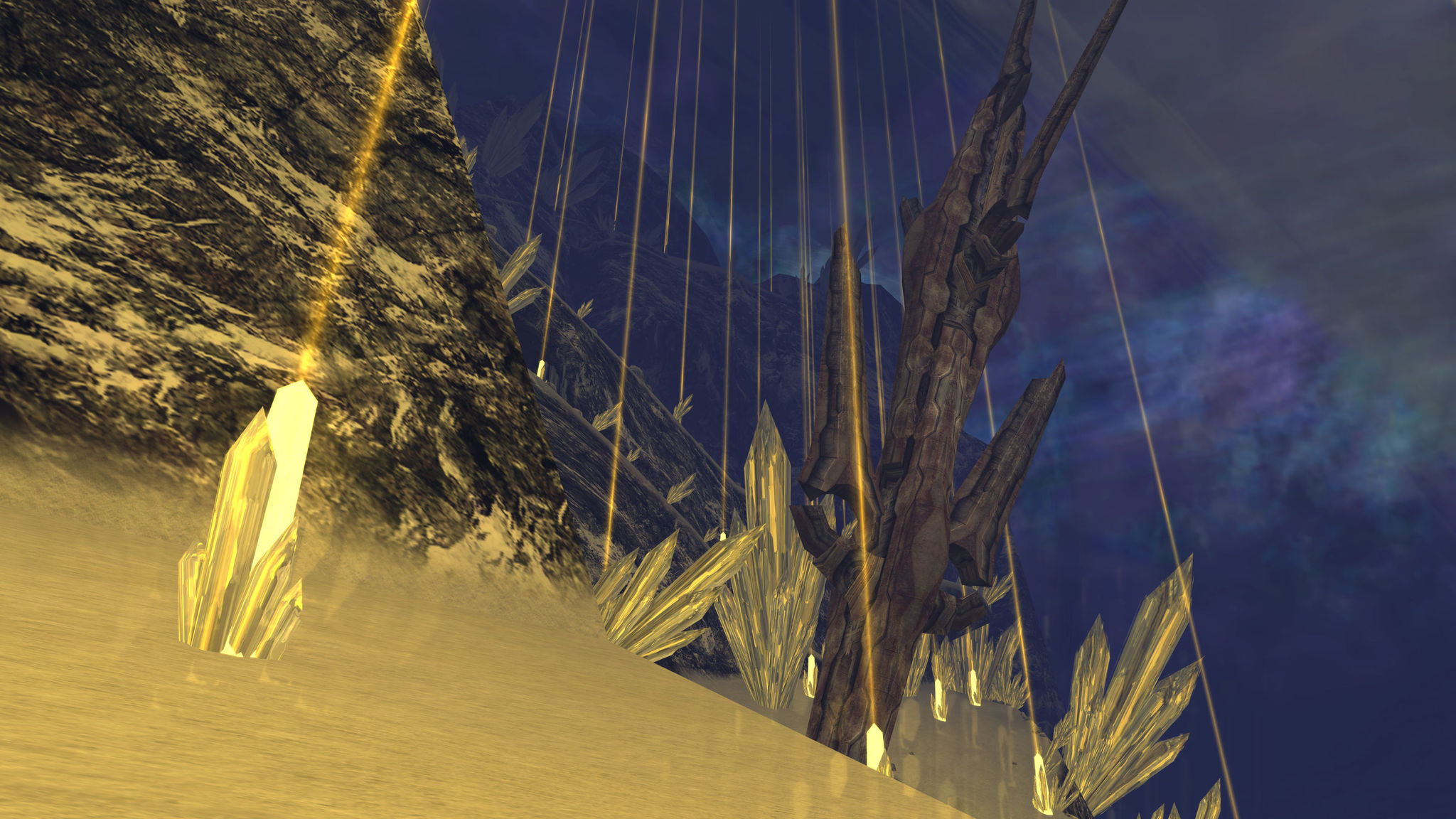
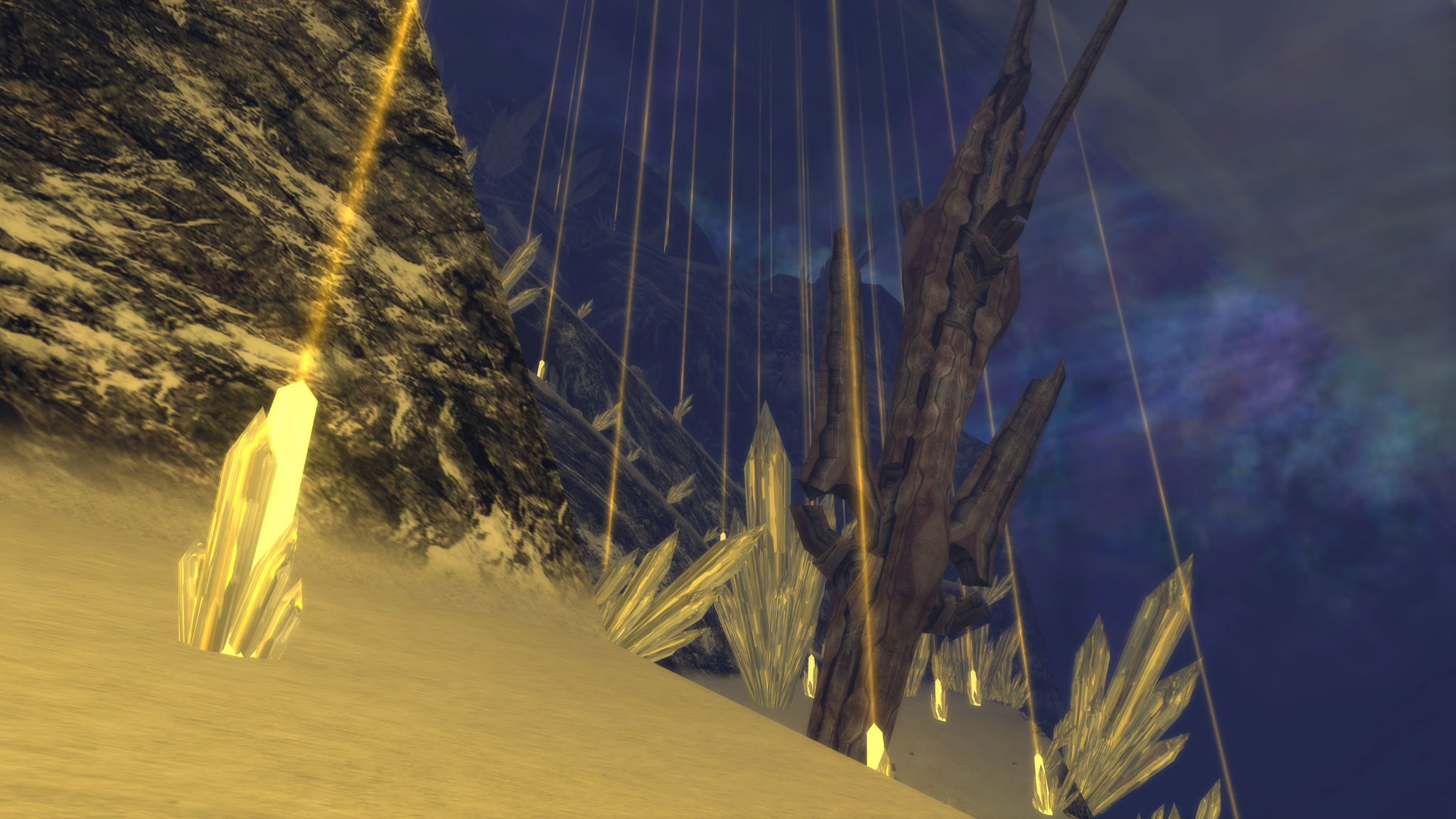
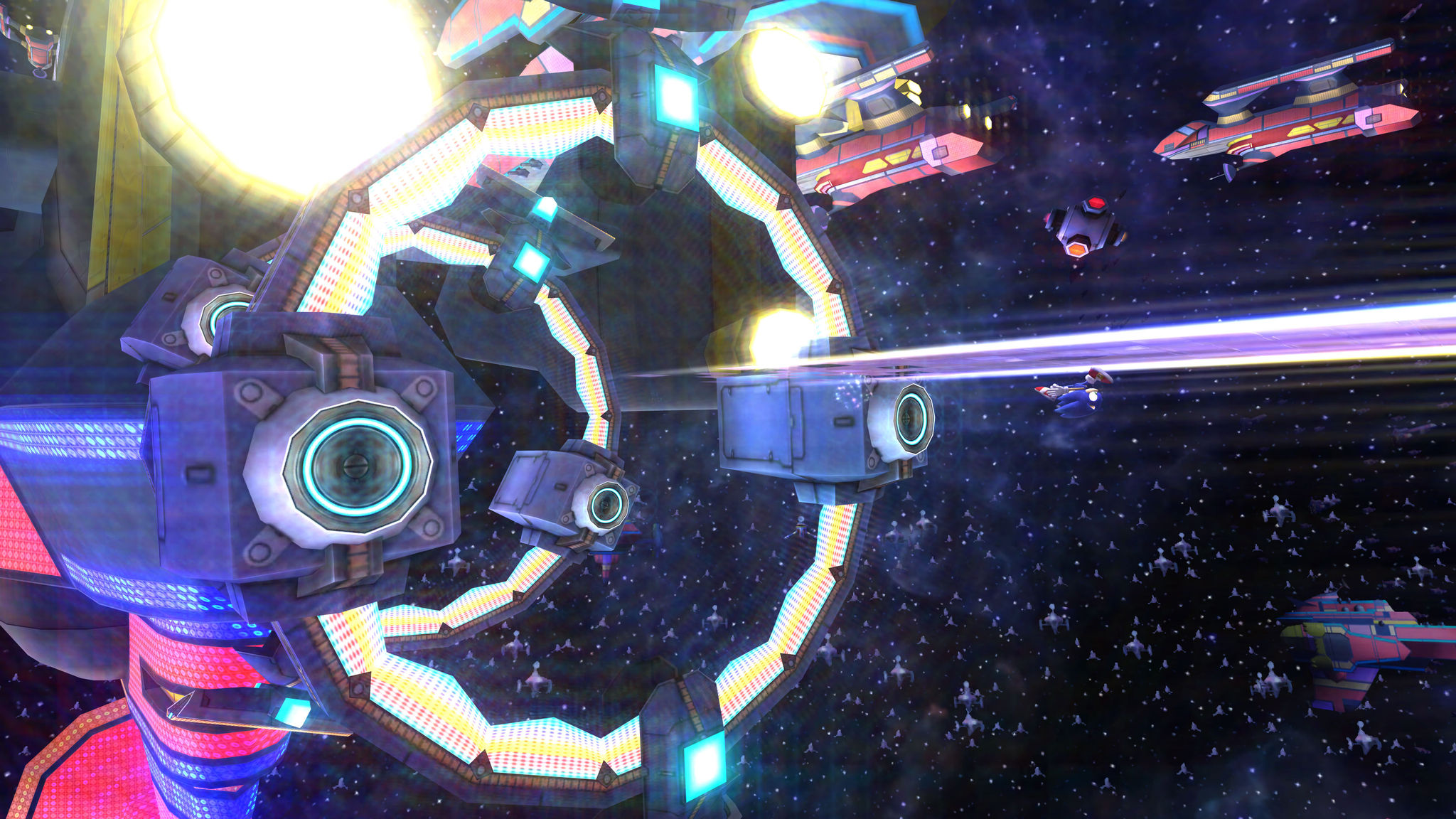
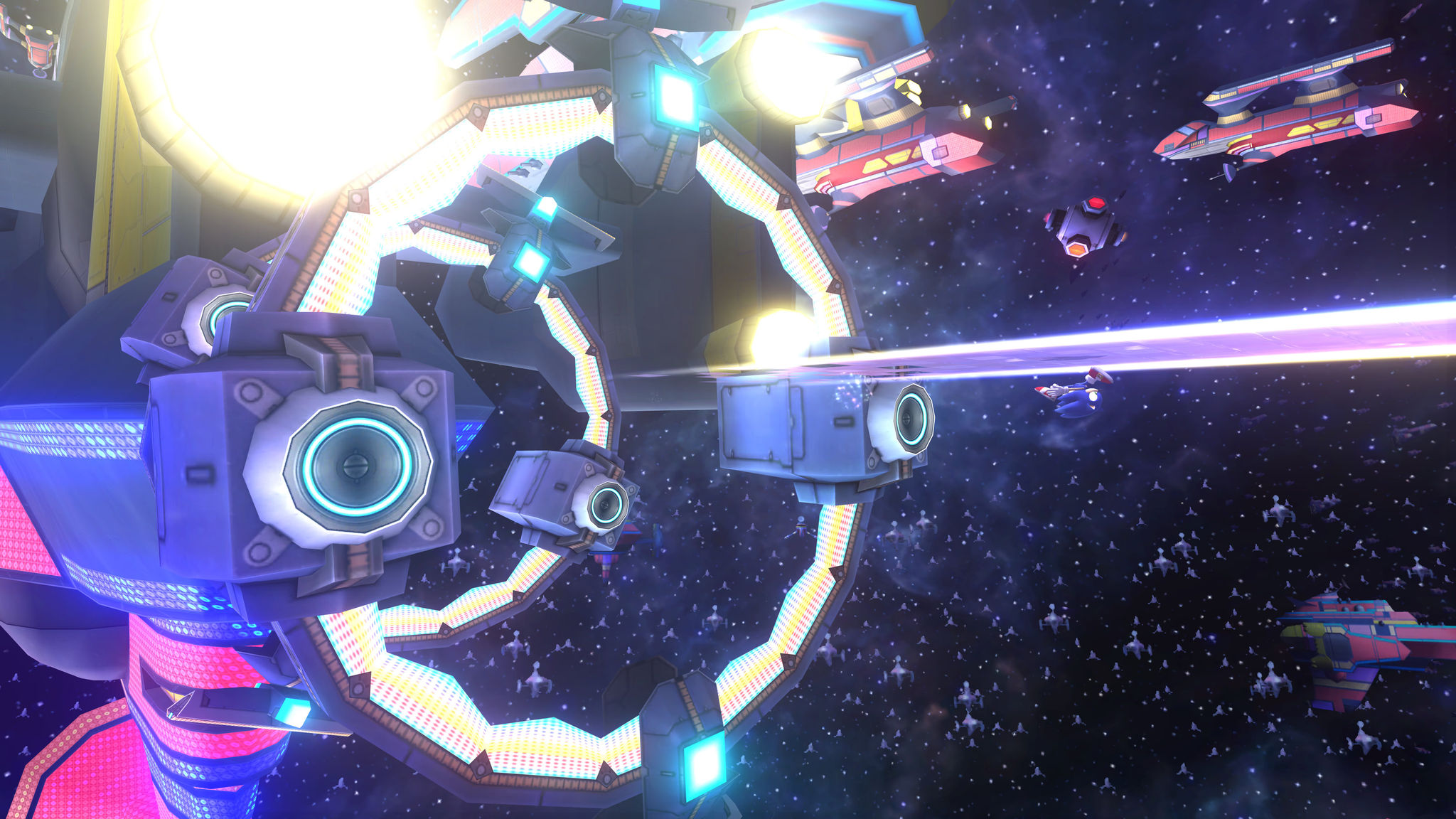
Specifically, in the game Sonic Colors, the excessive Bloom effect once caused almost the entire Starlight Carnival area to become severely blurry. After being fixed, the surface texture details and contrast became much sharper.
List of games that benefited the most.
According to the developers at Dolphin, dozens of games utilize the Bloom effect based on the unique hardware mechanics of the GameCube and Wii. Below are some notable titles that demonstrate significant improvements:
| Game name | Key improvements |
|---|---|
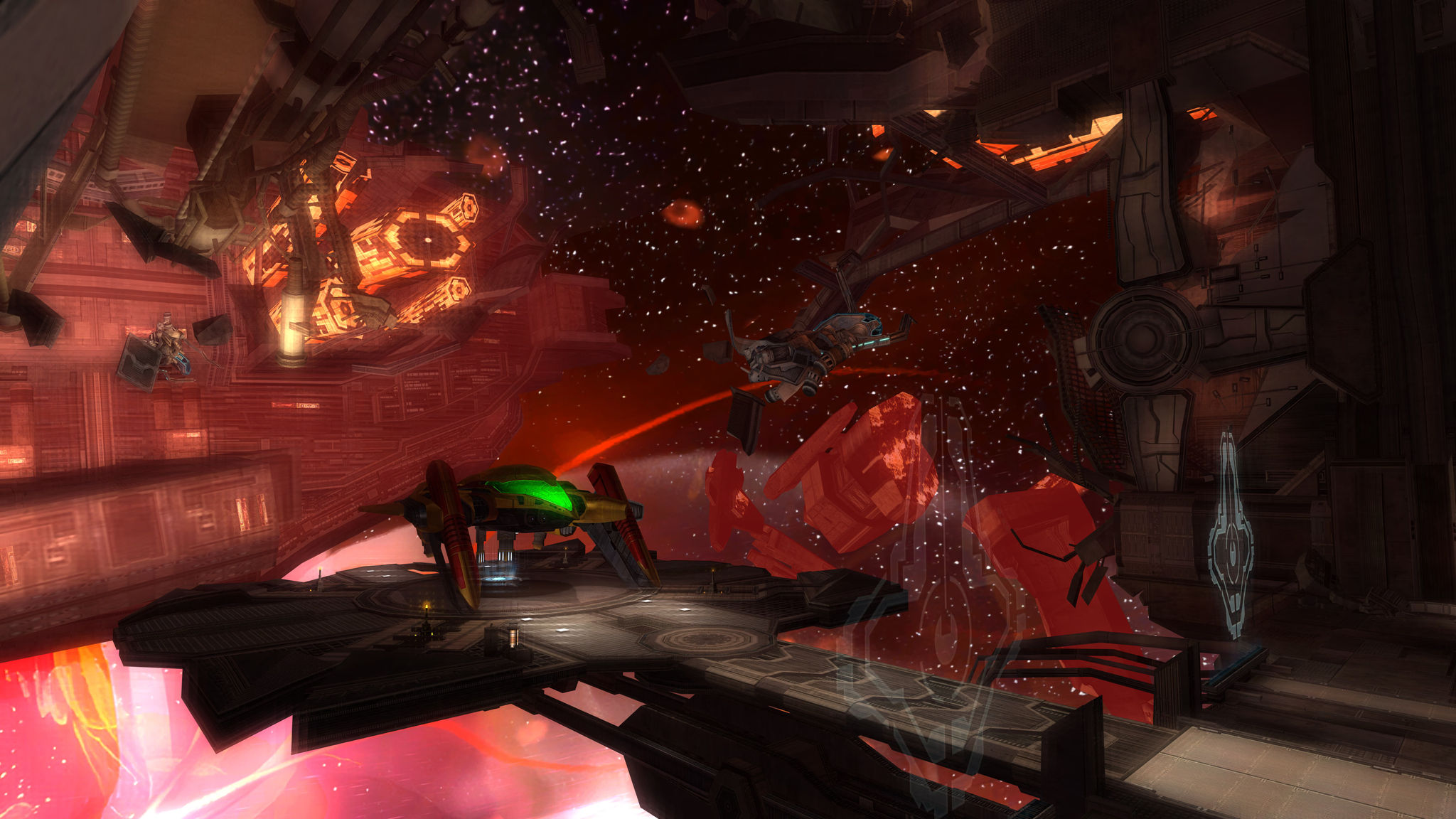
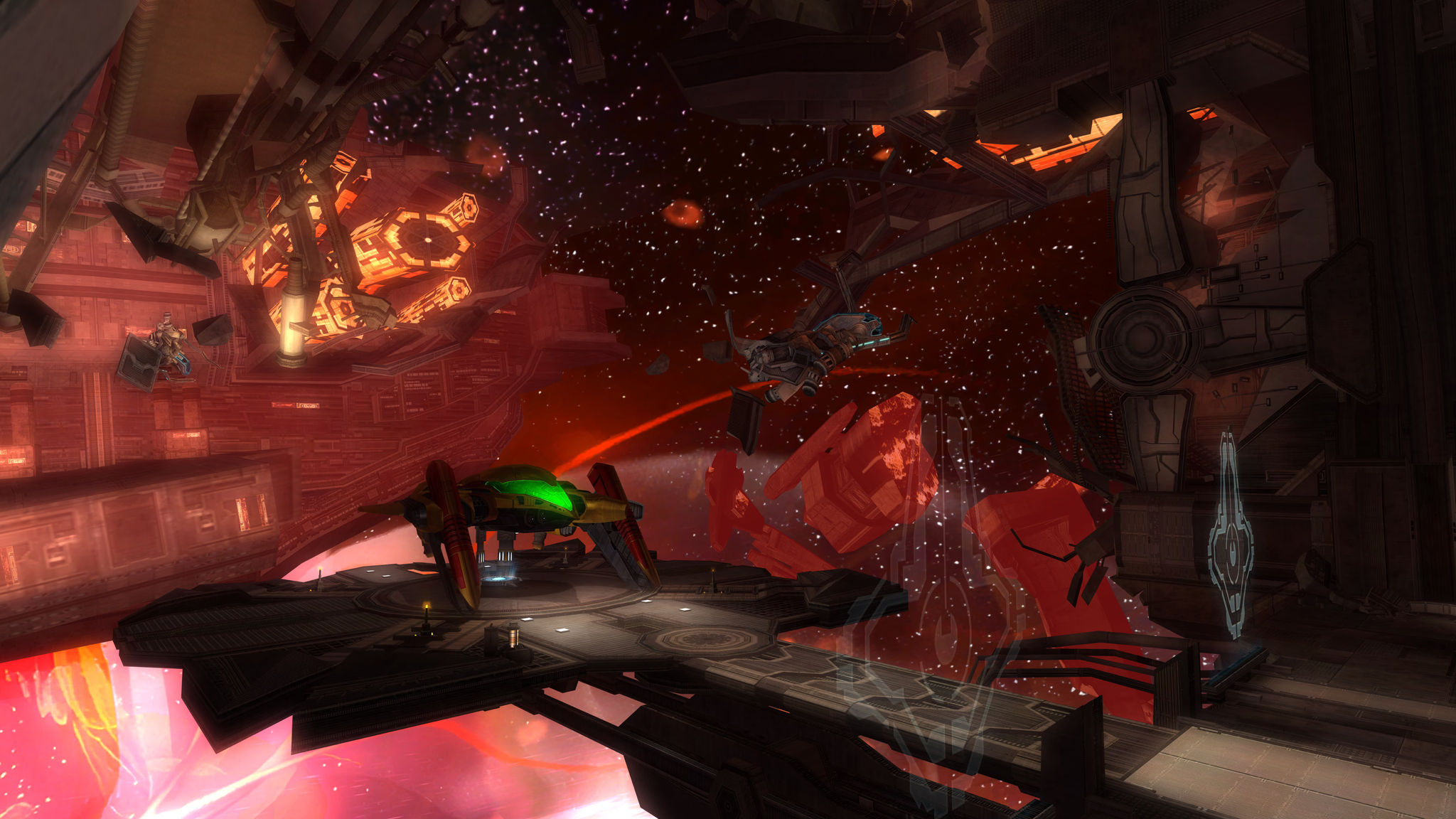
| Metroid Prime Trilogy | Eliminate ghosting when thermal distortion occurs. |
| Xenoblade Chronicles | Correcting light interference on luminescent objects. |
| Sonic Colors | Enhances surface texture detail and reduces blurring in bright areas. |
| Super Mario Galaxy 1 & 2 | The ambient light is more natural at 4K resolution. |
| Donkey Kong Country Returns | Balance the visual intensity of the jungle levels. |
How to activate and additional features
To enjoy these enhancements, users need to go to the Graphics Mods settings in Dolphin and activate the option.Bloom BlurredBesides fixing lighting issues, this update also brings several other notable features:
- Game Boy Player support:A massive development effort enabled the emulation of GBA cartridge readers on the GameCube.
- Distinct sound for the Wii Remote:Improve the audio experience by listening directly from the controller.
- Improve the ability to crop shapes (Cropping):It helps display images more accurately on modern screen aspect ratios.

Combining these Bloom fixes with modern technologies like Auto HDR promises to bring a completely new look to classic games, making them look just as impressive as today's remasters.


