
GMKtec NucBox M8: Powerful office performance in an ultra-compact design.
This Mini PC model features a powerful AMD Ryzen 5 Pro CPU, supports up to 16TB SSD upgrades and 3-monitor output, but the integrated GPU is only suitable for basic tasks.
The GMKtec NucBox M8 is a mini PC aimed at office users who need powerful processing performance in an extremely compact design. It focuses on CPU power with an AMD Ryzen 5 Pro chip, offers massive storage upgrades, and supports multiple monitors, but sacrifices graphics performance to maintain stability and cool temperatures.
Compact design, yet fully connected.
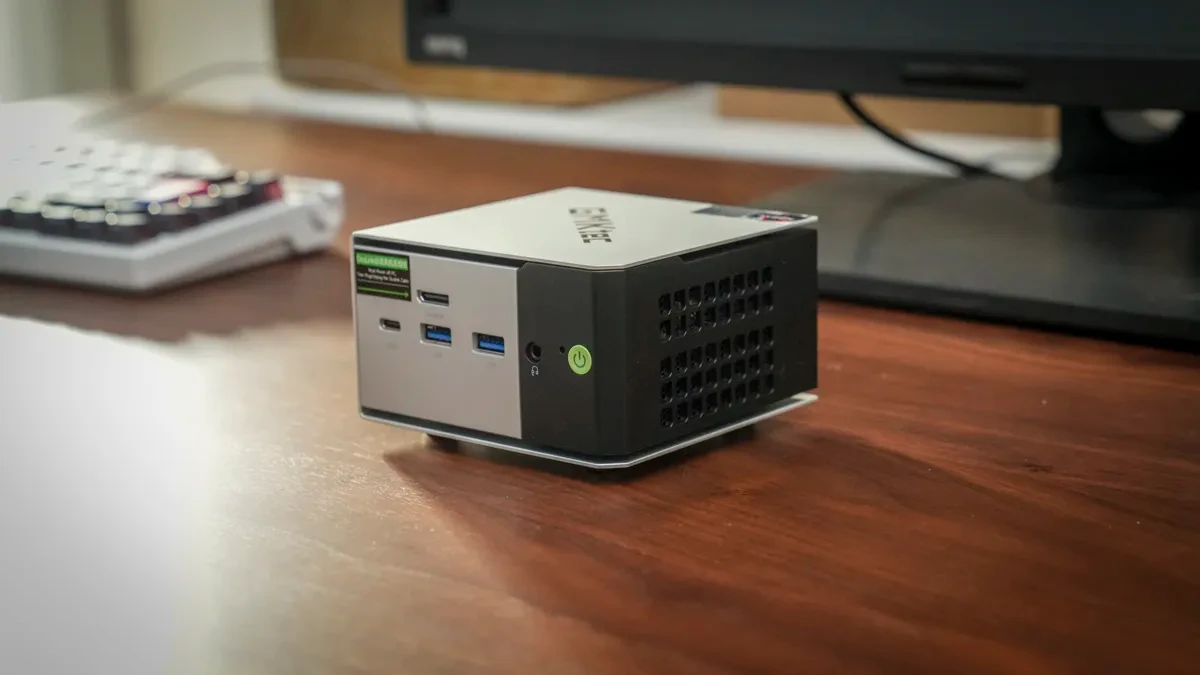
Measuring just 127 x 127 x 48.2 mm and weighing approximately 490g (barebone version), the NucBox M8 can easily fit on any desk or be mounted behind a monitor via a VESA mount (additional accessory). The casing is made from a single folded sheet of metal, creating gaps to optimize airflow for the internal dual-fan cooling system.
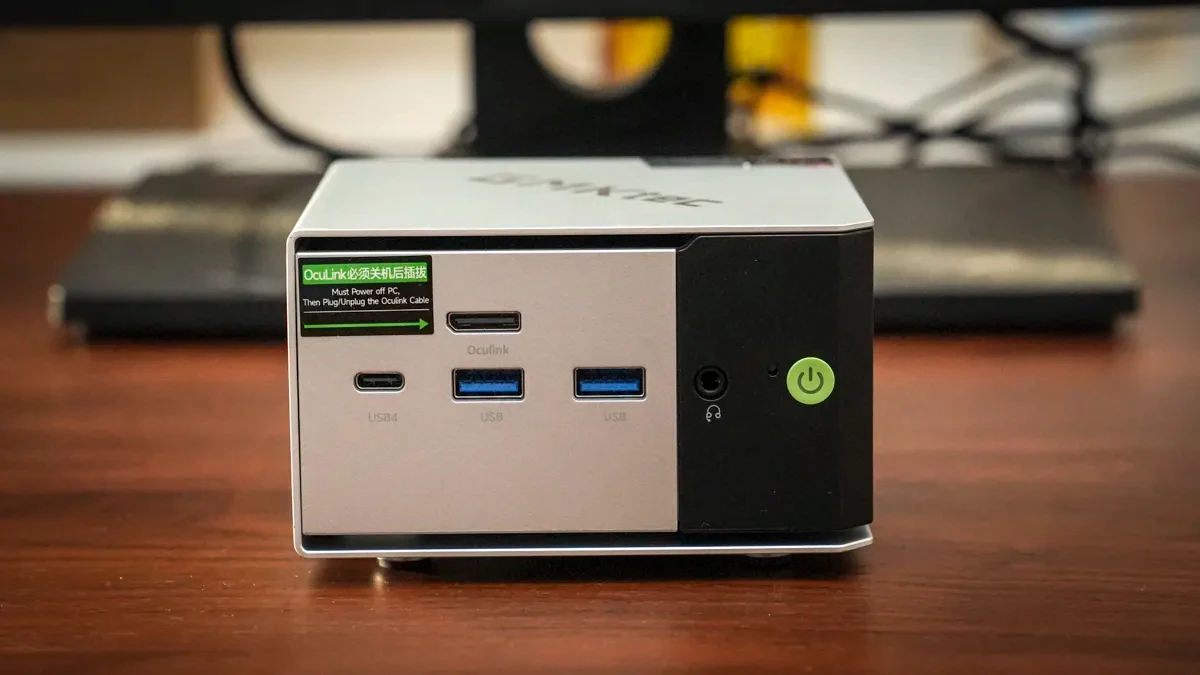
Despite its compact size, the device is equipped with all the necessary ports. The front panel includes two USB 3.2 Gen2 ports, a USB 4 port, an OCuLink (PCIe Gen4 × 4) port for connecting an eGPU, a 3.5mm audio jack, and a power button. The rear panel features one USB 3.2 Gen2 port, one USB 2.0 port, an HDMI 2.0 port, a DisplayPort 1.4, and two 2.5Gbps LAN ports.
Configuration focused on processing performance.
At the heart of the GMKtec NucBox M8 is the AMD Ryzen 5 PRO 6650H processor with 6 cores and 12 threads, delivering powerful performance for office tasks and data processing. However, the integrated AMD Radeon 660M graphics card is only basic, sufficient for everyday applications but will be limited for demanding games or intensive graphics work.
| Parameter | Detail |
|---|---|
| CPU | AMD Ryzen 5 PRO 6650H |
| GPU | AMD Radeon 660M (Integrated, RDNA 2) |
| RAM | 16 GB LPDDR5 (Soldered in place, not upgradeable) |
| Storage | 512GB PCIe 3.0 SSD (Upgradable to a maximum of 2x8TB) |
| Front gate | 2x USB 3.2 Gen2, OCuLink, USB4, DP1.4, 3.5mm Audio, Power button, Reset button |
| Tailgate | USB 3.2 Gen2, USB 2.0, HDMI 2.0, DisplayPort 1.4, 2x RJ45 LAN 2.5Gbps, DC IN |
| Wireless connection | Wi-Fi 6E, Bluetooth 5.2 |
| Operating system | Windows 11 Pro |
| Size | 127 × 127 × 48.2 mm |
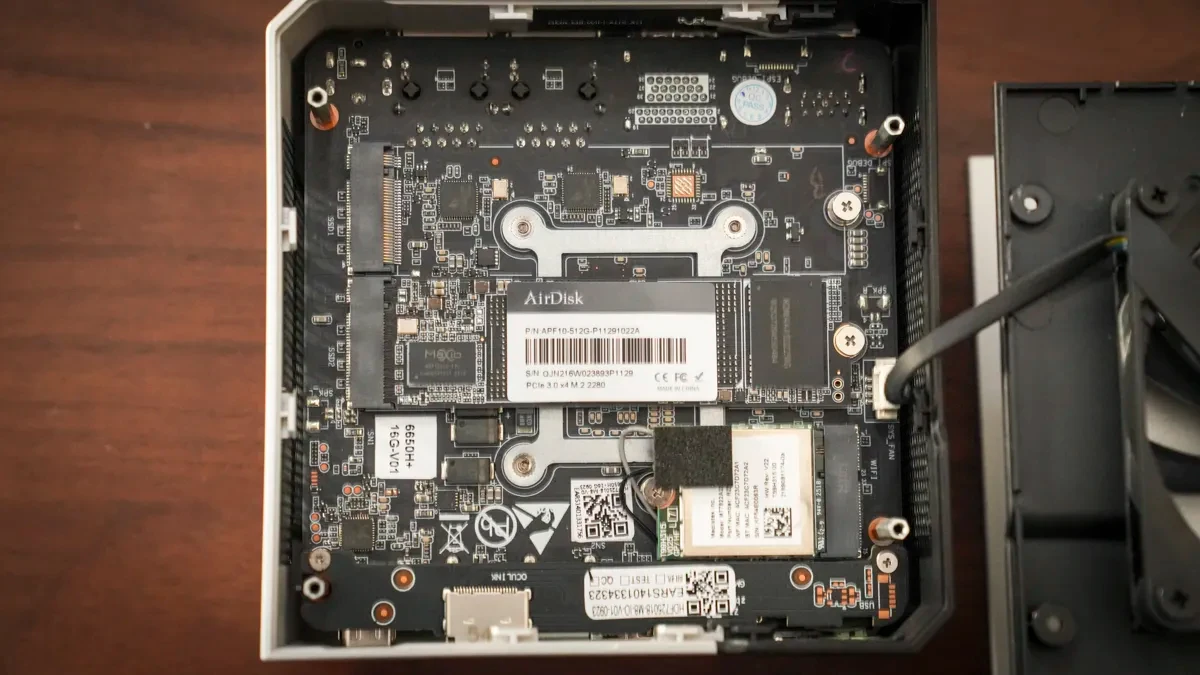
One point to note is that the 16GB LPDDR5 RAM is soldered directly onto the motherboard, meaning users cannot upgrade it further. However, this type of RAM offers very fast access speeds, ensuring smooth system operation.
Incredible storage upgrade capabilities
The most outstanding feature of the NucBox M8 is its expandable storage capacity. It's equipped with two M.2 2280 PCIe 3.0 SSD slots, allowing users to upgrade to two 8TB drives for a total capacity of 16TB. Although they are PCIe 3.0 slots, they are still compatible with the currently popular PCIe 4.0 SSDs. This is an extremely impressive figure for a mini PC.
Actual performance: Strong for office work, limited for graphics.
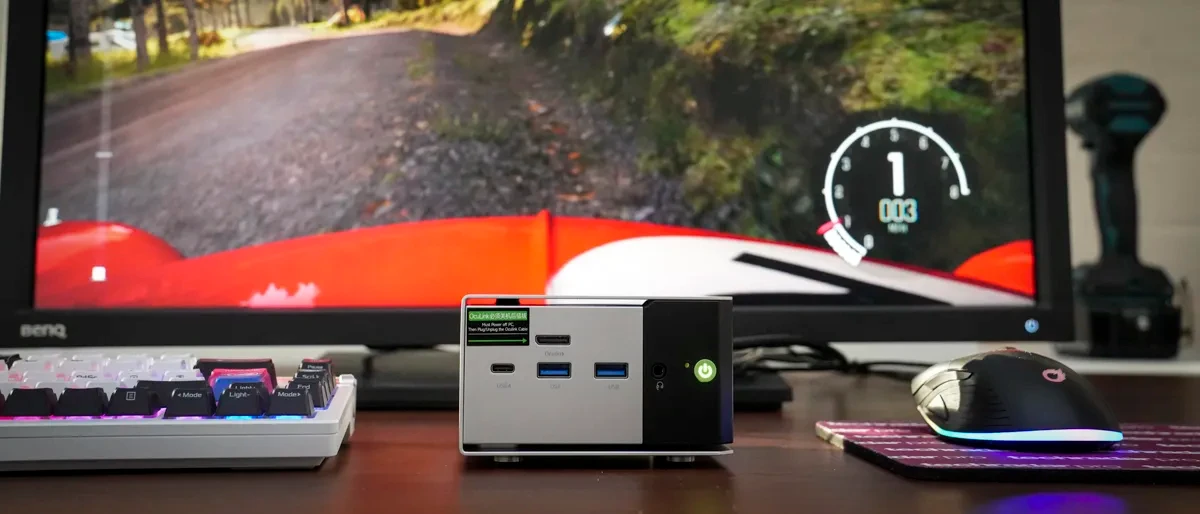
In practical use, the GMKtec NucBox M8 handles office applications such as Microsoft Word, Excel, PowerPoint, and Google's online work tools excellently. The device operates quickly, smoothly, and stably. The ability to output images to three screens simultaneously (two 8K screens and one 4K screen) is also a major advantage for multitasking.
For light multimedia tasks like editing videos from a phone using CapCut or processing photos with Lightroom or Photoshop, the machine performs well. However, when moving on to more demanding projects such as editing 4K video from a professional camera in Premiere Pro or playing AAA games, the limitations of the integrated GPU become apparent. Limited graphics performance causes the machine to process slowly and may experience lag. To overcome this, users can invest in an additional dedicated graphics card (eGPU) and connect it via a dedicated OCuLink port.
Conclusion: Who should buy the GMKtec NucBox M8?
The GMKtec NucBox M8 is a great choice for those looking for a powerful, compact computer for office work with ample storage upgrade potential. It also impresses with its diverse range of connectivity ports and multi-monitor support.
You should buy the GMKtec NucBox M8 if you:
- I need a powerful computer for office work but have limited workspace.
- Prioritize the ability to upgrade to larger storage capacities in the future.
- I frequently multitask and need to connect multiple monitors.
- Only perform graphics or entertainment tasks at a light level.
You shouldn't buy this if you:
- This applies to professional gamers or those who frequently play high-graphics games.
- Do highly creative work such as 3D modeling and video effects.
- You need a machine with the ability to upgrade RAM.


