Instructions for settling personal income tax in 2026 on the Public Service Portal
Quoc Duan•April 10, 2026 15:10
Instructions for settling personal income tax in 2026 on the Public Service Portal. The entire process consists of 13 steps, performed online at dichvucong.gdt.gov.vn
Compilation of required forms
Form code
Content
Steps to take
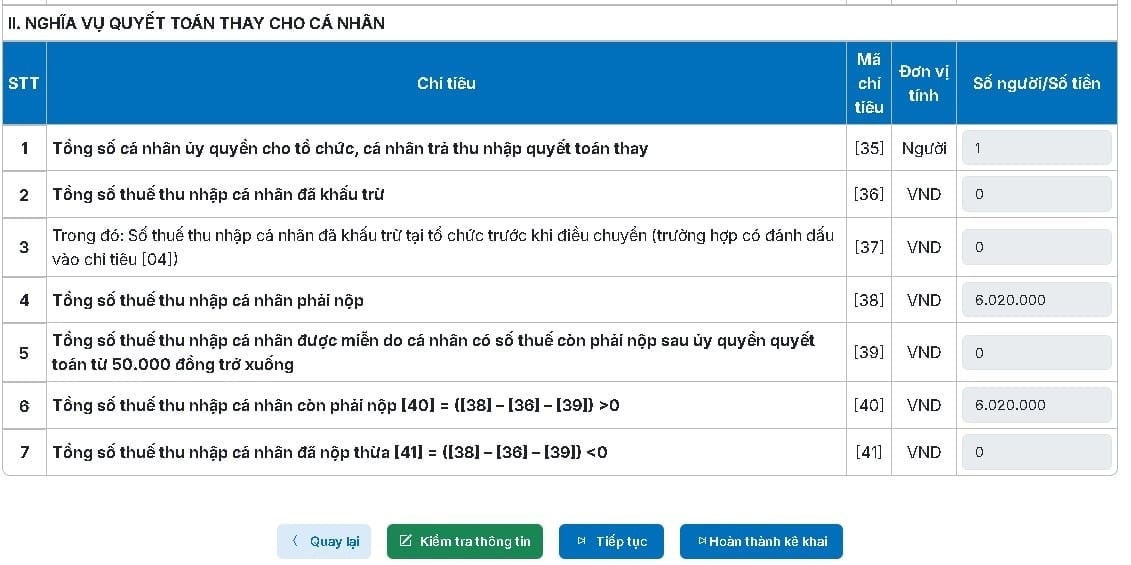
05/QTT-TNCN
Personal Income Tax Final Settlement Form (Summary)
Steps 4, 7
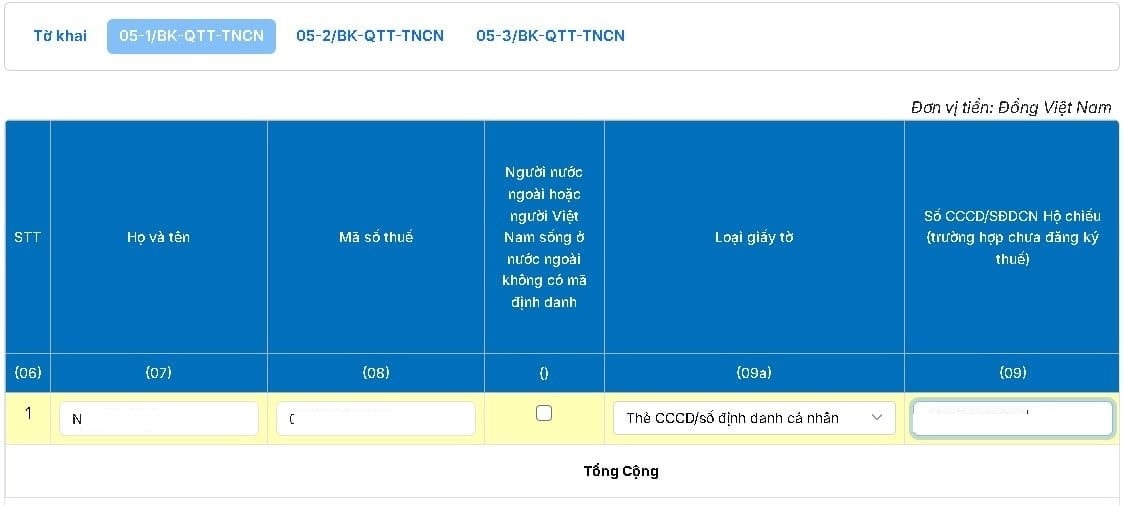
05-1/BK-QTT-TNCN
Employee details list
Step 8
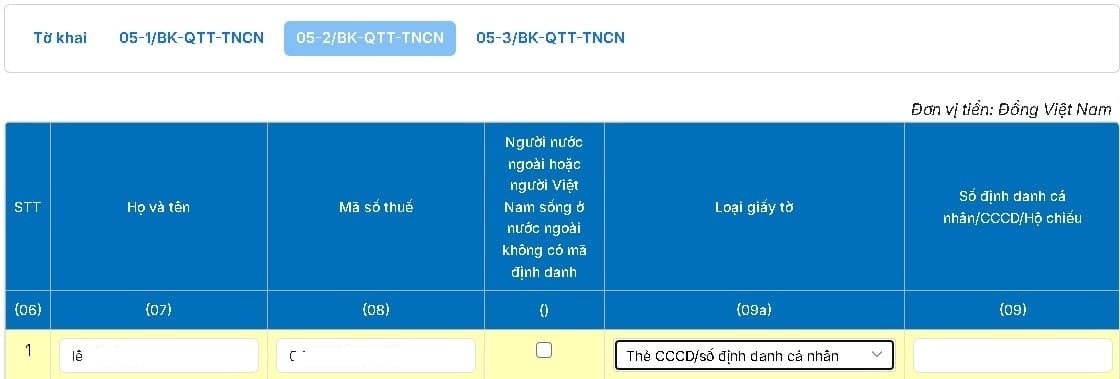
05-2/BK-QTT-TNCN
Individual tax return based on the full tax rate.
Step 10
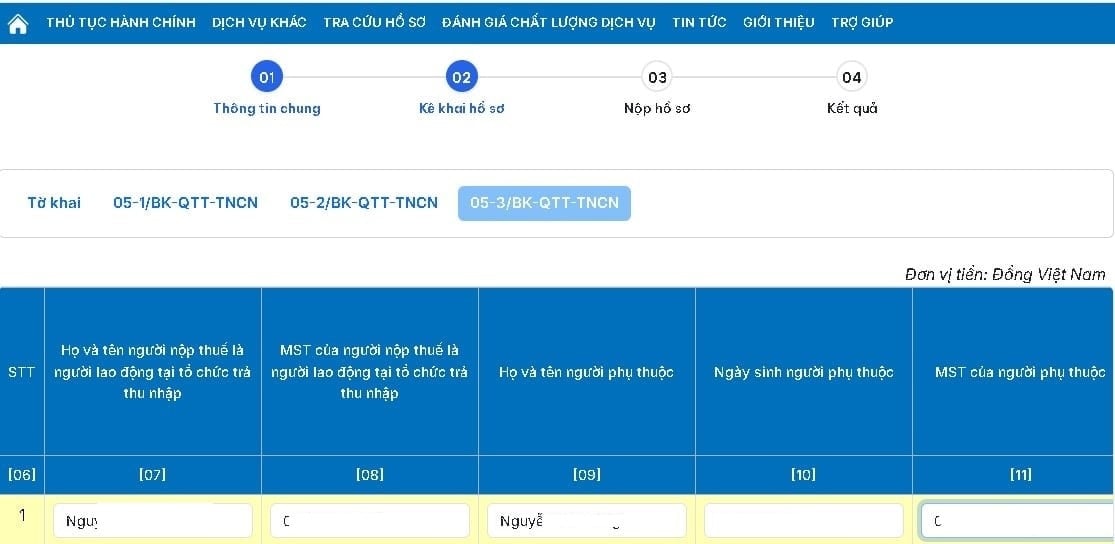
05-3/BK-QTT-TNCN
Detailed list of dependents for personal allowance deduction
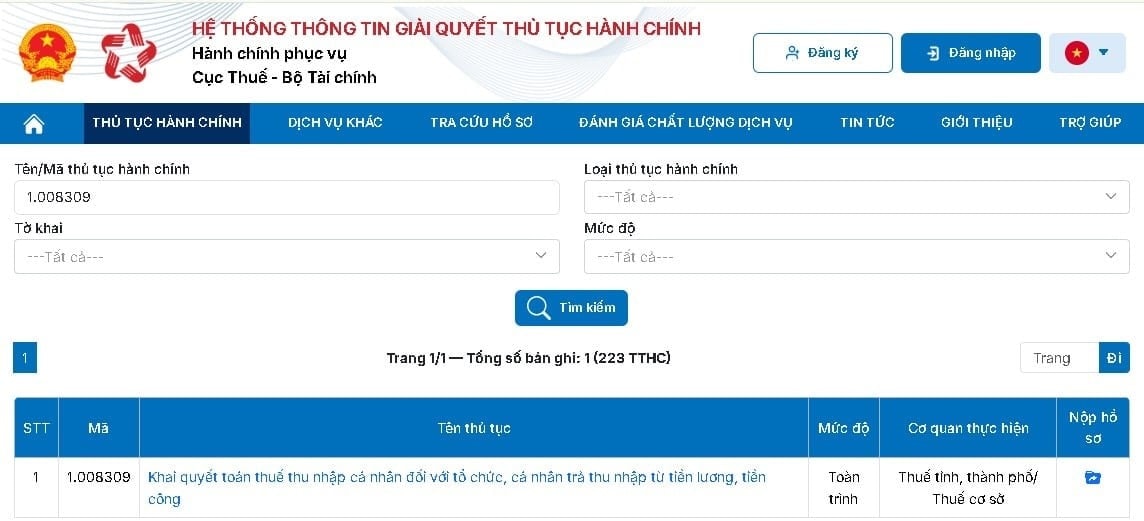
Step 3: Select the administrative procedure for personal income tax finalization.
TT
Operation
3.1
Select"List of Administrative Procedures"
3.2
Find and select the Administrative Procedure Code:1.008309— Filing personal income tax returns for organizations and individuals paying income from salaries and wages.
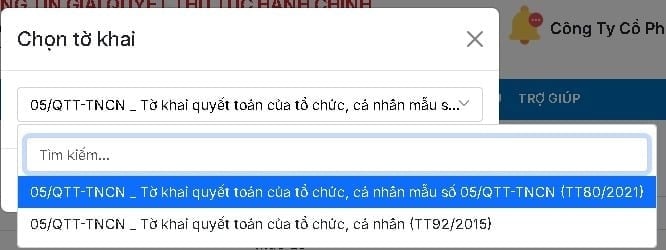
Step 4: Select form 05/QTT-TNCN
TT
Operation
4.1
Click the icon"Submit application"
4.2
Select05/QTT-TNCN— Personal income tax return form for organizations and individuals paying income from salaries and wages
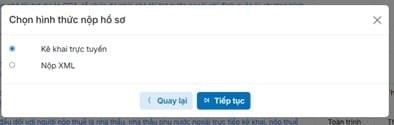
Step 5: Choose the declaration method.
Form
Instruct
Online declaration
Select"Online declaration"→ Click"Continue"→ Enter information directly into the system
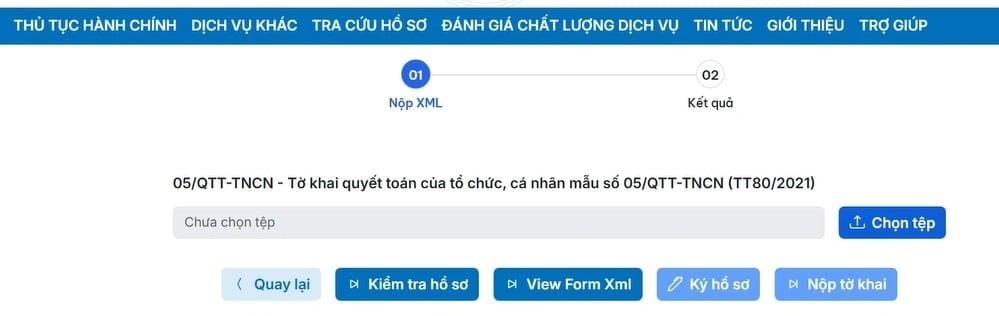
Submit XML file
Select"Submit XML file"→ Upload the XML file exported from the HTKK software.
This tutorial applies to the following format:online declaration.
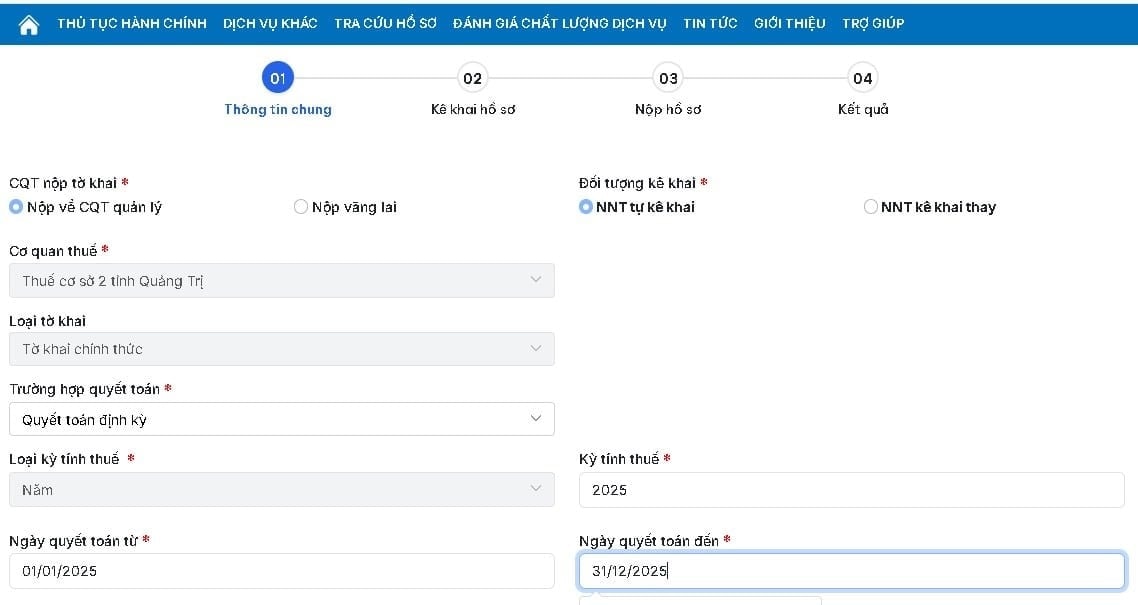
Step 6: Fill in the initial information on the application form.
Information
Detail
The tax authority receives it.
Select bydefaultortransient(if any)
Declarant
The default is"Taxpayers self-declare"
Tax period
Select2025(Tax period requiring final settlement)
Complete
Press"Continue"to move to the next step
In the case of submitting an XML file, taxpayers select the tax settlement XML file exported from the HTKK tax declaration support application to upload to the system.
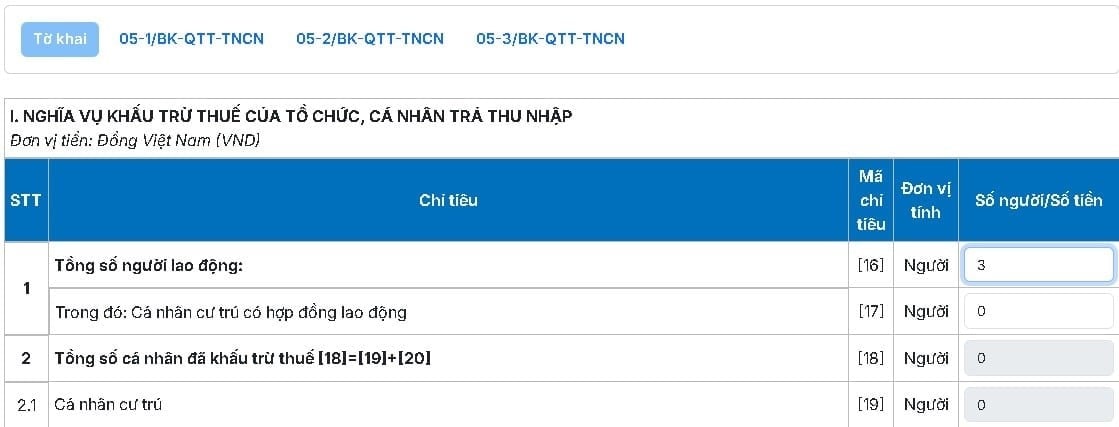
Step 7: Update the information on form 05/QTT-TNCN
Information to be entered
Detail
Total number of employees
Enter the total number of employees during the tax period.
Number of resident individuals with employment contracts
Enter the number of resident individuals with employment contracts.
Complete
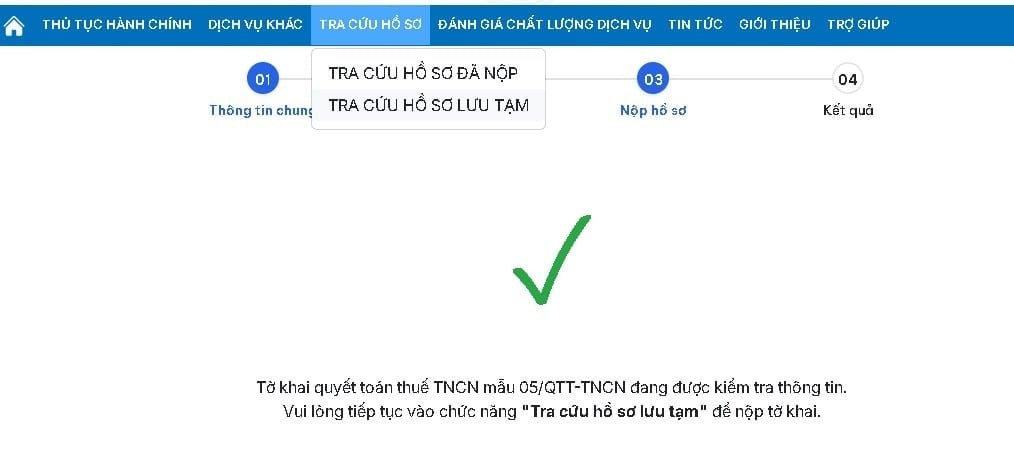
Press"Check the records"→ Automated data review system
Step 8: Fill out form 05-1/BK-QTT-TNCN
TT
Operation
8.1
Select a Chart05-1/BK-QTT-TNCN→ Update detailed information for each employee (full name, tax identification number, income, taxes withheld, etc.)
8.2
Systemtemporarily save the fileFor taxpayers to double-check. Look up the information using the relevant function."Search for temporary records"
Important note:Only click "Submit application" when the administrative procedure status is displayed."Information verified – Approved"If the status is not satisfactory, please go back and check and correct the information before submitting.
Step 9: Fill out the dependent list.
TT
Operation
9.1
Select a Chart05-3/BK-QTT-TNCN→ Update the detailed list of dependents for personal allowance deduction.
9.2
Enter complete information for each dependent: full name, tax identification number/citizen identification number, date of birth, relationship, and tax deduction period.
9.3
After completion → Continue submitting the application when the status is satisfactory.
Step 10: Declare your personal tax return at the full tax rate.
TT
Operation
10.1
Select a Chart05-2/BK-QTT-TNCN→ Declare the Personal Information Form for individuals subject to the full tax rate.
10.2
Press"Continue"→ Double-check all the information on the declaration form.
10.3
ImportCaptcha code→ Click"Continue"
Step 11: Check and sign the declaration form.
TT
Operation
11.1
Return to the Declaration Form → Click"Check the information"
11.2
The system performs a final review of all data before submission.
Step 12: Check and confirm the application status
TT
Operation
12.1
Go to section"Search for temporary records"→ Check profile status
12.2
Confirm display status"Obtain"→ Continue
12.3
Check the information one last time → EnterCaptcha code→ Click"Continue"
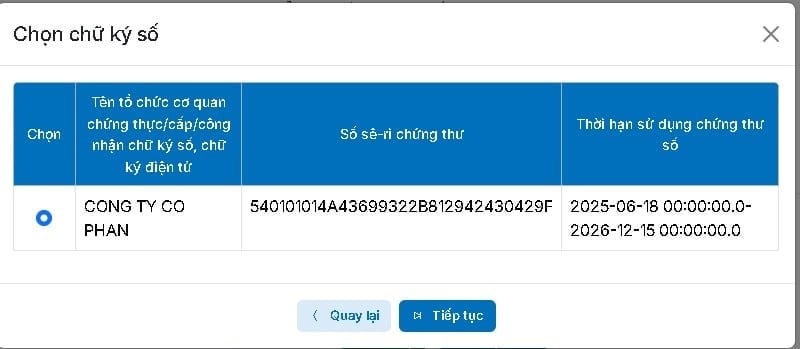
Step 13: Sign the token and complete the declaration submission.
Your comment has been submitted and will be displayed after being reviewed by the editorial team. The editorial board reserves the right to edit comments to comply with the newspaper's content guidelines.