
Tips for quickly sharing WiFi on your iPhone to any device, from Android to iOS.
Discover three of the simplest ways to share WiFi on your iPhone, including creating a personal hotspot, automatically sharing your password with Apple, and generating a QR code for Android devices.
Sharing your internet connection on an iPhone isn't just about mobile hotspot; it also includes smart features that allow users to connect quickly without manually entering a password. Depending on whether the recipient is an Apple or Android device, you can choose the most optimal method to ensure convenience and security.
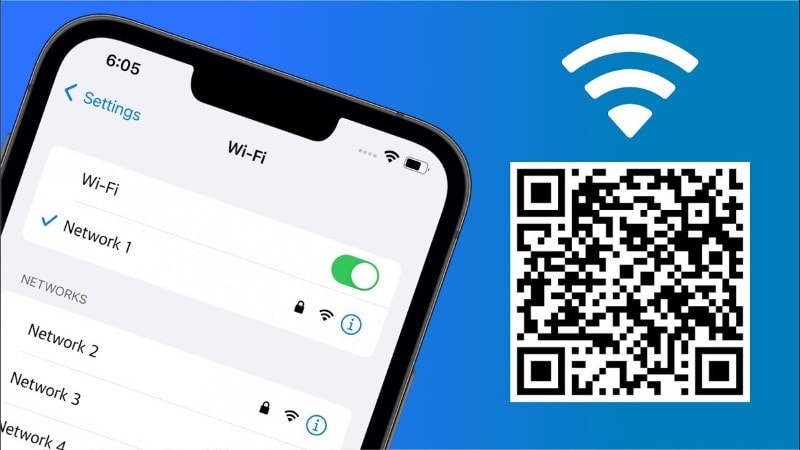
1. Share WiFi via Personal Hotspot
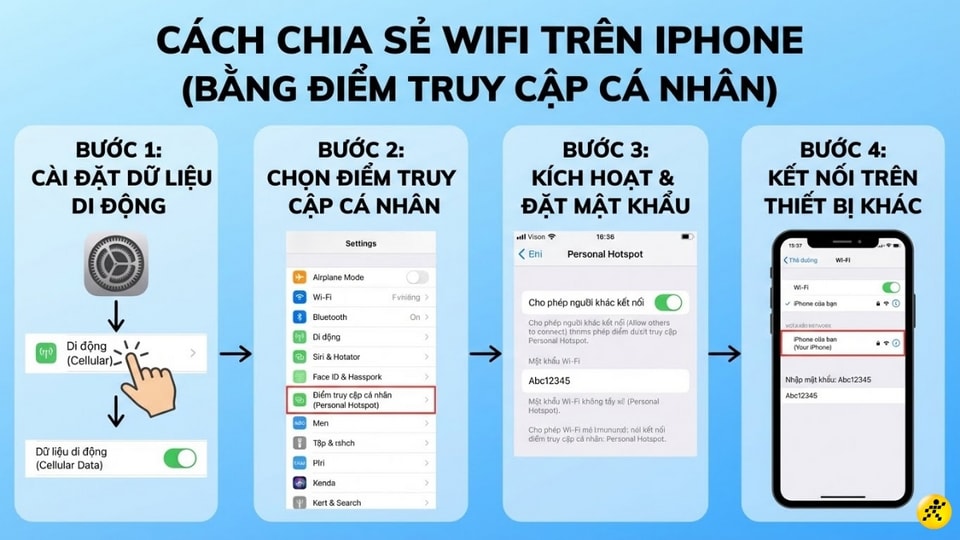
This is the most common method when you're in a place without WiFi coverage. Your iPhone will act as a mobile hotspot, converting network data (4G/5G) into a WiFi signal for nearby devices.
- Step 1:AccessSetting, selectMobileturn onMobile data.
- Step 2:Return to menuSetting, selectPersonal hotspot.
- Step 3:Activate the modeAllow others to connect.Don't forget to set it up.Wi-Fi passwordTo protect your network.
- Step 4:On the device that needs to connect to the network, search for the WiFi name corresponding to your iPhone's name and enter the password to complete the process.
2. Automatically share WiFi passwords with Apple devices.
This feature is extremely useful when you want to share your connected WiFi with family members using iPhones, iPads, or MacBooks without having to reveal or manually enter the password.
| Criteria | System requirements |
|---|---|
| Device | Both must be Apple devices (iPhone, iPad, MacBook). |
| Operating system | iOS 11 or macOS High Sierra or later. |
| Connect | Turn on WiFi and Bluetooth; place the two devices next to each other. |
| Account | Both are logged into iCloud and have saved each other's contact information. |
Steps to follow:
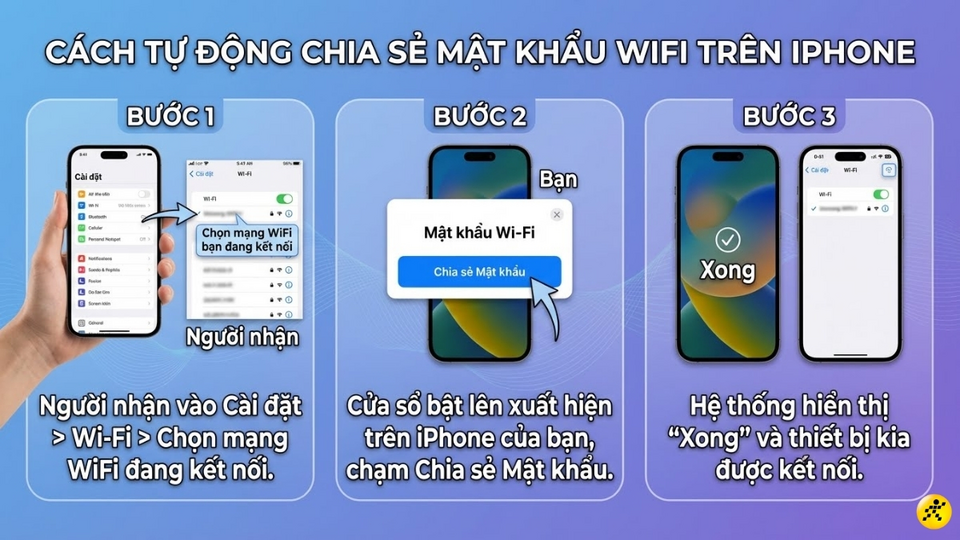
- Step 1:RecipientSetting, selectWi-Fiand tap on the name of the WiFi network you are connected to.
- Step 2:A notification window (pop-up) will appear on your iPhone screen; tap it.Share Password.
- Step 3:After the system reportsFinishedThe recipient's device will automatically connect to the internet.
3. Share WiFi using a QR code on your Android phone.
If the recipient uses an Android phone or you want guests to connect quickly without having to ask for a password, creating a QR code via the Shortcuts app is the best solution.
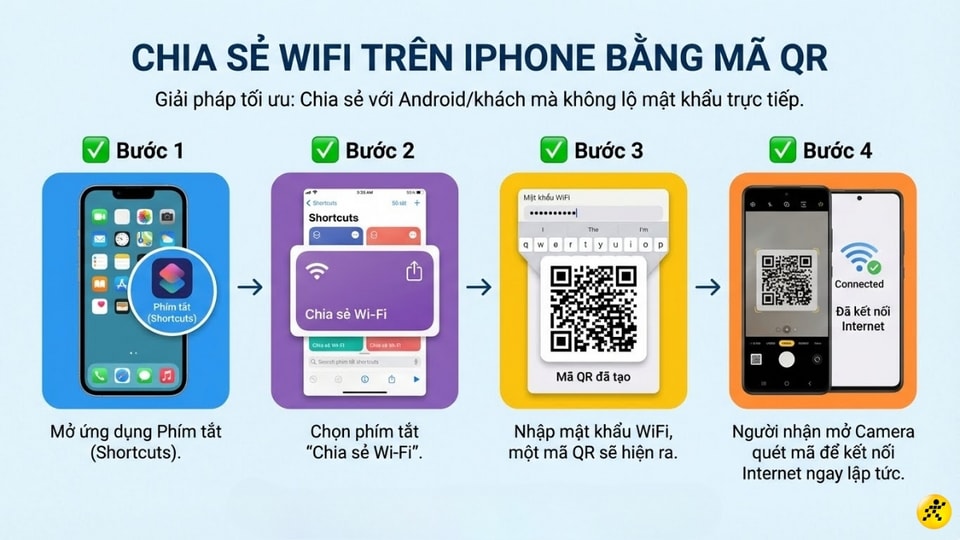
- Step 1:Launch the applicationShortcutShortcuts on iPhone.
- Step 2:Find and select the shortcut with the nameShare Wi-Fi.
- Step 3:Enter the exact password of your current WiFi network, and the system will automatically generate a QR code on the screen.
- Step 4:The recipient simply needs to open the Camera app or QR code scanner on their Android phone to scan the QR code and connect instantly.
4. Important considerations to ensure performance
To ensure smooth and secure WiFi sharing, users should pay attention to the following technical issues:
- Rename the access point:Using easily recognizable names helps other devices find the network faster in the WiFi list.
- Capacity control:When using a hotspot, mobile data will be consumed very quickly. Please be mindful to avoid exceeding your data limit.
- Temperature and battery management:Continuously using Wi-Fi will cause your iPhone to overheat and drain the battery quickly. You should use a power bank or connect a charger if you need to share the Wi-Fi for an extended period.
- Security:Always turn off the Personal Hotspot feature when you're not using it to protect your data and save energy on your device.


