
The most effective tips to fix Liên Quân Mobile game crashes.
Fix sudden crashes in Arena of Valor while climbing the ranks with these 6 simple methods to optimize phone performance and stabilize connection.
Sudden game crashes in Arena of Valor are not only frustrating but also directly affect match results and player reputation. This situation often stems from device overload, software conflicts, or unstable network connections.

Reasons why Arena of Valor crashes
Sudden game crashes are often related to system resources. When RAM is insufficient, the device will automatically close applications to maintain operation. In addition, having too many background applications running, an outdated operating system, or the device overheating are also common causes of game instability.

6 quick ways to fix Arena of Valor game crashes.
1. Update to the latest version of the game.
The developers regularly release bug fixes and performance optimizations. Please check the App Store or Google Play to ensure that the Arena of Valor app is updated to the latest version to ensure compatibility with your operating system.
2. Restart your phone.
This is a simple method to refresh the system and free up temporary memory. Restarting will help shut down faulty processes and bring your phone back to its most stable operating state before you start the game.
3. Completely close any background applications.
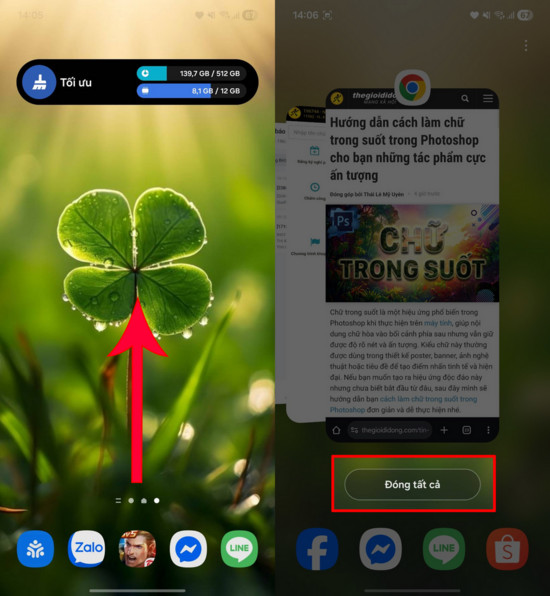
When too many apps are running simultaneously, the CPU and RAM resources are fragmented. Before starting a game, you should swipe up from the bottom of the screen and close all background apps so that your phone can focus all its performance on the game.
4. Reduce the graphics settings in the game.
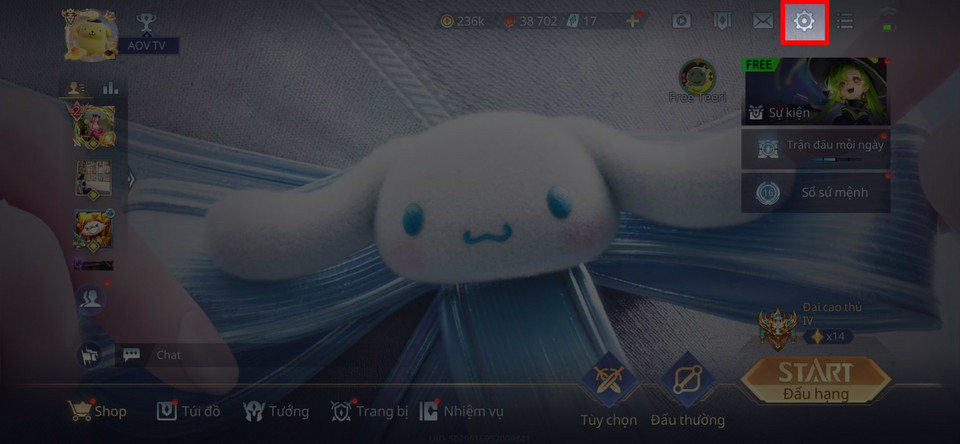
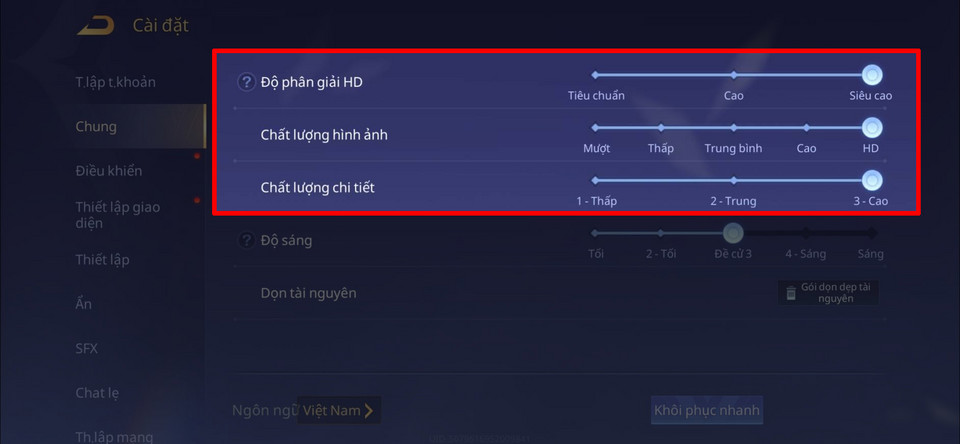
For devices with average specifications, high graphics settings will overload the machine and cause it to overheat quickly. Please go to the settings section.Setting(gear icon), selectGeneral settingsand reduce the image parameters to medium or low levels.
5. Check network connection stability.
Unstable Wi-Fi or weak 4G/5G connections can cause games to lose data synchronization and crash unexpectedly. You should prioritize using a strong and stable network connection to minimize lag or game crashes.
6. Uninstall and reinstall the game.
If you've tried the above methods and are still experiencing errors, proceed to uninstall and reinstall Arena of Valor. This process will help clear any corrupted data files that have accumulated over time and replace them with a completely clean, new installation.


