Tips for accurately verifying a genuine Apple iPhone: Distinguishing between counterfeit and iPhones with hidden iCloud accounts.
10 ways to check if an iPhone is genuine Apple product via IMEI, model, and iCloud, helping you avoid buying counterfeit, refurbished, or network-locked devices of unknown origin.
Checking the authenticity of an iPhone before purchasing is a mandatory process to ensure consumer rights and avoid the risk of buying counterfeit or low-quality refurbished products. Below is a detailed guide to the quickest and most accurate verification steps currently available.
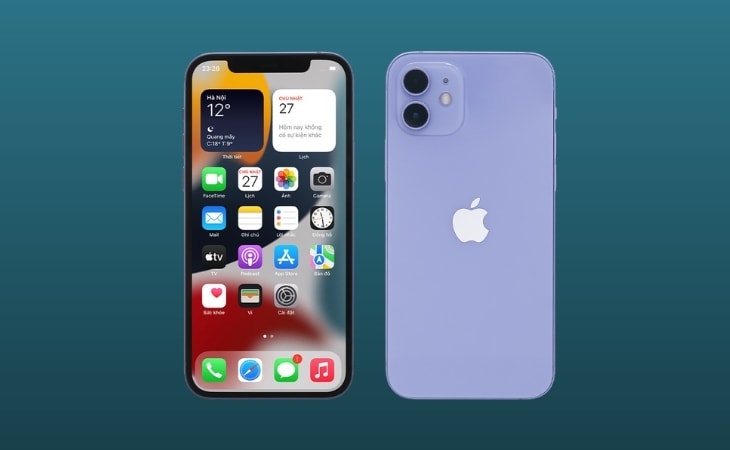
1. Differentiate between the common types of iPhones on the market.
Before conducting a thorough check, users need to identify which product group the iPhone they intend to buy belongs to in order to verify the information most accurately:
- Genuine VN/A iPhones:As an official Apple distributor in Vietnam, it comes with a full warranty.
- Imported iPhones:Genuine products from international markets (USA, Japan, Singapore, etc.) are imported to Vietnam.
- iPhone Lock:The phone is network-locked due to a contract with a foreign network provider.
- iPhone CPO & Refurbished:Apple refurbishes these devices with 100% new components.
- Fake iPhones:The most dangerous type of machine is assembled from low-quality, aftermarket parts.
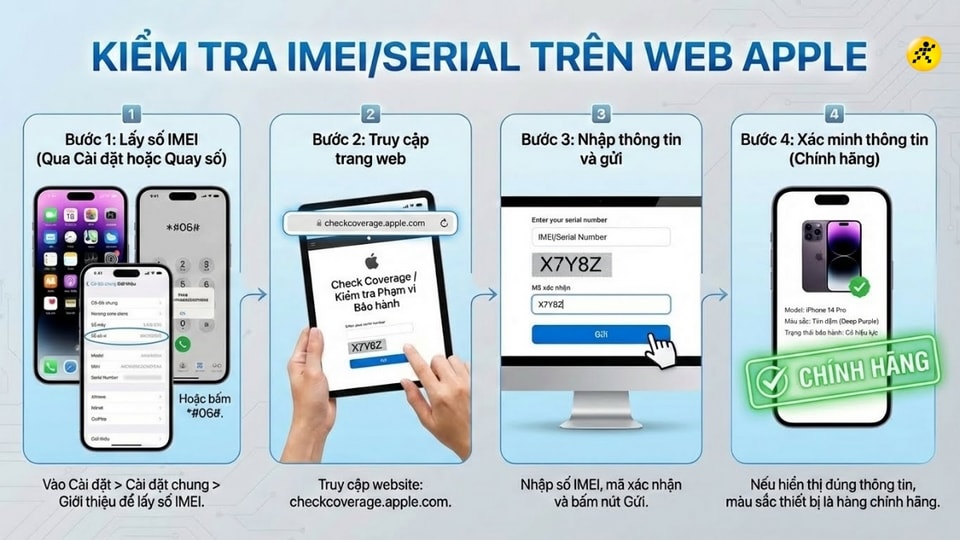
2. Check the IMEI and Serial Number through the Apple system.
Every genuine iPhone has a unique IMEI identifier that is stored on Apple's global system.
- EnterSettingnewsGeneral settingsnewsIntroduceTo get the IMEI number, enter the following syntax:*#06#.
- Visit the official website:checkcoverage.apple.com.
- Enter the IMEI number and verification code. If the results display the correct device information, color, and warranty status, then it is a genuine product.
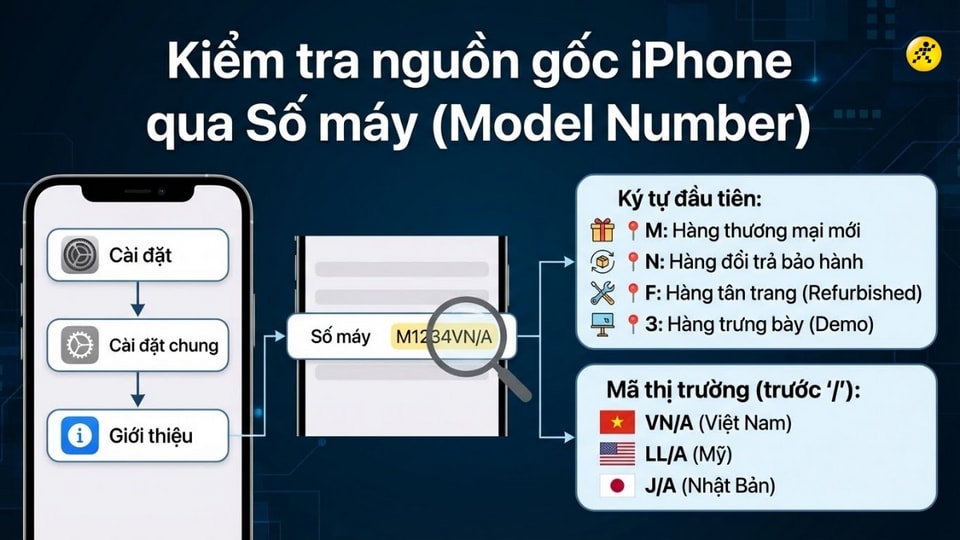
3. Identify the origin through the model code.
Users can find out the exact status of the machine by going toSettingnewsGeneral settingsnewsIntroduceand observe the itemMachine numberThe first character will reveal the device status:
- M:Brand new commercial goods.
- N:This is a replacement item under warranty from Apple.
- F:Refurbished goods.
- 3:Display items (Demo).
Additionally, the characters before the "/" indicate the distribution market, for example: VN/A (Vietnam), LL/A (USA), J/A (Japan).
4. Check the appearance and functionality of the hardware.
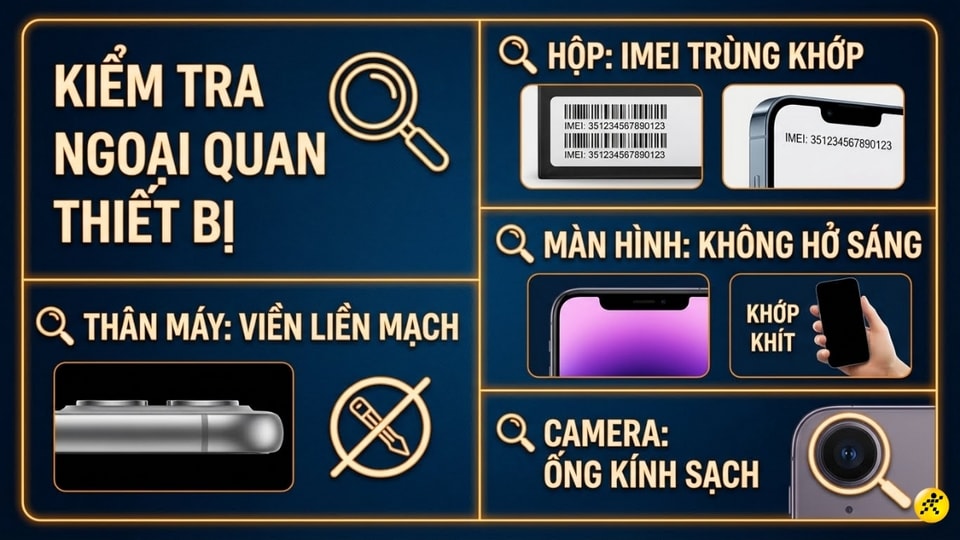
The external appearance partly reflects the usage history and originality of the device. Please pay attention to the following details:
- Box packaging:The printed text must be clear, and the IMEI code on the box must match the device.
- Body:The edges are seamless, with no signs of being pried open or gaps in the screen.
- Camera:The lens is clear, with no dust or dirt getting inside.
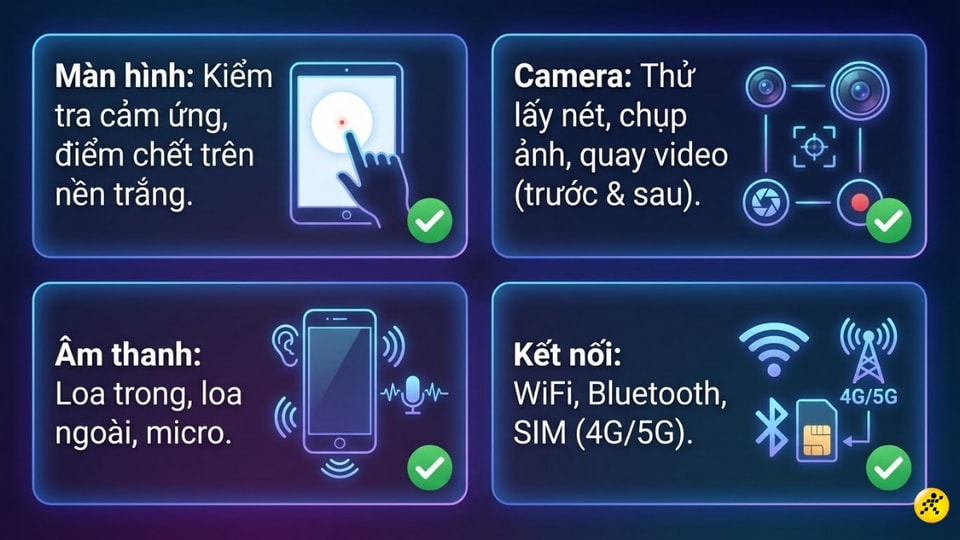
Don't forget to test basic features like touch functionality, dead pixels on the screen, speaker, microphone, and wireless connections (Wi-Fi, 4G/5G).
5. How to detect a hidden iCloud account - extremely important.
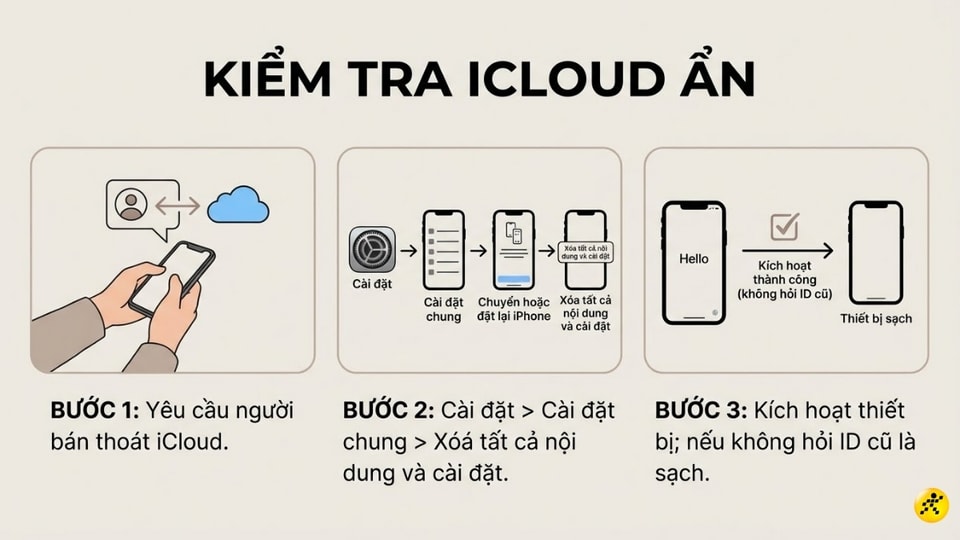
Hidden iCloud is a situation where the device is logged into an account but it doesn't show up in the settings, which can cause the iPhone to be locked at any time. This is the most important step when buying a used device.
How to do it:Request the seller to perform the task.Delete all content and settings(Reset line 2). If, after reactivating, the device asks for the old Apple ID and the seller cannot provide it, absolutely do not buy this device.
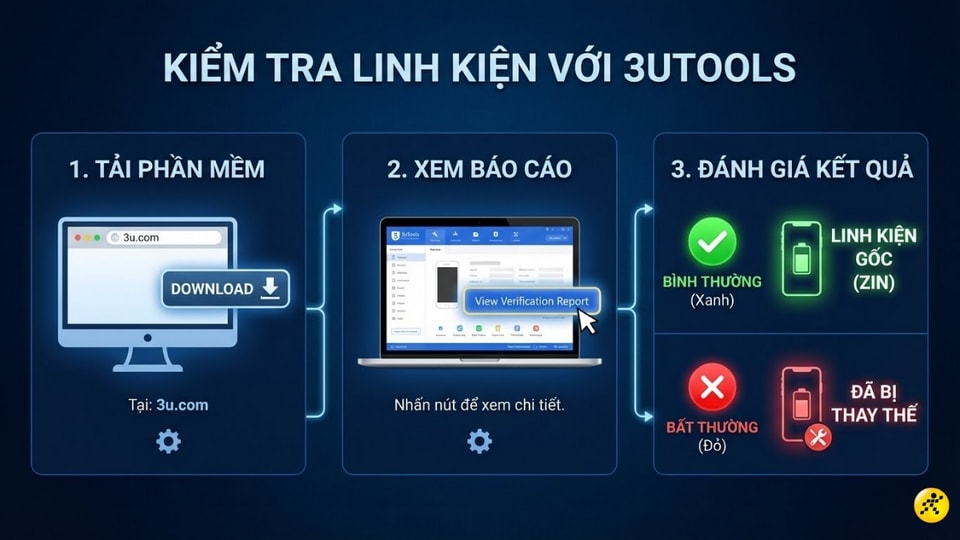
6. Use the 3uTools support tool.
To find out details about whether internal components have been replaced, you can use the 3uTools software on your computer. Connect your iPhone to your computer and select...View Verification ReportIf the components display green (Normal), they are original; if they display red (Abnormal), the component has been replaced.