
Tips for viewing traffic cameras in Ho Chi Minh City and checking traffic violation points.
Detailed instructions on how to monitor live traffic images in Ho Chi Minh City and identify routes with traffic cameras for automated traffic enforcement via the TTGT and VNeTraffic applications.
In Ho Chi Minh City (HCMC), real-time traffic updates play a crucial role in helping commuters save time and avoid congested routes. Thanks to technology, people can now easily view images from key intersections and identify areas with surveillance cameras for traffic violations directly on their mobile phones.
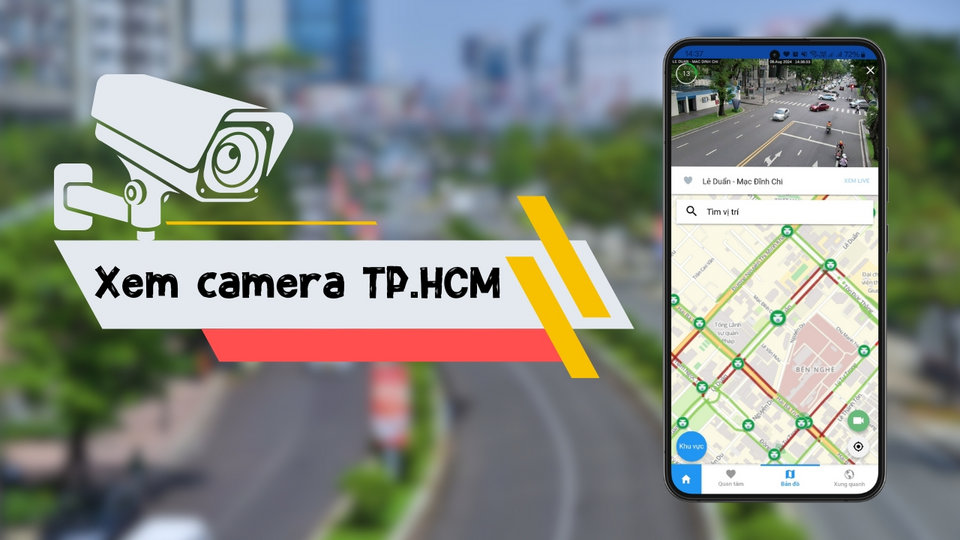
1. How to view live traffic cameras in Ho Chi Minh City via the TTGT app.
The Ho Chi Minh City Traffic Information (TTGT TPHCM) application is the official platform providing live image data from the Department of Transportation's camera system. This tool allows users to monitor traffic density at traffic hotspots in real time.
Step 1: Install the application
Users access the App Store (for iOS) or Google Play Store (for Android), search for the keyword "TTGT TPHCM" and download it to their device.
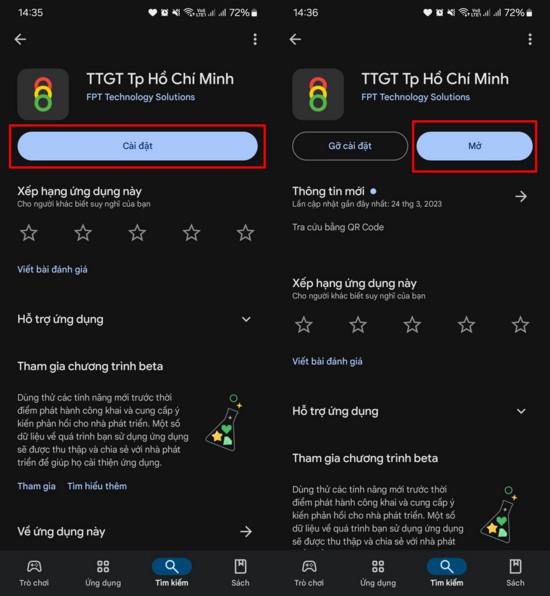
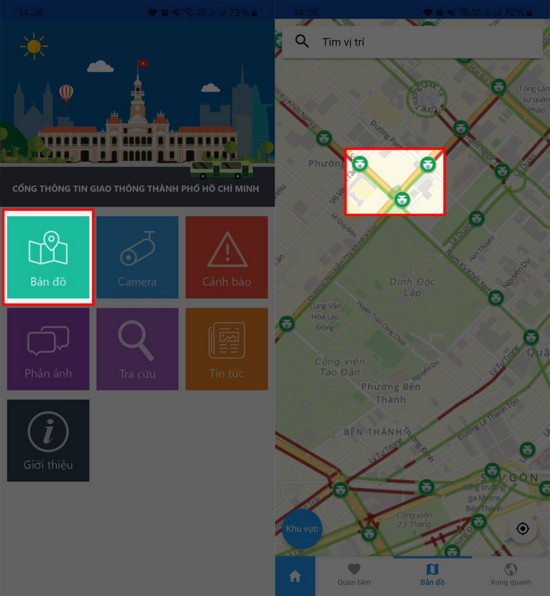
Step 2: Access the camera viewing feature.
After launching the application, select the icon.CameraOn the toolbar, a list of roads with cameras will appear. You can enter the specific road name into the search bar to view images of that area.
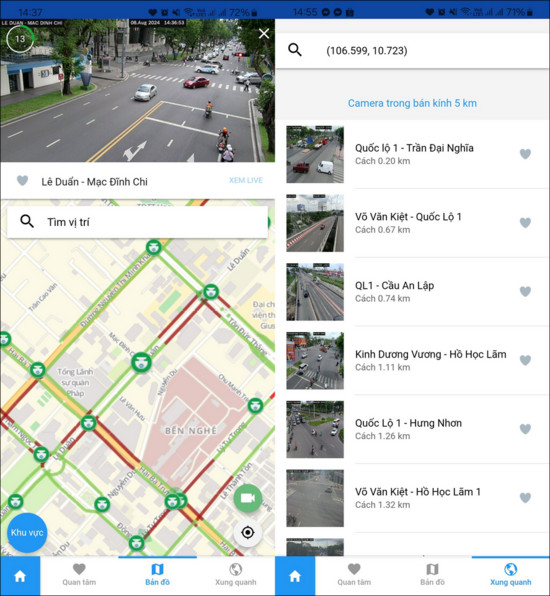
Step 3: Use the location tracking feature.
To optimize the experience, users should allow the app to access their location (GPS). This feature will automatically suggest cameras closest to your current location, helping you quickly assess traffic conditions on your upcoming route.
2. How to look up traffic violation camera footage on the VNeTraffic app
In addition to monitoring traffic density, identifying routes with AI-powered cameras that support automated traffic enforcement is crucial. The VNeTraffic app provides a detailed map of these monitoring points.
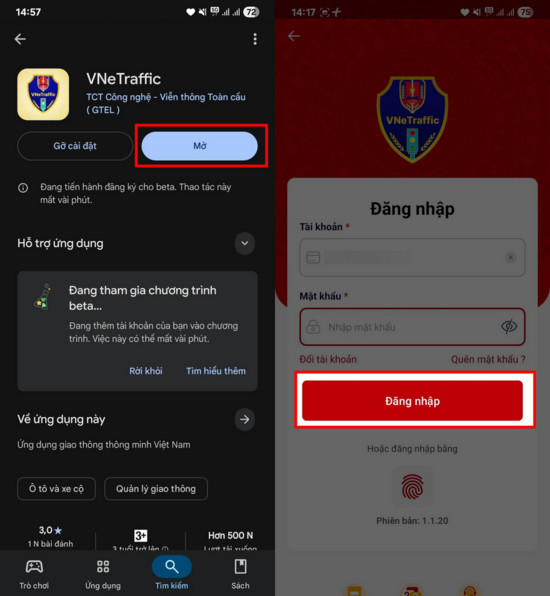
Step 1: Download and log in to the application
Users can download the VNeTraffic app from the app store. The app's convenience lies in its integration with an electronic identification system, allowing for quick login using a VNeID account.

Step 2: Locate the surveillance camera.
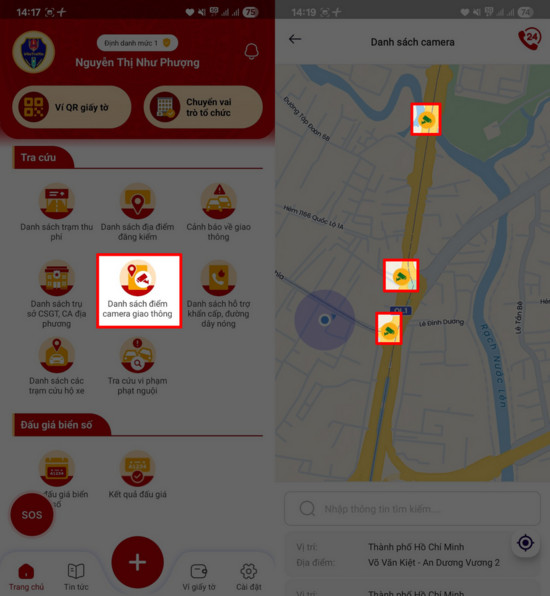
On the main interface, select the itemSearch, then select nextCheck traffic camera footageA digital map will appear, showing icons indicating the locations of active cameras throughout the city.
Step 3: Check the specific route
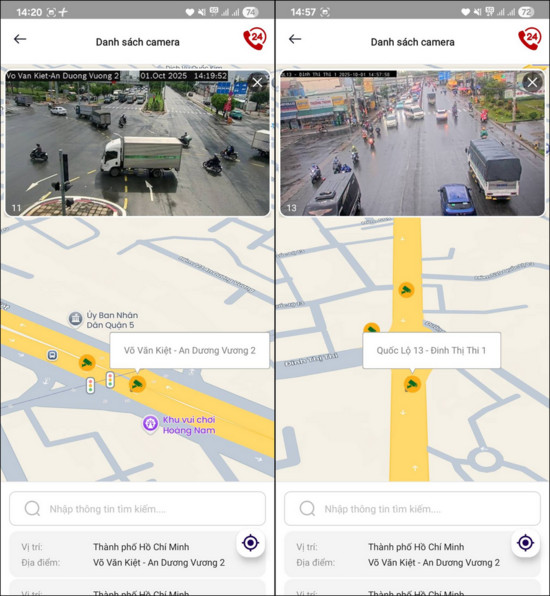
You can zoom in on the map or enter the route name into the search bar. The system will display the exact locations of traffic cameras, helping you improve your awareness of traffic laws and travel more safely.
The benefits of checking your cameras before traveling.
- Save time:Avoid routes experiencing accidents or prolonged traffic jams.
- Flexible route:Proactively redirect yourself to less congested routes based on the actual images.
- Safety and compliance:Identifying areas with surveillance cameras helps drivers stay focused and adhere to speed and lane regulations.
Combining the use of both the Ho Chi Minh City Traffic Information Center and VNeTraffic applications will provide a comprehensive view of the city's transportation infrastructure, making each of your trips more convenient and safer.


