
Tips for viewing past images of any location using Google Maps
Discover the "time travel" feature on Google Maps, which allows users to review how houses, streets, and landmarks have changed from 2007 to the present day.
The unique "time travel" feature on Google Maps.
Since its launch in 2007, Google Maps' Street View feature has continuously collected global ground imagery data. This vast archive acts as a digital "time machine," allowing users to observe the dramatic transformation of landscapes, architecture, and lifestyles in any region of the world over the years.
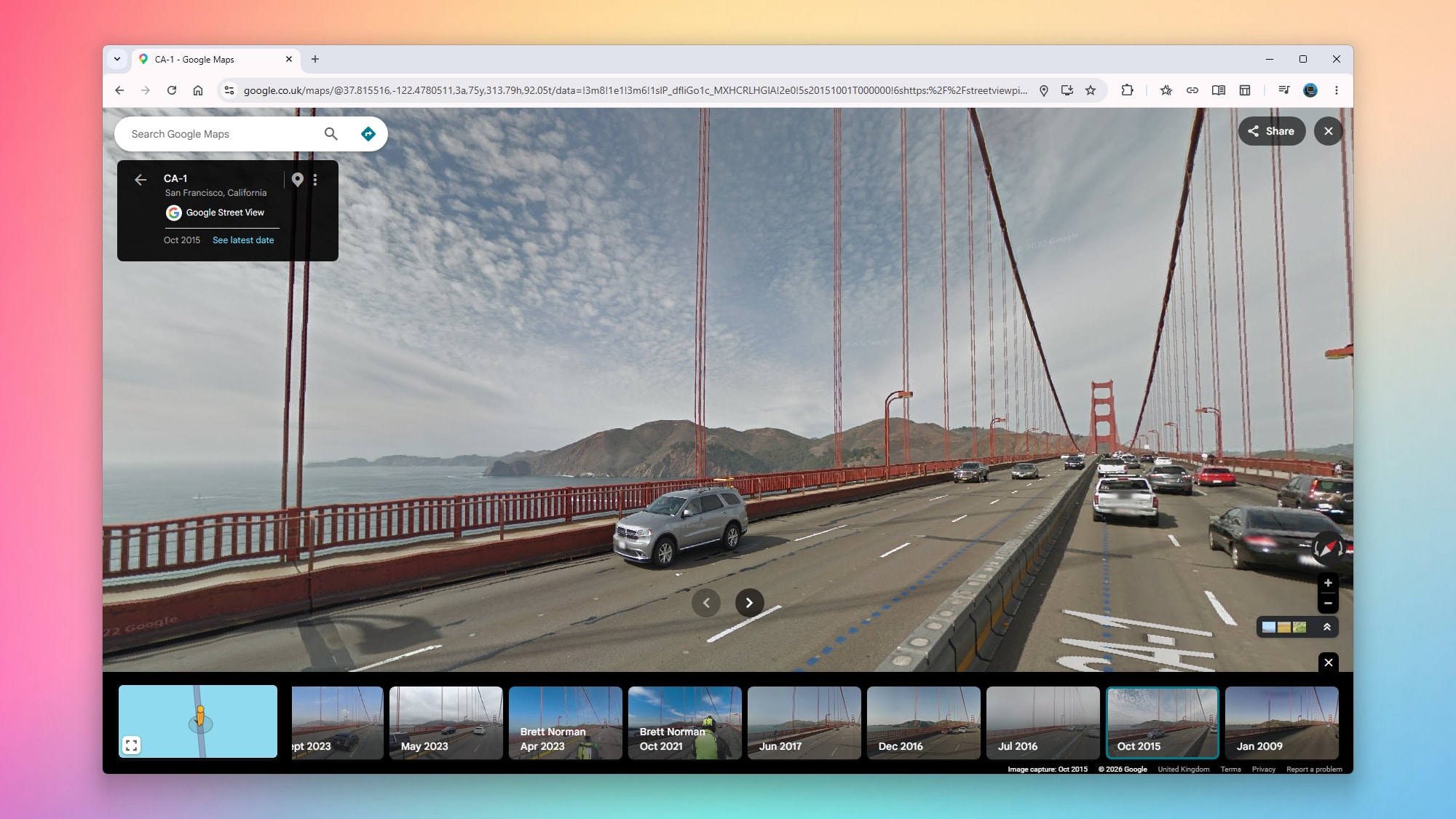
How to view old photos on a computer browser
Using Google Maps on a web browser is the best way to experience this feature thanks to its spacious display area. The steps involved include:
- Access Google Maps and search for the place you want to explore.
- Using the yellow "pegman" icon in the bottom left corner of the screen, drag and drop it onto the blue-colored path on the map.
- After entering Street View mode, click on the link.See more days(See more dates) in the upper left corner of the screen.
- A series of thumbnail images with timestamps will appear; simply scroll and select the year you want to view.
Instructions for use via mobile app
Android and iOS users can access this feature directly on the mobile app by following these steps:
- Press and hold on any street on the map to display a Street View thumbnail.
- Tap that thumbnail to enter full-screen mode.
- Tap the date label displayed in the upper left corner to select different time points in the past.
Notably, the depth of historical data will vary depending on how frequently Google Street View vehicles pass through the area. Bustling areas tend to have richer image databases than sparsely populated regions. Additionally, you can use Google Earth to combine both historical satellite imagery and Street View images for the most comprehensive view of how the world is changing.


