
The easiest way to view the password of a connected Wi-Fi network on your Android phone.
Forgetting your saved Wi-Fi password can make sharing your network difficult. With just a few steps in the settings, users can retrieve the password or share it via QR code.
Android users can easily view connected Wi-Fi passwords directly in the system settings to share them with other devices. This method saves time by eliminating the need to memorize complex character sequences or install third-party apps.
Steps to view Wi-Fi passwords directly on Android
The password recovery process may vary slightly depending on the interface of each phone manufacturer. Below are the common steps for Samsung phones and similar Android devices:
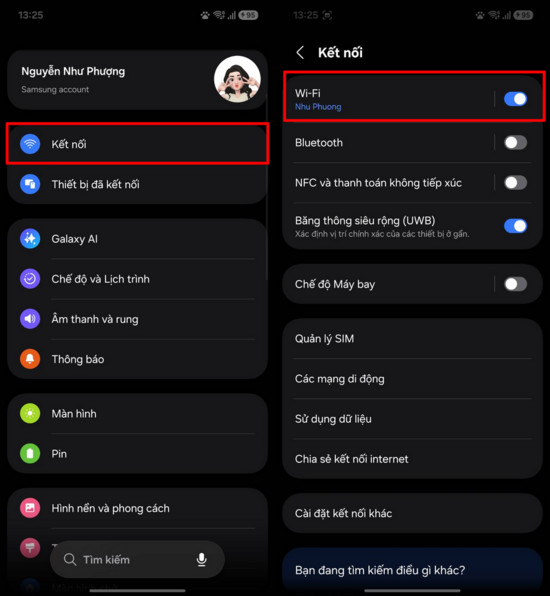
- Access settings:Open the applicationSettingon your phone, then select the itemConnectTo manage network settings on the device.
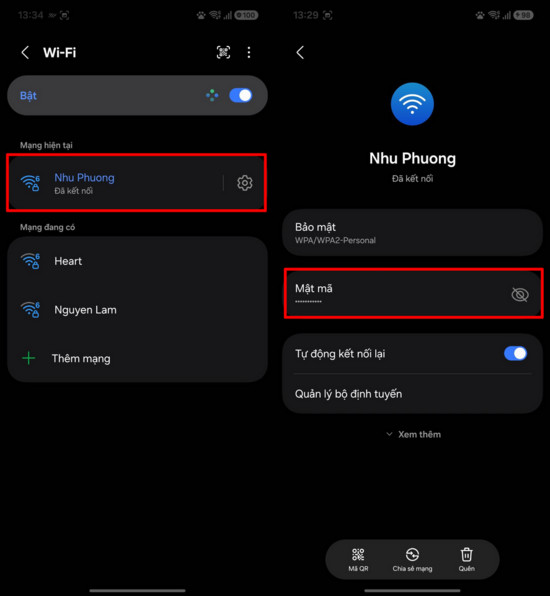
- Select a Wi-Fi network:On the connection interface, click on the itemWi-FiNext, select the correct network name that your phone is connected to to view the details.
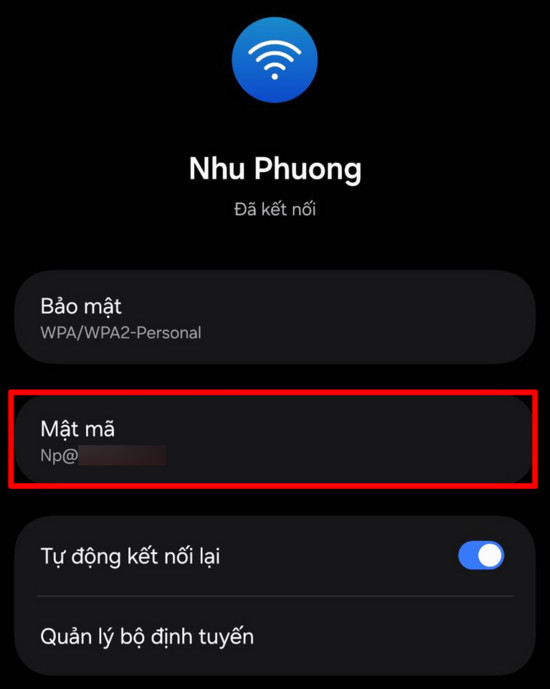
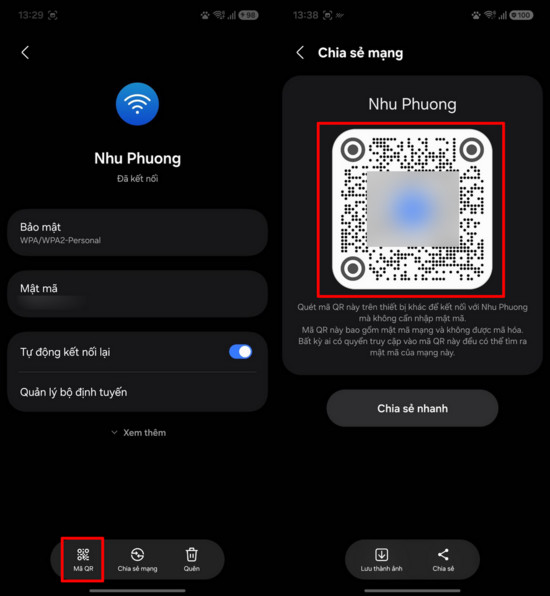
- Display password:On the network information interface, the sectionCodeIt's usually hidden by a security dot. Click on the icon.eyeNext to it to display the saved Wi-Fi password.
How to quickly share Wi-Fi via QR code
In addition to viewing the password directly, users can use the QR code to share the network faster. On the network information screen, tap on the item.QR CodeAt the bottom of the screen, the system will generate an identifier containing login information.
When the QR code is displayed, users of other devices simply need to use their camera or a scanning app to scan it. That device will automatically connect to the Wi-Fi network without needing to manually enter a password, reducing errors and improving information security.
Why my phone isn't showing the Wi-Fi password.
If you can't find the option to view passwords, this could be due to several objective reasons:
- Older Android versions:Some older models do not support the live password viewing feature to enhance security.
- Authentication required:The system may require you to enter a PIN, fingerprint, or screen password before allowing sensitive information to be displayed.
- Network privacy rights:Some enterprise networks have special security configurations that prevent password review after a connection has been established.
- Customizable interface:Depending on the manufacturer (such as Oppo, Xiaomi, or Samsung), the location of the settings may vary or be hidden in the software update.


