
Simple habits that help extend the battery life of your device.
A weak battery, a battery that takes forever to charge, and a device that degrades quickly are not only annoying but also force you to upgrade to a new device sooner. However, with just a few small changes to your daily habits, you can significantly extend your battery life.
Do you notice your phone battery draining faster even with normal use? Or does your laptop, which used to last all day, now only last a few hours? These could be signs that your battery has gone through too many charging cycles, a silent but crucial factor in the lifespan of any electronic device.
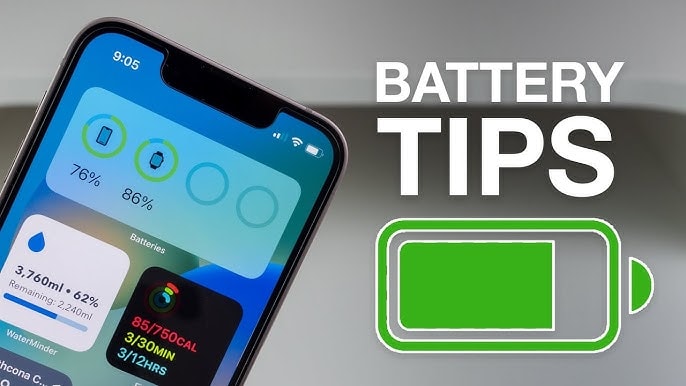
Every time you charge your battery and use it until it's completely drained, even if it's not necessarily from 100% down to 0%, your device still records a charging cycle. For example, using 50% of the battery today, fully charging it, and then using another 50% the next day is also counted as a complete cycle. Over time, these cycles accumulate and gradually reduce the battery's ability to hold a charge.
Charging cycles: A unit of measurement for battery health.
All types of rechargeable batteries, from smartphones, laptops, and tablets to wireless headphones, operate on a charging cycle. With lithium-ion batteries (the technology common in most modern devices), battery life is measured by the number of full charge cycles the battery can withstand before it begins to degrade significantly. This number typically ranges from 300 to 1,000 cycles, depending on the device and battery quality.
Once this threshold is exceeded, the battery begins to "degrade," meaning the usage time decreases, charging speed slows down, and sometimes the device may even overheat abnormally during operation.
For example, Apple designed the batteries in the iPhone 14 and older versions to retain about 80% of their original capacity after 500 charging cycles under ideal usage conditions. With the iPhone 15 series and later, this number has increased to 1,000 cycles, a significant improvement, but it still cannot prevent wear and tear over time.
This shows that when we talk about "battery condition," we are actually referring to the number of battery cycles already completed and the number of cycles remaining before battery performance begins to noticeably degrade.
Why is battery cycle control so important?
In short, the fewer charging cycles you use, the longer your device's battery will last, and the more stable its performance will be over time.
Each complete battery cycle, that is, the process of discharging and recharging the entire capacity, causes a certain degree of wear and tear on the chemical components inside the battery.
This degradation is natural and inevitable, but it also accumulates gradually with each charging cycle. After hundreds of cycles, the battery begins to lose its ability to store power, meaning the device will drain faster, even if your usage remains unchanged.
The results can manifest in many frustrating ways, such as smartphones not lasting until the end of the day, laptops shutting down in the middle of an important Zoom call, or tablets taking hours to charge but still running out of battery after only a few hours.
And in an era where most devices use built-in batteries that aren't easily replaceable, poor battery health means you should start thinking about upgrading your device soon.
However, by understanding and limiting unnecessary charging cycles, you can significantly extend battery life. This not only improves performance and enhances the user experience but also provides long-term value for your technology investment.
It's a small habit change, but with a big impact, especially if you're someone who relies on digital devices every day.
How can I minimize the number of battery cycles and extend the lifespan of my device?
You don't need to constantly monitor your battery percentage or completely change your device usage habits. But a few small adjustments to your daily charging and usage can make a big difference in the long run. Below are some principles to help minimize battery cycles and optimize device performance over time.
1. Avoid frequently charging from 0% to 100%.
Constantly letting your battery drain completely and then fully recharge it is one of the fastest ways to "burn through" battery cycles. Instead, try to keep your battery level between 20% and 80% whenever possible.
For example, charging an iPhone from 40% to 80% is much gentler than charging it from 0% to 100%. Each full charge from completely empty represents a "drain" on battery life that you can completely avoid.
2. Activate the battery optimization feature.
Many modern devices come with smart battery management options. On iPhones, the Optimized Battery Charging feature learns your charging habits and delays charging to 100% until closer to the time you typically unplug the charger. This results in less prolonged exposure of the battery to high voltage, meaning less wear and tear over time.
3. Avoid charging overnight frequently.
Leaving the charger plugged in for extended periods after the battery is full can generate heat and maintain a high voltage, both of which contribute to the rapid aging of lithium-ion batteries. While overnight charging is convenient, if possible, unplug the charger when the device reaches around 80% to limit heat and reduce stress on the battery.
4. Limit background applications.
Background apps constantly drain your battery, causing you to charge more frequently without realizing it. Regularly check your list of running apps and close any unnecessary ones.
Additionally, disabling the "background app refresh" feature for non-essential apps can also significantly save energy.
5. Strategically utilize energy-saving modes.
Battery saver mode not only helps your device last longer throughout the day, but also reduces the frequency of charging, meaning fewer battery cycles. This mode limits background activity, reduces brightness, processing speed, or data refresh rate to intelligently reduce power consumption.
6. Turn off unnecessary connections.
Wi-Fi, Bluetooth, GPS, and 5G are all power-hungry components, especially when not in use. Turning off unnecessary connections not only extends battery life but also reduces the number of times you need to charge your device.
7. Keep the device cool.
Heat is the number one enemy of batteries. Exposing your device to direct sunlight, using it in hot environments, or charging it while it's under a heat-retaining case can significantly reduce battery life.
Prioritize charging your device in a well-ventilated area, remove thick cases if necessary, and avoid leaving it in a car or in direct sunlight for extended periods.
8. Always keep your software updated.
Operating system updates often include improvements to power management and battery performance. Keeping your device on the latest software version not only fixes bugs but also helps the system use battery more efficiently and reduces unnecessary charging cycles.
9. Use a quality charger with the correct wattage.
A low-quality or incompatible charger can slow charging, generate excessive heat, or cause unstable charging, all of which negatively impact battery life. Use a genuine or certified charger with the correct power rating for your device to ensure efficient and safe charging.
In summary, extending battery life doesn't require major changes, but starts with simple yet sustainable habits. A healthy battery not only ensures your device runs more smoothly but also helps you delay upgrades, saving you money and protecting the environment in the long run.


