
Why is charging your smartphone overnight harmful?
Many people have a habit of charging their smartphones overnight to ensure the battery is fully charged the next morning. However, while letting the battery reach 100% seems convenient, in reality, this is harmful to the battery and significantly reduces its lifespan.
Battery performance degradation and potential dangers
Charging your phone overnight may seem convenient, but it carries many risks, especially reducing battery life and posing safety hazards.
- Affects battery life:Batteries will degrade faster if you frequently overcharge them to over 80% or let them drain below 20%. The ideal charge level to maintain optimal battery performance is around 50%. Prolonged charging not only increases device temperature but also naturally shortens battery life.
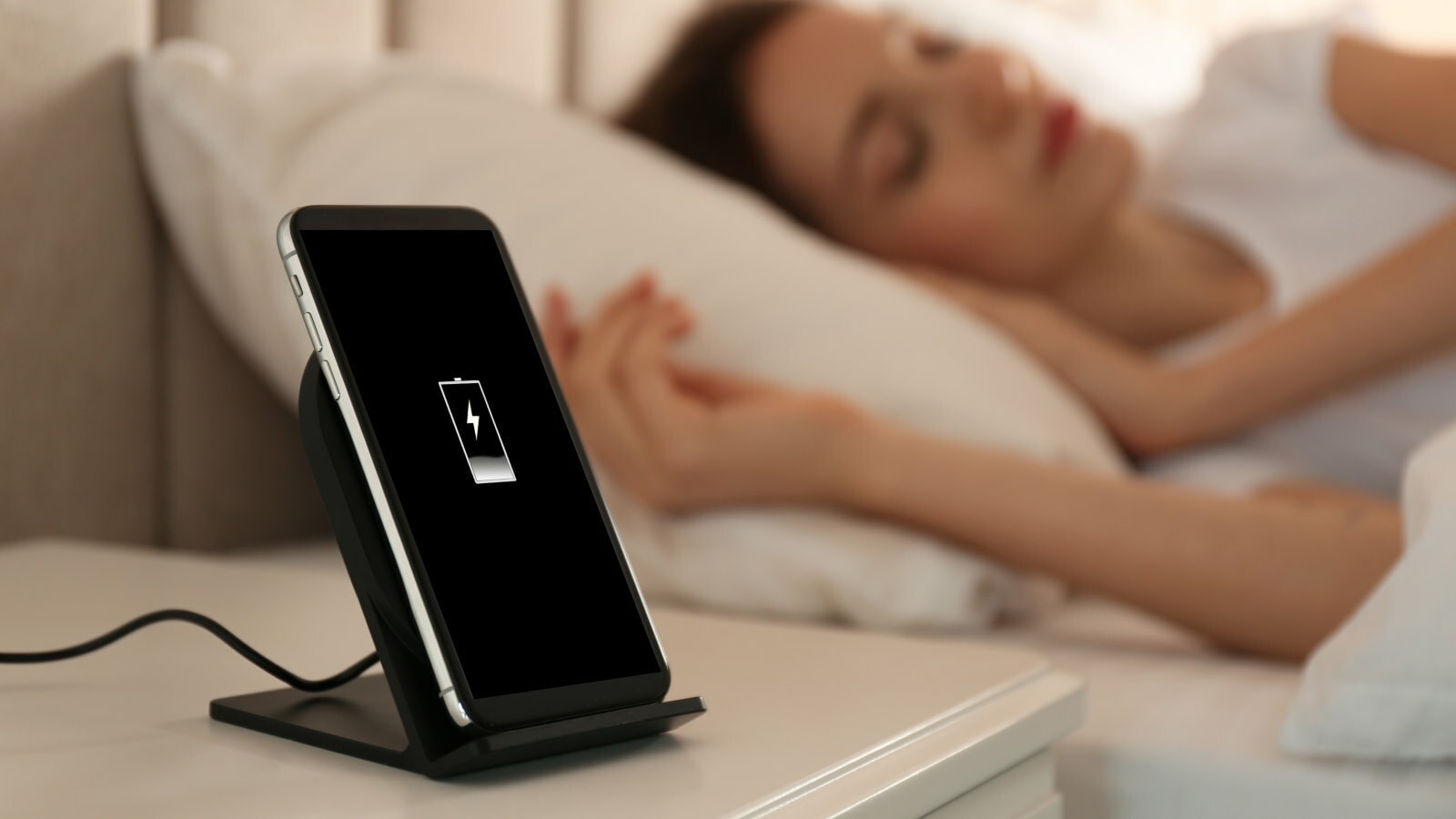
- Safety risks due to high temperatures:Charging your phone overnight or placing it under your pillow while charging is a dangerous habit. Lack of airflow can cause the battery to overheat, increasing the risk of fire or explosion.
Chargers and cables can also get hot, especially if you're using non-genuine products. Cheap third-party chargers, while economical, often don't guarantee safety and are prone to malfunctions.
- The impact of extreme temperatures:Phones and Li-ion batteries are very sensitive to temperature. Temperatures below 0°C or above 70°C can cause the battery to fail quickly. Avoid leaving your phone in direct sunlight, or in a car on extremely hot or cold days, as this will significantly reduce the device's lifespan.
"Trickle charging" overnight reduces battery lifespan.
Your phone's battery cannot be overcharged thanks to built-in protection measures by the manufacturers. However, when the battery reaches 100%, the device will switch to "trickle charging," which means providing a small amount of power to compensate for the phone's natural power consumption.
This means that if you constantly charge your phone to full capacity and keep it plugged in, the battery will be overworked, continuously draining energy unnecessarily. In the long run, this habit not only puts stress on the battery but also reduces its lifespan.
Modern smartphones and tablets typically use lithium-polymer batteries, a variant of Li-Ion batteries. These batteries offer advantages such as being safer, more compact, and charging faster. However, the principles regarding battery life remain similar to those of conventional Li-ion batteries, as they operate on the same mechanism.
When charging a battery, lithium ions move back and forth between the layers inside the battery cell. Overcharging or completely draining the battery can compromise cell integrity. Over-cramming lithium ions into the layers not only increases internal resistance but also reduces battery performance and lifespan.
So, what determines your phone's battery life? Manufacturers typically measure battery life through the concept of "charge cycles." A cycle is counted when the battery is charged from 0% to 100% and then completely discharged to 0%. The number of charge cycles given by the manufacturer indicates how many full charges the battery can handle before its capacity begins to significantly degrade.
To extend battery life, avoid extreme situations. A full cycle can also be broken down, meaning if you charge from 20% to 80% multiple times, the cumulative effect is equivalent to one cycle.
Maintaining a charge level between 20% and 80% not only helps the battery operate more stably but can also extend its lifespan to up to 1,000 charging cycles or more, equivalent to about 3 years of daily use before the capacity significantly decreases.
How to take care of your smartphone battery.
So, how do you properly care for your smartphone battery? Many of us still maintain bad charging habits, such as leaving it plugged in overnight. The good news is that adjusting these habits isn't complicated or time-consuming; just a few small changes can help protect your battery and extend your device's lifespan.
- Reduce battery drain on your phone.:
You can extend battery life by reducing the frequency of charging, as less frequent charging means fewer charging cycles, which helps the device's battery last longer.
Some simple ways to save battery include reducing screen timeout and lowering brightness, two factors that have the biggest impact on power consumption. Additionally, most smartphones have a built-in battery saver mode.
For example, iPhones have Battery Saver Mode, which automatically activates when the battery level drops below 20%. These modes usually don't significantly impact the user experience and provide useful features like Screen Time on iOS. This feature not only allows you to set rest schedules and limit app usage but also helps build healthier device usage habits.
Although many people think that Bluetooth and Wi-Fi drain the battery a lot, in reality they don't have a significant impact. Conversely, turning off GPS and mobile data will significantly reduce power consumption, especially on modern devices.
- UseOptimized battery charging feature:
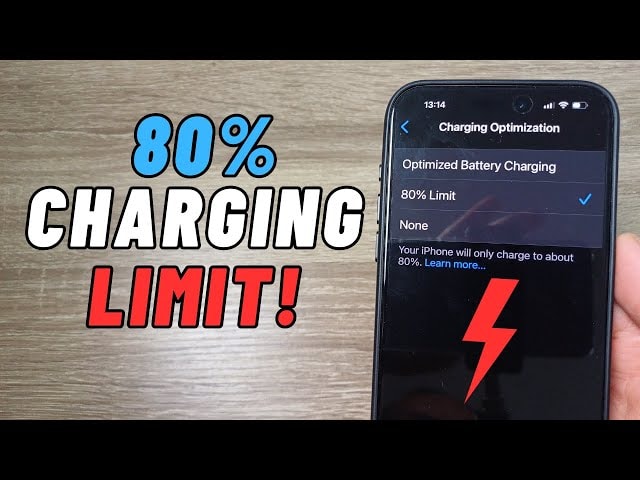
Companies often design phone batteries to prevent you from using their full actual capacity in order to conserve battery power. However, the screen still displays 100% when the device reaches its maximum, limited battery level.
To avoid overcharging your battery beyond the recommended 80%, the simplest way is to monitor the charging process. But obviously, this isn't practical in everyday life.
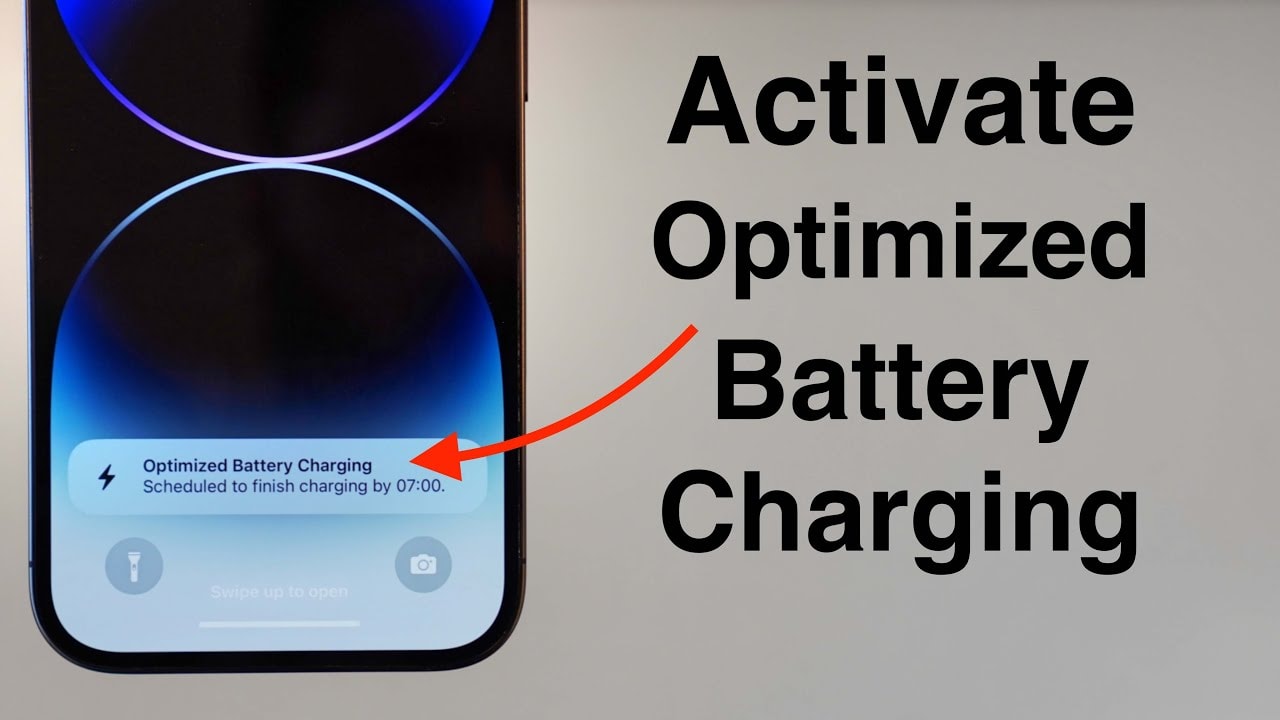
Understanding this, Apple introduced Optimized Battery Charging in iOS 13. This intelligent feature automatically learns your charging habits. If you frequently leave your phone charging for extended periods, such as overnight, the device will only charge to 80% and pause. Then, just before you need to use it, the phone will resume charging to 100%, minimizing stress on the battery while maintaining convenience.
You can turn this feature on or off by going to Settings > Battery > Battery Health & Charging > Optimized Battery Charging. Here, you will also see information about the maximum battery capacity compared to when the device was new, making it easy to monitor battery degradation over time.
- Using apps while charging your phone will affect your phone's battery life.:
You should also avoid using your device for high-performance tasks while charging, although this is a common habit for many people. Regularly using your phone while charging can cause long-term, even irreparable, damage to your battery.
Imagine this is similar to overclocking the CPU on a computer; when running too many applications simultaneously, the device heats up and performance decreases. At the same time, this also increases the frequency of trickle charging, putting unnecessary stress on the battery.
Watching YouTube videos or playing your favorite games while charging can be very appealing, but the price to pay is reduced battery life. This impact is especially noteworthy if you plan on using your phone for extended periods.
The habit of using demanding apps while charging not only reduces battery life but also significantly slows down the device after about two years. Therefore, if you want to maintain your phone's performance and lifespan, avoid energy-intensive activities while charging.
However, quickly checking messages or emails while charging is perfectly fine. Just make sure you're not performing high-performance tasks like playing games or playing videos continuously.
How to extend your smartphone battery life
Here are some simple tips to help you extend your smartphone's battery life:
- Use partial charging mode:Keep the battery level between 20% and 80% instead of letting it reach 100% or completely drain.
- Avoid charging overnight:Don't leave your phone charging overnight, as this is when the battery degrades the fastest.
- Keep the device at room temperature:Avoid exposure to extreme temperatures, as extreme temperatures can damage the battery.
- Turn off unnecessary services:Reduce energy consumption by turning off Wi-Fi, Bluetooth, or other unused services. Using power saving mode helps extend battery life after each charge.
Initially, you might not notice a significant difference, but once your phone lasts all day on a single charge, you'll appreciate the value of these habits.


