
watchOS 27 Public Beta: Siri AI and a new interface change the way you use your Apple Watch.
The recently released watchOS 27 Public Beta update brings a powerful Siri AI assistant similar to ChatGPT, a minimalist home screen interface, and significantly more demanding hardware requirements.
Along with the release of iOS 27 Public Beta, Apple has officially launched the first public beta of watchOS 27. This is a significant step in bringing artificial intelligence (AI) to wearable devices, accompanied by systemic changes to how users interact with the watch daily.
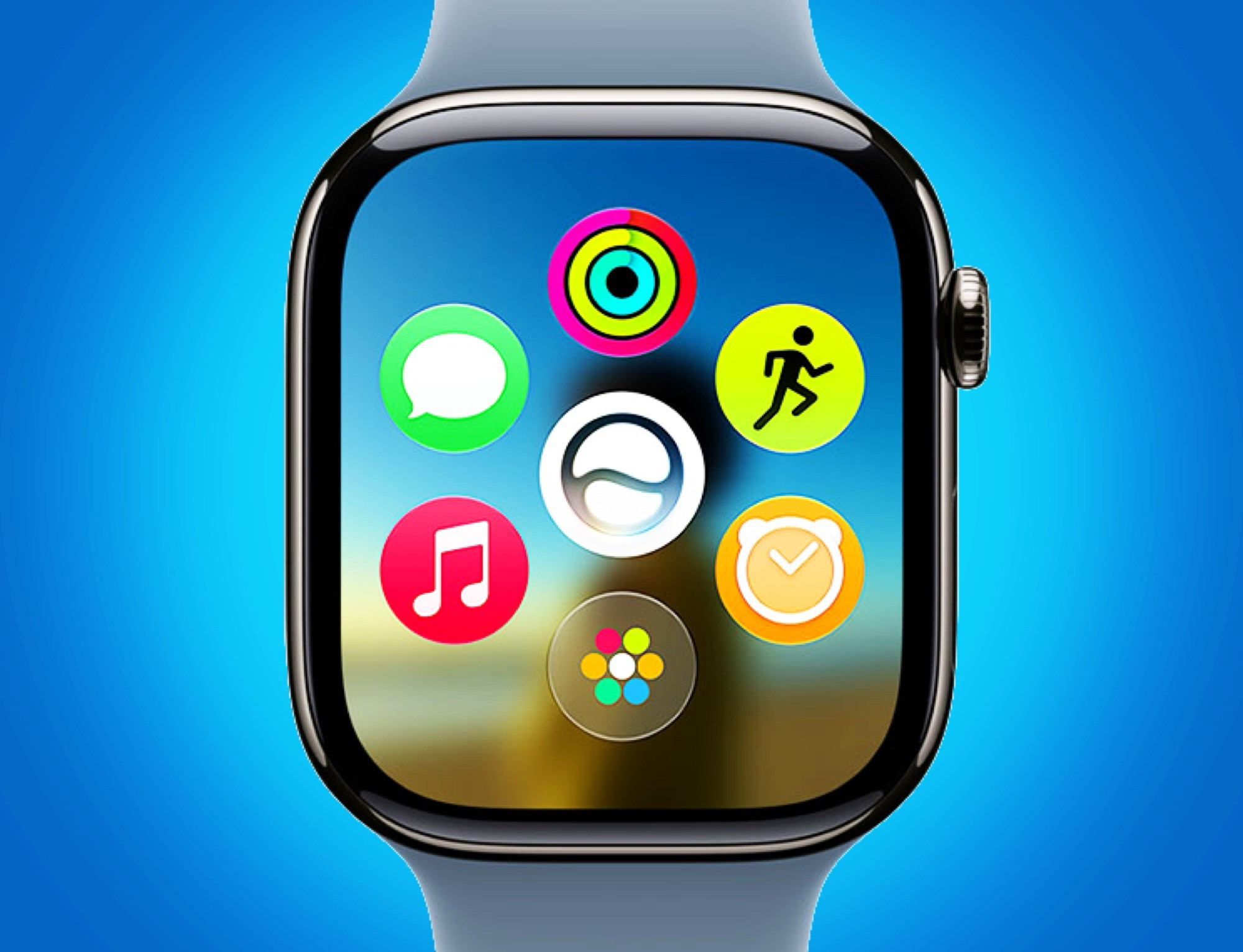
Siri AI: The transformation into an intelligent virtual assistant.
The focus of watchOS 27 is the deep integration of Siri AI into the system. Instead of just a tool for executing simple commands, Siri AI now functions as a standalone app and a sophisticated AI chatbot. This technology is designed to answer complex questions similar to ChatGPT, while still retaining the ability to control the device, such as initiating navigation, playing music, or sending text messages.
Notably, Siri AI has the ability to remember and allow users to review or continue past conversations directly on their wrist. This is a major improvement that makes the Apple Watch more independent, reducing its reliance on the iPhone for complex information processing tasks.
Restructure the home screen interface and Smart Stack.
Apple has implemented a visual overhaul in watchOS 27. The new home screen now places the Siri AI icon in the center, surrounded by the six most recently used apps arranged in a circle. This approach optimizes the watch's compact display space, prioritizing what the user truly needs.
The Smart Stack feature also received valuable upgrades:
- Display dynamic information:Automatically displays ongoing Siri conversations or the location where the car is parked.
- Gesture control:Users can scroll through the Smart Stack by tapping their index finger and thumb together (Tap gesture), making it easy to use the watch with one hand.
Hardware requirements and compatibility
One point to note is that watchOS 27 has a significantly narrower list of supported devices compared to its predecessor. To experience the AI features and new interface, users will need to own newer hardware to ensure optimal processing performance.
| Product line | These models support watchOS 27. |
|---|---|
| Apple Watch Series | Series 9 and above |
| Apple Watch Ultra | Ultra 2 and above |
| Apple Watch SE | SE 3 |
Instructions for installing the trial version
To install watchOS 27 Public Beta, users need to register for the Apple Beta Software Program. The process involves updating the iPhone to iOS 27 Public Beta first, then accessing the Watch app on the iPhone. Under the section...General settingsnewsSoftware UpdatenewsBeta UpdatesUsers can choose watchOS 27 to download and install.
Since this is a beta version, users should back up their data before proceeding to avoid the risk of data loss or unexpected system errors during daily use.


