
Wi-Fi 7 or Wi-Fi 6E: Which is the best network upgrade option?
Wi-Fi 7 surpasses Wi-Fi 6E in speed and lag reduction thanks to its 320 MHz bandwidth. Discover now if your family really needs a new router upgrade.
As 2026 approaches, the demand for internet use in homes is undergoing a dramatic shift. Households now consume more high-resolution content, rely on cloud services for work and gaming, and connect dozens of smart devices simultaneously.
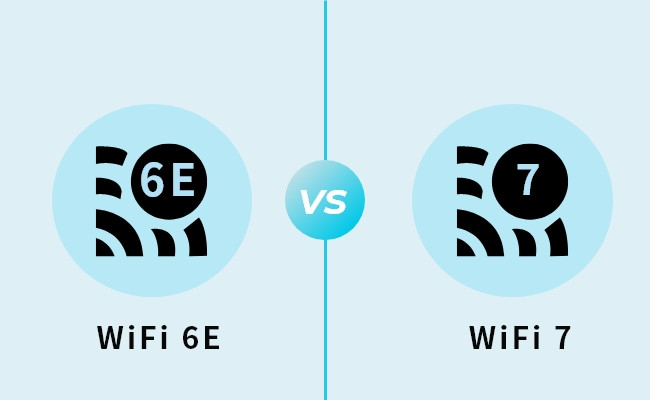
Although Wi-Fi 6E significantly improved performance by expanding to the 6 GHz band, Wi-Fi 7 is already appearing on newer routers and devices. With high-speed internet plans and increasing network congestion, the question is whether users should upgrade now or if Wi-Fi 6E will still be sufficient for the next few years.
Technical differences between Wi-Fi 7 and Wi-Fi 6E
Wi-Fi 7 brings significant upgrades that increase capacity and minimize network congestion. The most notable improvement is support for channel widths up to 320 MHz, double that of Wi-Fi 6E's 160 MHz. Wider channels allow more data to travel simultaneously, thereby improving performance when multiple devices are active.
In addition, Wi-Fi 7 also increases modulation efficiency, allowing each signal to carry more data. This helps increase the overall throughput of the network system, better meeting the demands of bandwidth-intensive tasks.
MLO technology and its ability to reduce latency.
One of the most practical improvements of Wi-Fi 7 is Multi-Link Operation (MLO). This feature allows compatible devices to use multiple frequency bands simultaneously instead of relying on a single connection as before.
The result is lower latency, faster response times, and more stable connections, especially important in homes with high network traffic. For gamers and those who frequently communicate online in real time, MLO helps minimize lag or sudden disconnections.
Comparing the technical specifications of different generations of Wi-Fi.
| Parameter | Wi-Fi 6 | Wi-Fi 6E | Wi-Fi 7 |
|---|---|---|---|
| Protocol | 802.11ax | 802.11ax | 802.11be |
| Maximum speed | 9.6 Gbps | 9.6 Gbps | 46 Gbps |
| frequency range | 2.4 GHz and 5 GHz | 2.4, 5, and 6 GHz | 2.4, 5, and 6 GHz |
| Channel width | 160 MHz | 160 MHz | 320 MHz |
| Compatibility | Backward compatibility | Not backward compatible. | Backward compatibility |
Cost and device compatibility
Currently, Wi-Fi 7 routers are still significantly more expensive than comparable Wi-Fi 6E models. In the budget segment, devices like the TP-Link Archer BE3600 start at around $100 to $120. For larger mesh systems like the TP-Link Deco BE25, prices range from $180 for a set of three devices.
High-end models supporting transfer speeds up to 6.5 Gbps and integrating 10GbE ports typically cost between $180 and over $400. Note that users will only achieve maximum performance when using them with end devices (phones, laptops) that support Wi-Fi 7, which is not yet widely available on the market.
Who should upgrade right now?
You should upgrade if:
- The family is using multi-gigabit internet packages and wants to take full advantage of wireless speeds.
- The household has multiple users simultaneously watching 4K/8K videos, playing games, or working remotely.
- Content creators frequently transfer large data files over a local network.
- Users want to own the latest technology for long-term use and are not overly concerned about the cost.
An upgrade isn't necessary if:
- Internet speeds below 1 Gbps or needs limited to basic video streaming and web browsing.
- With a limited budget, Wi-Fi 6E is still delivering the necessary performance.
- Most devices in the home (smartphones, computers) do not yet support Wi-Fi 7.


