
10 tips to help you shop online more safely.
With the advancement of technology, online shopping has become more popular than ever. However, along with the conveniences, online shopping also carries many risks. This article will share 10 tips to help you shop online more safely and effectively.
When shopping online, you need to be vigilant and alert to spot websites with poorly designed interfaces, suspicious URLs, or unbelievable discount offers.
Remember, scammers often use sophisticated tricks to exploit consumers' desire for bargains. For example, a website selling goods at prices far below market value, or an email promising a prize if you provide personal information, can all be suspicious signs.
According to statistics from the US Federal Bureau of Investigation (FBI) in 2022, the Internet Crime Complaint Center recorded nearly 12,000 cases of US users reporting scams involving non-payment or non-delivery of ordered products. The total losses amounted to over $73 million, highlighting the severity of this problem.
Scammers often exploit people's desire to buy goods at cheap prices or their trust in counterfeit brands to commit fraud. Therefore, equipping yourself with the necessary knowledge to identify and avoid falling into these situations is extremely important.
1. Only shop on popular or familiar websites.
For a safe and convenient online shopping experience, prioritize large and reputable e-commerce websites such as Amazon, Target, Best Buy, Shopee, etc. These websites have been trusted by millions of people and have proven their safety. Remember that overly attractive offers from unfamiliar websites often carry risks. Be cautious of websites with complex URLs, spelling errors, or unusual domain names.
2. When in doubt, check if the website uses a secure protocol.
If you're unsure whether the website you're buying from is legitimate, check your browser's address bar. Avoid buying anything online from a website that doesn't display a padlock icon near the URL. The padlock icon indicates that the website has installed Secure Sockets Layer (SSL). This means your data transmission is more secure than on an unencrypted website.
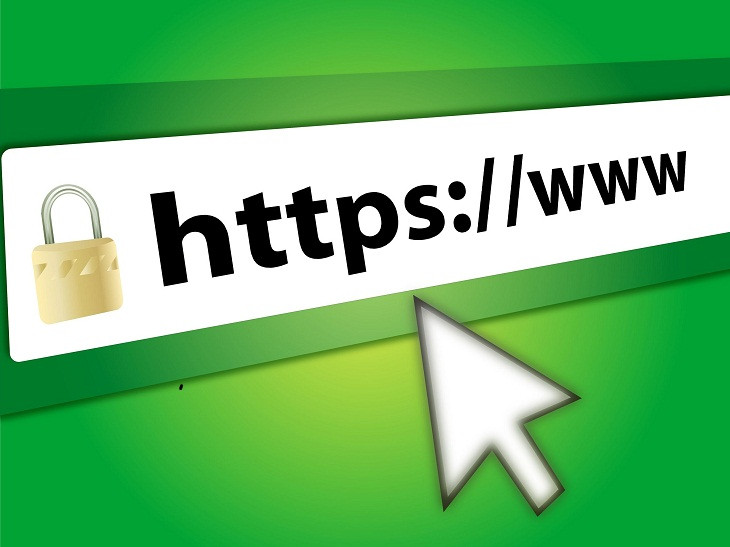
A simple way to tell if a website uses SSL is to check the URL. If the URL starts with "https://"; instead of "http://"The ; signifies that the website is secured with SSL. Even Google Chrome marks websites without SSL as "unsafe" to warn users. Using "https" has become standard practice for all websites, especially those requiring personal information.
3. Research the seller thoroughly before buying.
Before deciding to buy from a new website, take the time to thoroughly research the seller. Utilize search engines and carefully read reviews from previous customers. This will help you detect suspicious signs, avoid the risk of being scammed, and better protect your money.
While online reviews are a valuable source of information, you need to be discerning and know how to analyze them. Not all reviews are trustworthy. Many sellers use deceptive tactics to create fake positive reviews to mislead consumers.
If you only see overly positive reviews or no negative reviews at all, be cautious. Try to look for detailed, specific reviews from different users to get a more objective view.
Before making a purchase, ensure you have the seller's complete contact information, including their address, phone number, and email address. This will make it easier to contact them if any problems arise, such as the item not matching the description, delayed delivery, or a return/exchange. Having clear contact information will give you more peace of mind when shopping online.
Remember, a little caution can help you avoid unnecessary hassles related to delayed deliveries, poor-quality products, or even losing money unfairly.
4. It is possible to lie about or omit personal information on shopping forms.
There's no reason an online retailer needs to know your date of birth, middle name, national ID number, or any other personal information beyond your payment method and shipping address. Feel free to lie if a retailer asks you to fill in that kind of data to complete your transaction.
Your personal information is a valuable asset. The less personal information you disclose, the lower your risk of being exploited by malicious actors to steal your identity. Remember, no system is completely secure against cyberattacks. Therefore, limiting the sharing of personal information is one of the most effective ways to protect yourself.
5. Do not use debit cards for online shopping.
When shopping online, choosing a secure payment method is crucial. Debit cards, while convenient, carry significant risks. If card information is stolen, fraudsters can withdraw all the money from your account. Therefore, to protect your assets, you should prioritize using credit cards, mobile payment apps, or e-wallets—payment methods with higher security layers and more user protection features.
6. Pay by phone at the store.
Paying with a smartphone has become a fairly common standard in traditional stores and is safer than using a credit card. Using a mobile payment app like Apple Pay or Google Pay means you've authenticated your identity with your device, so no one else can impersonate you and steal your data or money. Plus, you're avoiding card fraudsters.
7. Be cautious with gift card transactions.
Buying and selling gift cards requires caution. Only purchase gift cards from reputable providers and carefully check the information on the card before making a transaction. Buying gift cards from strangers or on unreliable platforms can lead to financial loss. Remember, once a gift card is lost or stolen, it is very difficult to recover.
8. Ensure data security when using public Wi-Fi networks.
When connecting to public Wi-Fi networks, prioritize choosing verified and reliable networks such as those available at reputable cafes, restaurants, and libraries.
Avoid connecting to unknown, free networks, as they can be access points for malicious actors to steal your personal information. For optimal data protection, use a virtual private network (VPN).
A VPN acts like a strong shield, encrypting all data transmitted and received, creating a secure tunnel between your device and the online world. This protects your personal information from prying eyes and cyberattacks, giving you peace of mind when accessing the internet in public places.
9. Install and use security applications.
A password manager is a powerful tool to help you protect your personal information. With this manager, you can create strong, unique passwords for each account, ensuring absolute security. In addition, a password manager can automatically fill in login information and addresses, saving time and minimizing the risk of incorrect data entry.
For more comprehensive protection, you should regularly update your antivirus software. Additionally, investing in a premium security suite will help you prevent many other types of threats such as spam, phishing emails, and website spoofing attacks. These types of attacks often impersonate reputable organizations to trick you into providing personal information or bank account details.
However, installing security software is only the first step. To effectively protect your device, you need to regularly update it. Malware is constantly changing and evolving, so continuous updates are crucial to prevent new threats from emerging.
10. If you are scammed, speak up.
Being scammed while shopping online is something no one wants, but don't worry too much. Instead of silently suffering the loss, speak up. Complain directly to the seller and report the incident to the relevant authorities. This will not only help you reclaim your rights but also warn others to avoid making similar mistakes.


