
4 simple tips to speed up your home Wi-Fi.
Weak Wi-Fi and intermittent signals are a nightmare for many people. But don't rush to call a network repair technician; try these four simple tips first, and you'll be surprised at how much your internet speed improves.
Almost every aspect of modern life is connected to the Internet, from work and entertainment to household utilities. When the service provider experiences a connection failure, all daily activities are severely affected.
Even a minor interruption can cause significant inconvenience, let alone a complete loss of connection. In fact, a shaky, slow, and laggy connection can be even more frustrating than losing it entirely.
If you notice that your Wi-Fi signal is strong but you're still experiencing issues with speed and stability, the problem might lie in the router's location. Placing the router in an unsuitable location, blocked by walls, or far from the devices you need to connect to can degrade network performance.
Therefore, optimizing router placement is one of the crucial steps to ensure a smoother and more stable internet experience.
1.PutWi-Fi router in a suitable location and ensuring sufficient coverage to meet user needs.
Router placement is always a top priority in ensuring Wi-Fi connection quality. However, router performance depends not only on location but also on the size and layout of your home.
Small houses and apartments (under 140m²):A single wireless access point is usually sufficient to provide a stable signal for the entire space. However, if there are many obstacles such as thick walls or large pieces of furniture, performance may be degraded.
Larger, multi-story houses:In large spaces or multi-story buildings, a single router may not be sufficient to cover the entire area. In this case, a Wi-Fi Mesh system is the optimal solution.
This system includes a main access point (main router) and multiple auxiliary nodes placed in key areas, helping to extend coverage and ensure stable connectivity throughout the entire house.
Long-range routers and Wi-Fi extenders:These are also solutions to improve coverage. Long-range routers can transmit stronger signals, while Wi-Fi extenders amplify the signal to more distant areas. However, extenders can reduce network speed because data has to be transmitted through multiple steps.
Regardless of the device used, the location of the main access point remains the most important factor. Ideally, the router should be placed in the center of the house, away from major obstacles such as thick walls, metal, or other electronic devices that could interfere with the signal.
If you have many devices connected simultaneously or high network usage demands, consider upgrading your router to a newer technology like Wi-Fi 6 or Wi-Fi 7 for optimal performance.
2.Place the Wi-Fi router in a central and high position.
You should place your router in the center of your house to ensure the most even distribution of the Wi-Fi signal. However, this isn't always easy to do.
Technicians from your service provider often install the router near where the signal cable enters your home, which may not be the optimal location for Wi-Fi broadcasting.
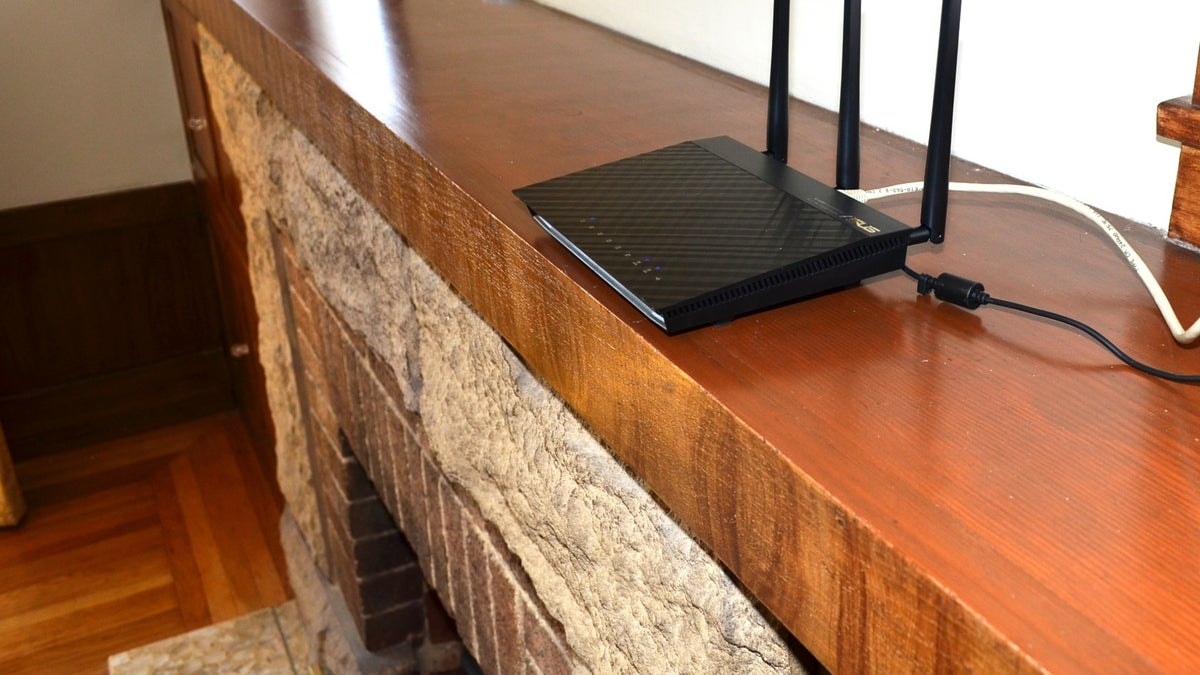
If possible, run an Ethernet cable from the modem to a more central location in the house. This can help the router distribute the signal more efficiently, improving coverage and connection speeds throughout the entire living space.
Additionally, height also plays a crucial role in router performance. Placing the router in a high position helps minimize signal interference from furniture, walls, or even people moving around the house.
If you don't have a tall bookshelf available to place the router on, you might consider installing a dedicated shelf or placing it on top of a wardrobe to increase coverage.
Besides optimizing connection speed, a well-placed router also helps enhance network security. When the router is centrally located, the signal is less likely to leak out, reducing the risk of unauthorized access by neighbors or strangers.
3. PlaceKeep the Wi-Fi router away from any electronic devices that might cause interference.
One of the biggest Wi-Fi interference sources is the microwave oven. This is because microwaves emit radiation at a frequency very close to the 2.4 GHz band used by most Wi-Fi routers.
When a microwave is running, it can degrade Wi-Fi signal quality, causing slow or temporary connection drops. While most people don't place their router directly in the kitchen, in small apartments or large city homes, limited space sometimes forces the router to be placed near this area.
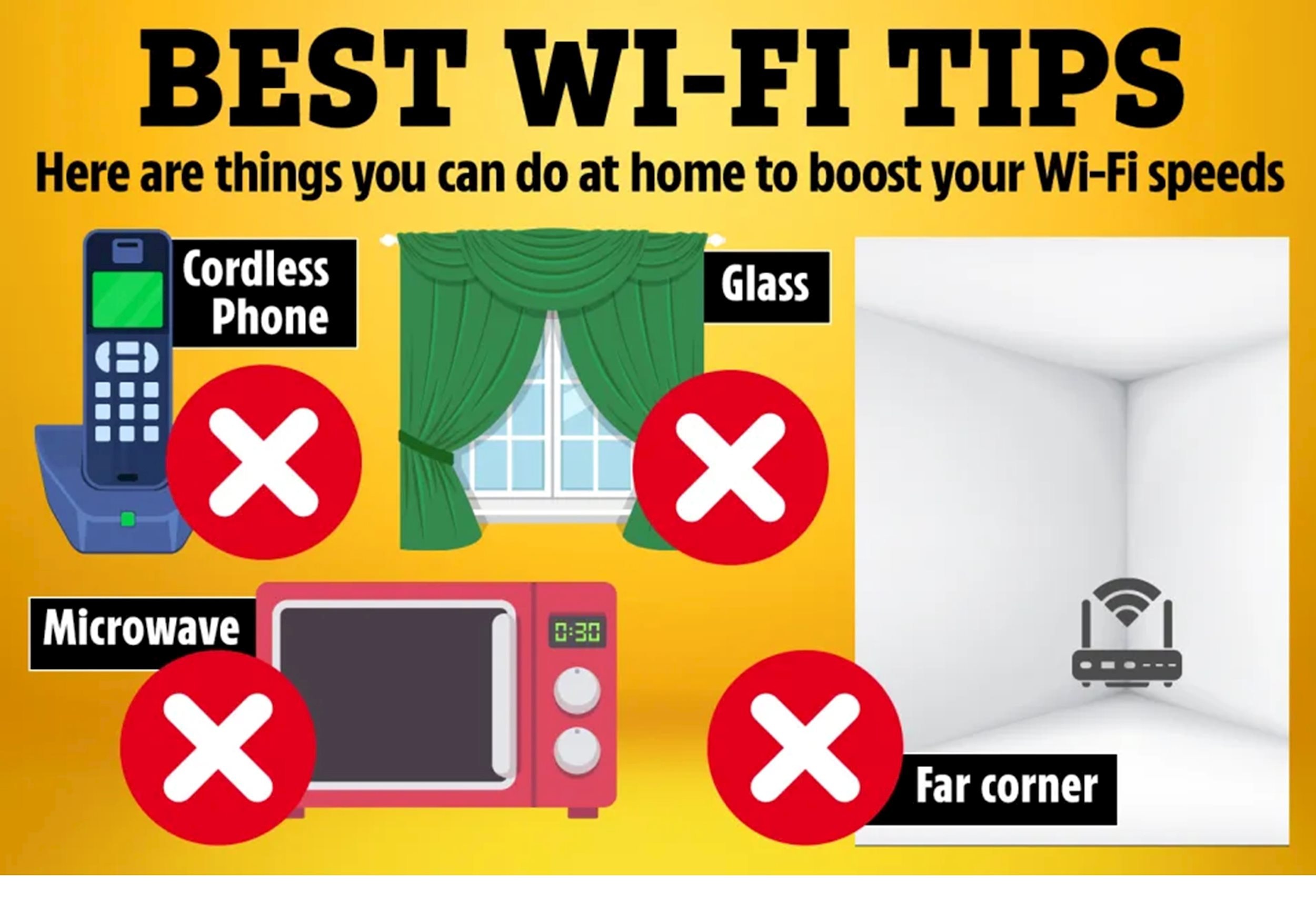
If possible, keep your router away from microwave ovens, other wireless devices such as cordless phones, Bluetooth speakers, and even home printers, as these can also cause interference.
4. Adjust the router antenna to optimize coverage.
Every Wi-Fi router has antennas, whether they're hidden inside or clearly protrude like the notches on old TVs. Don't let their simple appearance fool you, as these antennas play a crucial role in broadcasting Wi-Fi signals. If your router has external antennas, you can adjust them to optimize coverage.
Antennas transmit signals in all directions, creating a donut-shaped coverage area perpendicular to the antenna body. Therefore, if you live in a small house or a single-story apartment, positioning the antenna vertically will help the signal cover the space better.
Conversely, if you live in a multi-story house, rotating an antenna horizontally can help the signal spread more easily to the floors above or below.
The key point is that there's no one-size-fits-all rule. Experiment with different antenna positions and angles to find the optimal setup for your living space.


