
6 webcam security tips everyone should know.
Webcams are incredibly useful tools, but if not properly secured, they can become a gateway to privacy risks.
Threats to webcams are very real, ranging from cyberattacks and spyware to unauthorized surveillance carried out by hackers.
If webcams are not properly protected, malicious actors can exploit them to spy on you, gather personal information, or even record private images without your knowledge.
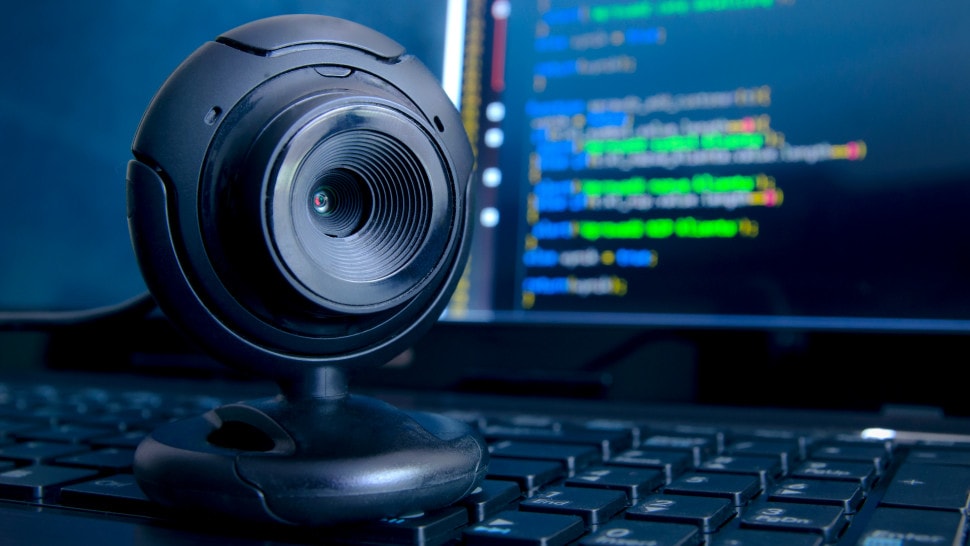
However, by implementing appropriate security measures, you can prevent intruders, protect your privacy, and keep your personal space safe.
1. Use a webcam cover to protect your privacy.
In 2016, The Guardian reported that Meta CEO Mark Zuckerberg and former FBI Director James Comey both covered the webcams on their laptops.
In an audio recording, Comey shared: "I put a piece of tape on the camera because I saw someone smarter than me doing the same thing."
Although simple, this method is extremely effective in preventing unauthorized surveillance, even if someone has access to your device. Therefore, to protect your privacy, you should always cover your webcam when not in use.
If your computer doesn't have a built-in cover, a piece of masking tape might be a temporary solution. However, a dedicated sliding cover is a better option, allowing you to easily open or close the camera as needed.
2. Disconnect or disable the webcam when not in use.
If you feel uncomfortable covering your webcam, make it a habit to disconnect your external webcam when not in use or disable the built-in webcam.
This ensures that even if your device is hacked, the hacker won't be able to access the camera to monitor you. When you need to use it again, you simply connect or turn on the webcam and it's ready to go.
How to disable your webcam using Device Manager:
- For external webcams:The simplest solution is to unplug the computer when not in use.
- For built-in webcams:You can disable it through Windows Device Manager on Windows or System Preferences on macOS to prevent unauthorized access.
3. Block suspicious apps and websites from accessing your webcam.
Your webcam could become a target for malicious apps, spyware, or anonymous websites seeking unauthorized access. Once these apps gain control, they can activate the camera at any time to monitor you without your knowledge.
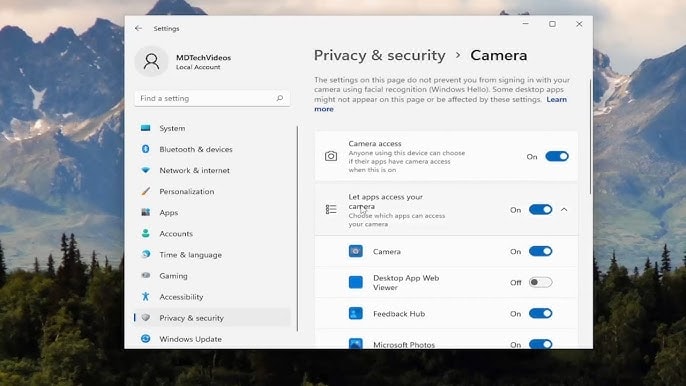
To protect your privacy, regularly check your device's permission settings and revoke camera access for suspicious apps. You can do this through the app permission settings in your operating system and block camera access for websites in your browser settings.
4. Pay attention to what is visible in your background.
The background in video calls may seem unimportant, but if left unchecked, it can inadvertently reveal personal information, sensitive data, or private details about your life. This not only affects your privacy but can also negatively impact your image in the eyes of colleagues, clients, or friends.
Before joining a meeting, take a few seconds to check your background. Make sure no sensitive information is visible in the frame. You can also use blurring, background replacement, or virtual background settings to protect your privacy and maintain a professional image.
5. Update your webcam drivers to ensure security.
Hackers can exploit vulnerabilities in outdated webcam drivers to infiltrate devices and secretly access your camera.
Although most operating systems now automatically update drivers when new updates are installed, you should still proactively check and install the latest version from the manufacturer's website, especially if you are using an external webcam.
Updating your drivers not only improves performance but also ensures you're always protected by the latest security patches, preventing potential risks and safeguarding your privacy.
6. Pay attention to warning signs that your webcam has been hacked.
The longer it takes to detect a webcam breach, the more seriously your privacy is threatened. Therefore, recognizing the warning signs when hackers secretly activate surveillance cameras is extremely important.
One of the most obvious signs is the webcam light suddenly turning on, even when you don't have any camera-based applications open. Additionally, if you have trouble accessing your webcam because your device is busy, or you find strange photos/videos on your computer that you didn't take, it could be a sign of a hack.
If you suspect your webcam has been hacked, check its activity logs for any unauthorized access. Proactive monitoring will help you quickly verify and prevent the risk of being spied on.
In short, proactively protecting your webcam not only helps you avoid privacy violations but also provides peace of mind, ensuring no one can monitor you without your knowledge. Don't let today's carelessness become something you regret later.


