
Tips for saving electricity on your laptop.
(Baonghean.vn) - Using a laptop efficiently to save power is very important, helping to extend the device's lifespan and providing long-term convenience.
1.Adjust screen brightness
 |
One way to save power when using a laptop is to reduce screen brightness or turn off the screen when not in use. This is a simple action but it has a positive effect on finding ways to save power when using a laptop.
On a laptop, you can simply hold down the Fn function key and press a keyboard button to reduce the screen brightness.
2. Turn off unnecessary programs and devices.
 |
If your computer is running too many programs, this will also cause your laptop to consume power faster. Connecting to USB devices, PC cards, or FireWire also consumes a significant amount of power. Therefore, closing unnecessary programs or disconnecting unnecessary devices will make your computer run faster and save more power.
3. Contact points need to be cleaned thoroughly.
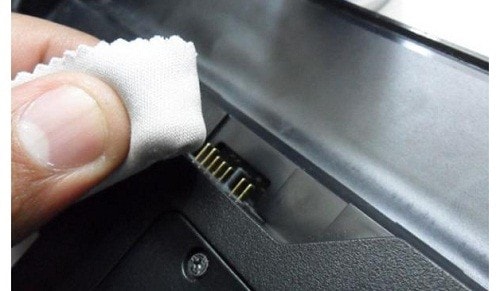 |
If you don't regularly clean the contact points, this is likely the reason your device is draining power quickly. Regularly clean the contact points between the battery and the device with a soft cloth dampened with alcohol. This will reduce the loss of electrical energy supplied to the device.
This is a way to save electricity when using your laptop that you should keep in mind because it's really easy to do, right?
4. System performance should be optimized.
Power consumption can be significantly reduced by optimizing system performance. Turn off hardware and software when you're not using them. Regularly check the system tray icons. This is also one way to use your laptop more efficiently.
5. Add more memory.
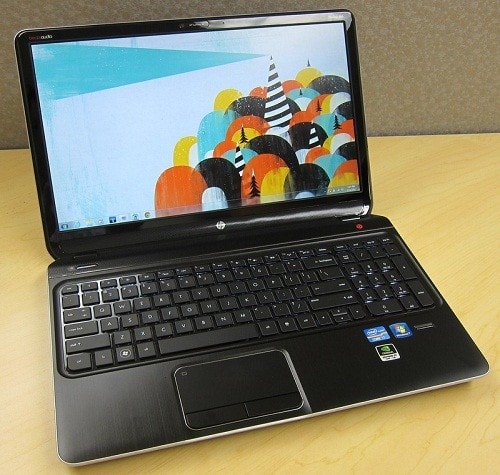 |
Adding more RAM also reduces power consumption, significantly decreasing the activity of virtual memory. When more RAM is added, the hard drive's workload is significantly reduced, thus saving energy for the computer.
6. Hardware upgrade
Upgrading RAM or replacing the HDD with an SSD will make your computer run more efficiently, process tasks faster, and thus optimize power consumption. Furthermore, SSDs consume less power than HDDs, generate less heat, and are less prone to fragmentation.
7. Turn off the machine properly.
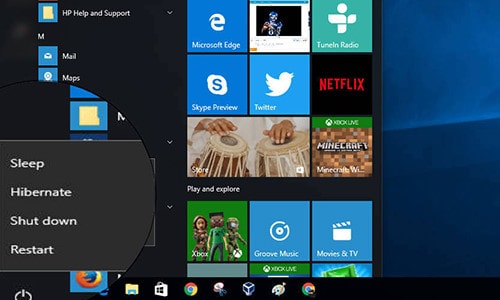 |
Computers typically have three shutdown modes: Shutdown, Sleep, and Hibernate, to be used in different situations. When not using your laptop for an extended period, you should completely shut down the device using Shutdown mode to maximize battery savings.
Meanwhile, Sleep mode refers to a "napping" mode where the machine remains running at a low level, ready to restart without having to boot from scratch. Sleep mode is recommended when you temporarily stop using the machine for a short period.
Hibernate, on the other hand, is like "hibernation," offering higher energy savings than Sleep mode. Therefore, it's recommended for moderately long periods of inactivity or for optimizing battery life.
8. Avoid letting your laptop overheat.
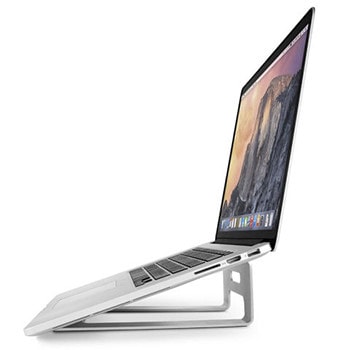 |
Temperature is the "enemy" of most electronic device batteries, and laptops are no exception. Overheating not only reduces the computer's performance but also causes the battery to drain faster. Users should keep their laptops in a cool, well-ventilated place, away from heat sources, and avoid placing them on blankets or beds. Additionally, using a cooling pad or tilting the laptop allows heat to dissipate more quickly.


