
How to safely clean your iPhone.
Keeping your iPhone clean not only keeps it looking new but also prevents bacteria buildup. However, improper cleaning can damage the hardware. Here's how to safely clean your iPhone.
The iPhone has long been an indispensable companion in modern life. From trouser pockets and kitchen counters to work desks and even bathrooms, this device is present everywhere, all the time.
Therefore, this seemingly harmless phone unintentionally becomes a breeding ground for dirt and bacteria that many people are unaware of. Wiping the screen with your shirt after a long day is only a temporary solution, while in reality, iPhones need thorough and frequent cleaning to ensure both durability and user safety.
Studies show that the surface of an iPhone can harbor more bacteria than a toilet seat. Every day, you hold your phone in your hand, close to your ear, or near your face dozens of times, significantly increasing your risk of bacterial exposure. Therefore, disinfecting your iPhone isn't just about keeping the device shiny; it's also a measure to protect your health.
Besides hygiene, dust and debris directly affect performance. Speakers can become clogged, causing distorted sound, while dust buildup on the charging port can lead to poor connectivity or intermittent charging. A clean iPhone not only provides a pleasant user experience but also helps reduce the risk of damage from seemingly minor issues.
The good news is you don't need to take your device to a service center or Apple Store for cleaning. With just a few simple steps at home, users can safely and effectively clean their iPhone, protecting the device and giving them greater peace of mind during daily use.
Cleaning the outside of your iPhone: Important things to keep in mind to avoid damaging your device.
Before starting to clean your iPhone, the first thing you need to do is unplug all cables and accessories, and turn off the device to ensure safety. If the phone is in a case, remove it. Both the iPhone and the case need cleaning, but each requires different care.
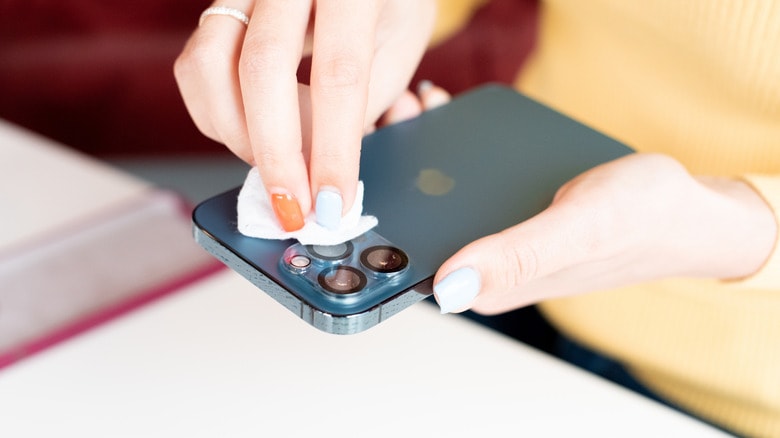
The most effective and safest tool is a microfiber cloth. If you don't have one, you can substitute it with any soft, lint-free cloth, such as a glass cleaning cloth or a camera lens cloth. These cloths are soft enough not to scratch the screen or damage the protective coating, yet effective enough to remove dirt and fingerprints. Most stains can be removed with a dry cloth. However, for stubborn stains or when disinfection is needed, you can dampen the cloth with a little water or 70% isopropyl alcohol, which is a safer option than harsh cleaning solutions.
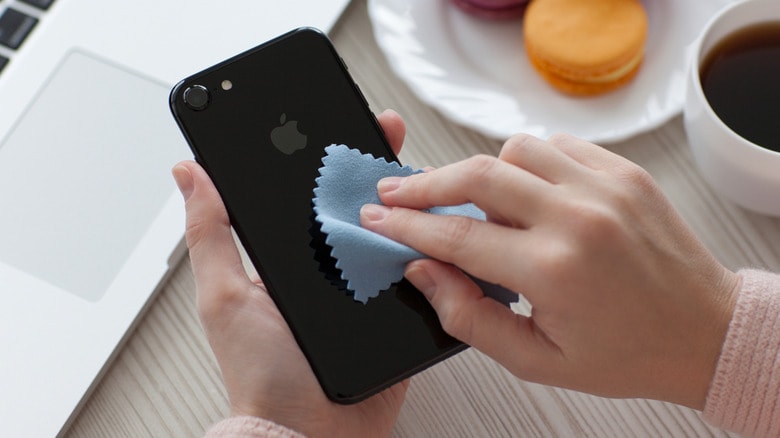
An important note is to absolutely never spray or pour liquids directly onto your iPhone. Liquids can easily seep into the ports, speakers, or small openings, causing serious damage. Also, avoid using cleaning chemicals like glass cleaner or bleach, as well as rough materials like paper towels or abrasive cloths, as these can damage the screen and protective coating.
For phone cases, the cleaning method depends on the material. For silicone or plastic cases, you can wash them with warm soapy water, then rinse thoroughly and let them dry completely before reattaching. Leather cases require more special care; each type of leather has its own maintenance requirements, so it's best to refer to the manufacturer's instructions to avoid damaging the surface.
Cleaning the charging port and speaker grille: A small task, but one that shouldn't be overlooked.
The charging ports and speaker grilles of the iPhone are the most prone to dust accumulation, as they are constantly exposed to the environment in pockets, bags, or on desks. Over time, accumulated dust, lint, and debris can degrade sound quality, cause disconnections during charging, or even lead to overheating. Therefore, cleaning this area is a crucial step in maintaining stable iPhone performance.
The cleaning process requires patience and the right tools. Users should start with a soft-bristled, dry brush, such as the softest toothbrush or a brush specifically designed for electronics. Gently brush around the Lightning or USB-C port, speaker grille, and microphone to remove dust and dirt.
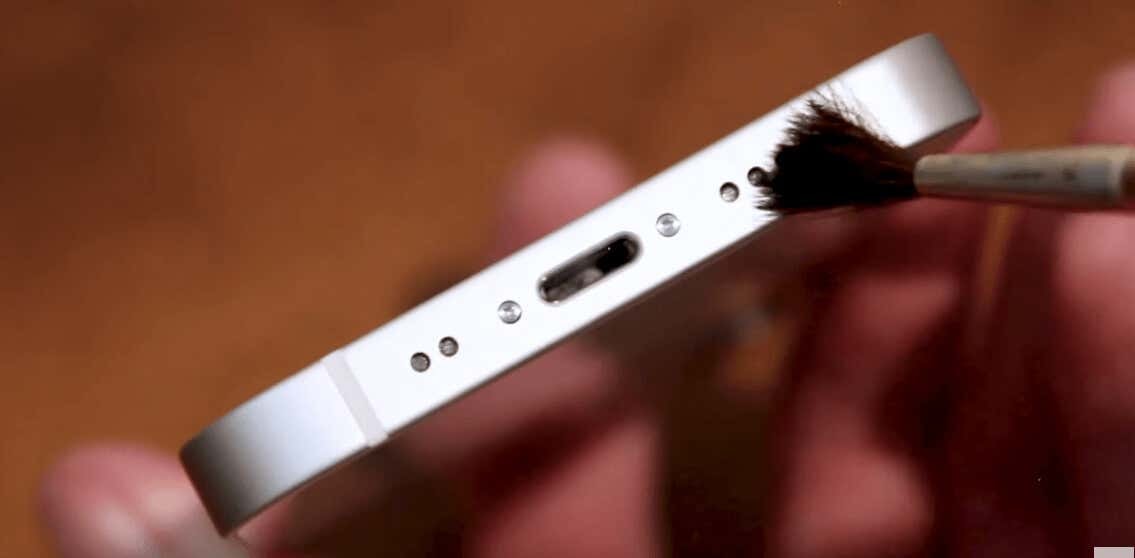
Photo: Internet.
It's important to note that you shouldn't scrub too hard or use excessive force to poke deep inside, as this can damage the components. For stubborn stains, you can use a wooden or plastic toothpick to remove them, but you must also do so with extreme caution.
Another safety principle is to absolutely avoid using metal objects such as paper clips or SIM card ejector tools. These objects can easily scratch or damage the internal circuitry of the connector. Similarly, compressed air cans, while seemingly convenient, pose a risk because the strong pressure can push dust deeper into crevices or damage delicate components.
Although cleaning the charging port and speaker doesn't take much time, doing it incorrectly can have serious consequences. Therefore, it's best for users to follow safe, patient, gentle methods and use the right tools. This is a simple yet effective way to keep your iPhone running smoothly and lasting longer.


