
Instructions on how to quickly block your BIDV credit card.
This guide provides detailed instructions on how to quickly block your BIDV credit card, in case you lose your card or need to block it for any other reason.
When should I block my BIDV credit card?
In many situations, you should block your BIDV credit card to avoid risks. This could be when the card is lost, you suspect it has been misused by fraudsters, your PIN information has been leaked, or when you no longer need to use it.
Additionally, if the cost of card services is no longer reasonable, blocking the card is also a sensible solution.
Block your BIDV card via the customer support hotline.
The simplest way is to call the hotline directly at 1900 9247. After providing verification information, bank staff will assist you in blocking your card immediately. This is a useful option when you need to handle an emergency.

Card blocking at BIDV transaction counters.
You can also go to the nearest BIDV branch or transaction office to request card blocking. Bank staff will receive your information, verify your identification documents, and block your card as requested.
Block your card via the BIDV SmartBanking app.
With the SmartBanking app, you can proactively block your card directly from your phone.
Step 1: Open the BIDV SmartBanking app on your phone and log in.
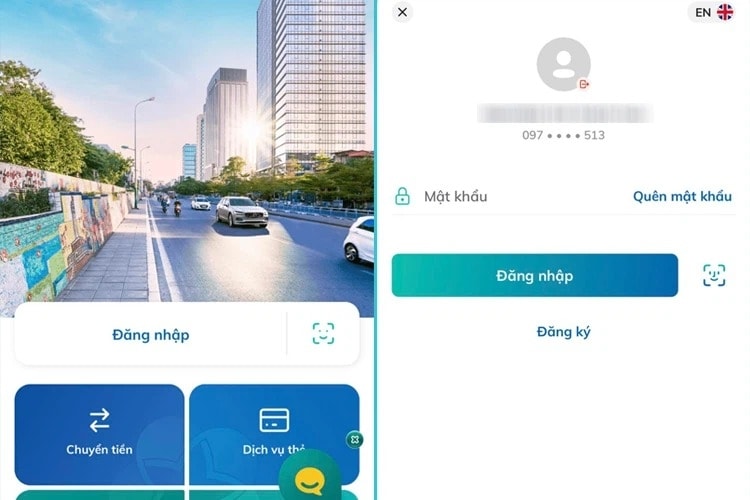
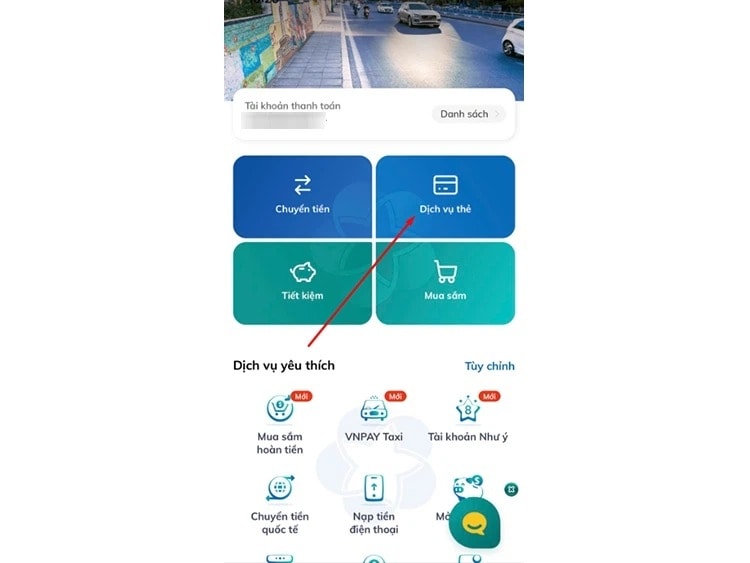
Step 2: Go to the Card Services section on the main interface.
Step 3: Select "See more" in the domestic debit card section.
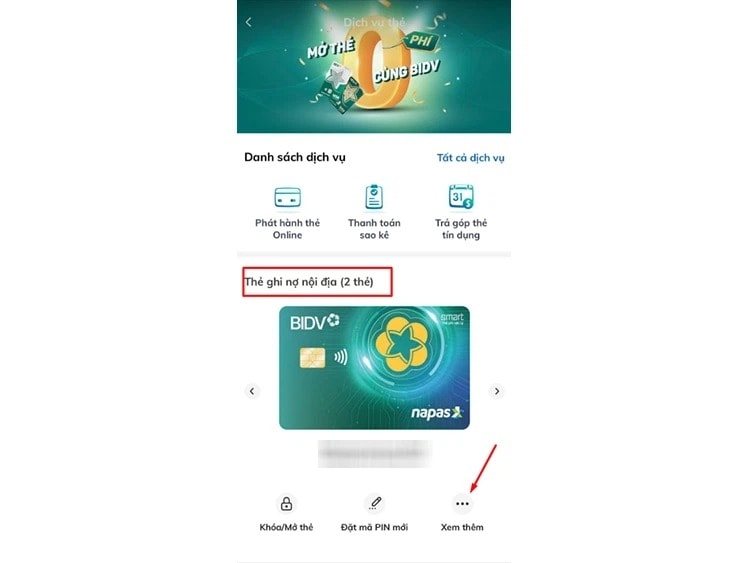
Step 4: If you have multiple cards, select the card you want to lock and access the card details interface.
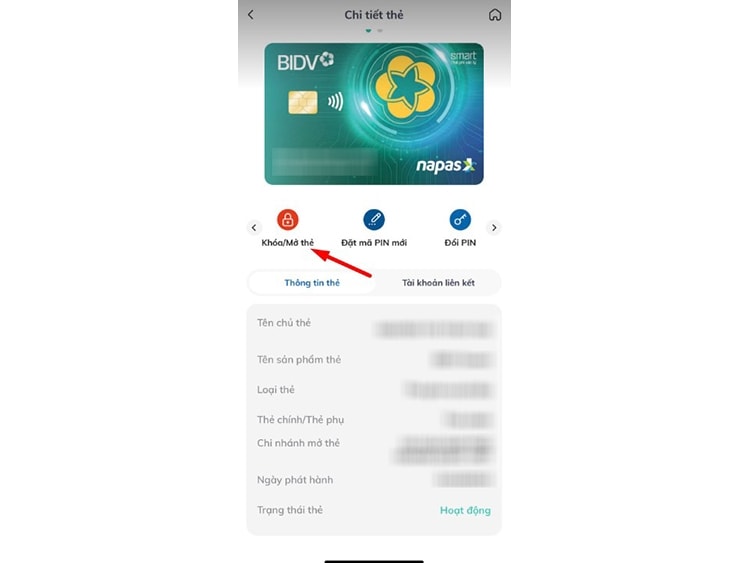
Step 5: Select Lock/Unlock card, then choose the reason for temporarily suspending use.
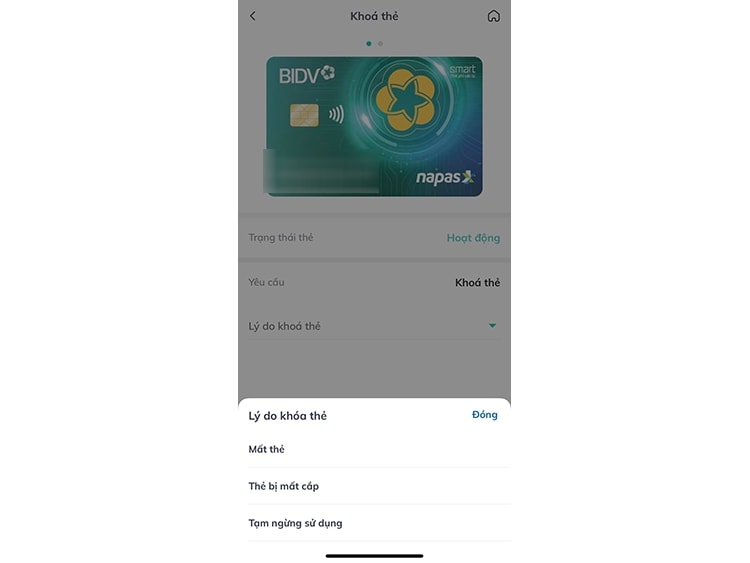
Step 6: Press Continue to confirm; the system will notify you that the card has been successfully locked.
Blocking your BIDV credit card on SmartBanking is not only quick but also gives you more control over your finances. The card can be easily reactivated once security is ensured. This is an effective solution for those who frequently use electronic banking services.
Block your BIDV card via SMS.
Users can also block their card via text message if they have registered for the BSMS service. Simply compose a text message using the following format:
To lock a specific card: LOCK_[first 6 digits]_[last 4 digits]_[ID number] send to 8149
Block all cards: Send KHOA_[ID Number] to 8149
In this process, the ID number is the same as your registered ID card/citizen identification number or passport number registered with BIDV. For passports, you need to enter both letters and numbers together, for example: B123456. After submission, the system will verify and block your card.


