
Essential tips for properly cleaning common electronic devices.
Electronic devices are indispensable companions in modern life, but are you cleaning them properly? Accumulated dust, fingerprints, and bacteria not only detract from their appearance but also affect their performance and lifespan.
Your electronic devices are silently accumulating dirt and bacteria every day. Regular cleaning is the best way to keep your phone, laptop, headphones, smartwatch, and many other devices clean and durable.

With just a few simple items like microfiber cloths, isopropyl alcohol, and a little clean water, you can refresh your appliance without worrying about damage. Let's discover the proper cleaning tips below.
1. How to clean your phone and tablet
Phones and tablets are often coated with an oleophobic layer that helps resist fingerprints, but this coating can wear off if not cleaned properly.
Therefore, manufacturers recommend using a microfiber cloth and distilled water to gently wipe the surface, combined with cotton swabs to clean crevices, edges, and buttons.
However, during the pandemic, the increased need for disinfection led many people to use stronger solutions.
In response, Apple updated its official cleaning guidelines, allowing the use of wipes containing 70% isopropyl alcohol, 75% ethyl alcohol, or Clorox wipes to clean hard surfaces such as screens and keyboards.
Note that you should avoid using bleach, hydrogen peroxide, and absolutely prevent moisture from getting into the charging port or speaker holes.

Want a more thorough disinfection? Mix a solution of 70% isopropyl alcohol and 30% distilled water in a spray bottle. Remove the back cover, spray the solution onto a disposable microfiber cloth, and wipe the entire device. Do not reuse the cloth.
If you're worried about damaging the screen, you can apply a tempered glass screen protector, which is both safe and easy to replace. Don't forget to clean the phone case before reattaching it, and remember to wash your hands. Otherwise, even the cleanest device will quickly become dirty again.
2. How to clean your headphones
Headphones, from over-ear to in-ear types, are incredibly close companions, always by your side while working, exercising, or relaxing. Unfortunately, they are also the ideal "haven" for sweat, earwax, and all sorts of unwelcome dirt.
For over-ear headphones, simply use a slightly damp microfiber cloth to wipe the surface clean, then dry with a clean cloth. If the ear cushions and headband are noticeably dirty, detach and clean them separately by mixing 1 teaspoon of mild detergent with 1 cup of water, using a lint-free cloth to apply the solution. Then, wipe with a clean, damp cloth, and allow to dry completely before reassembling.
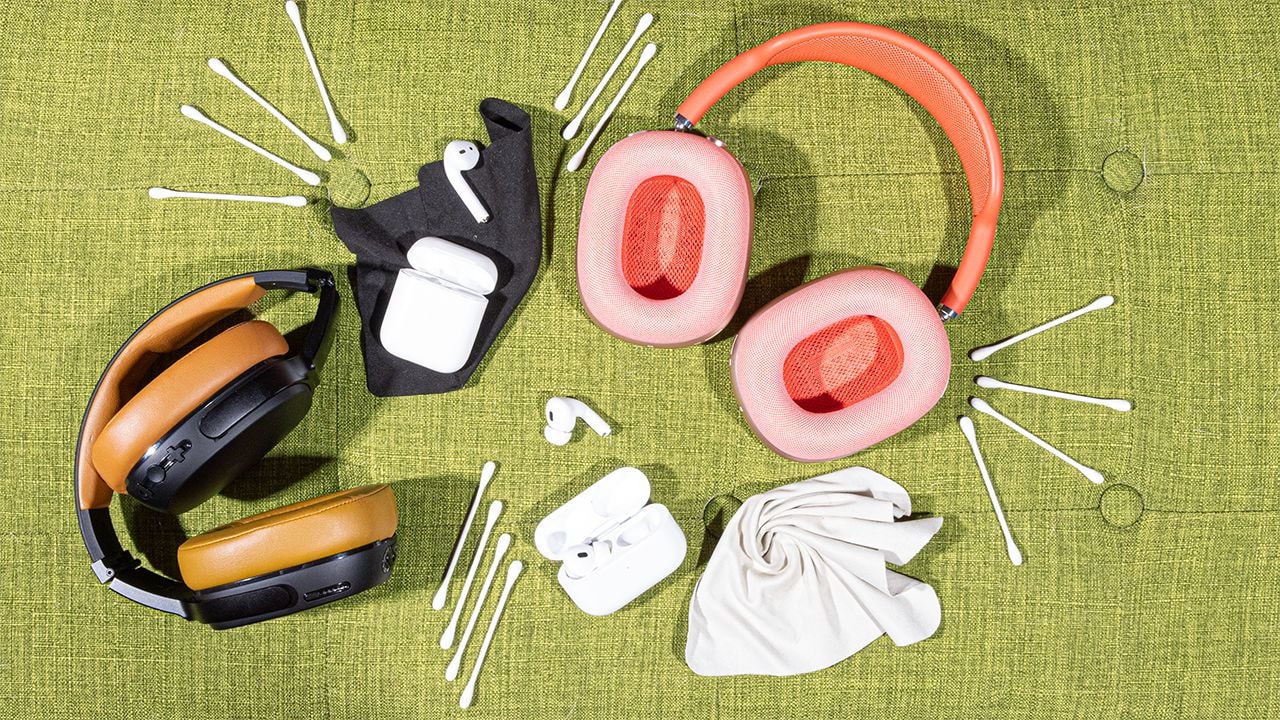
AirPods and earbuds without ear tips should be wiped clean with a dry microfiber cloth. If they accidentally get cream, food, or sweat on them, slightly dampen a lint-free cloth, wipe clean, and then let the earbuds dry completely before putting them back in the charging case.
To deal with earwax and dust buildup on the speaker grille, a great little trick is to use a small amount of glue, roll it into a ball, and gently dab it onto the grille surface to pull the dirt out. This method is quick, convenient, and won't damage the device.
To disinfect, use a solution of 70% isopropyl alcohol and 30% water, similar to the one you prepared for your phone. Spray it onto a disposable microfiber cloth and wipe the entire surface of the headphones, applying this to both over-ear and in-ear types.
For earbuds with silicone tips like AirPods Pro, remove the tips, wipe them with a damp cloth dampened with mild soap, then rinse thoroughly with water and pat dry with a lint-free cloth. Wait until completely dry before reattaching them. The speaker grilles can also be cleaned with adhesive as described above.
Finally, don't forget to wipe down the cable if you're still using wired headphones.
3. How to clean a laptop
Laptops are devices you carry everywhere, and that means they also "collect" all sorts of dust, crumbs, and fingerprints along the way.

To begin cleaning, turn the machine upside down and gently shake it to "drive away" unwanted guests such as dust, hair, food crumbs, etc. Next, use a can of compressed air to blow clean the key crevices and ventilation holes.
Before deep cleaning, remember to unplug the charger and remove the battery if possible. Lightly dampen a microfiber cloth and wipe down all surfaces of the outer casing, both plastic and metal. Gently but thoroughly.
For LCD screens, use a specialized cleaning solution and a microfiber cloth to avoid leaving streaks or damaging the coating. For touchscreens, you can use clean water or eyeglass cleaning solution, remembering to always spray it onto the cloth and not directly onto the screen. If you want a convenient solution, 3M tablet and laptop cleaning wipes are a quick and easy one-step option.
4. How to clean a desktop computer
For LCD screens, the best method is to use a microfiber cloth dampened with distilled water or a specialized screen cleaning solution. If it's a touchscreen, wipe it with a soft, dry cloth; if there are stains, add water or lens cleaning solution to the cloth before cleaning, but never spray it directly onto the screen.
The plastic bezel surrounding the screen can be easily wiped clean with water or a mild detergent like glass cleaner. For the computer case, use a soft cloth with water, a regular cleaning solution, or a 50/50 mixture of isopropyl alcohol and water to wipe away dust; this is both effective and safe for the components.

As for the keyboard, it's a frequent culprit for crumbs and dirt. Gently shake the keyboard over a trash can, then use a can of compressed air to blow away any debris hidden under the keys.
Next, use a damp cloth to wipe the surface of the keys and a cotton swab to clean each small crevice. If the keyboard is particularly dirty, use a solution of isopropyl alcohol and water for a more thorough cleaning.
Computer mice deserve some care too. They travel across your desk every day and frequently accumulate fingerprints and dirt. Use a cotton swab dampened with diluted rubbing alcohol to clean the crevices, mouse feet, and buttons. Finally, wipe the entire mouse body and cable with a damp cloth, ensuring a clean, shiny finish without any residue.
5. How to clean a flat-screen TV
Most modern TV screens have a thin, delicate anti-reflective coating that is extremely sensitive to harsh chemicals. Glass cleaners can permanently damage that coating.
Instead, use a clean, slightly damp microfiber cloth (or a screen cleaning solution) and gently wipe in one direction, without pressing or rubbing.

And don't forget the remote control, often overlooked but a major breeding ground for bacteria. Remove the batteries, gently shake it to remove any crumbs, then use a can of compressed air to spray into the gaps between the buttons.
Next, wipe the entire surface with a microfiber cloth dampened with a 1:1 solution of water and isopropyl alcohol. For the area around the buttons, use a cotton swab dampened with the same solution to clean.
6. How to clean a smart speaker
Smart speaker devices like Amazon Echo, Apple HomePod, and Google Nest need regular cleaning, not only to keep them looking new but also to ensure their long-term stable operation.
For models with screens like the Google Nest Hub or Amazon Echo Show 10, you should use a dedicated screen cleaning cloth to clean the display. Fabric-covered areas can be gently wiped with a dry microfiber cloth; if there are stains, lightly dampen the cloth and wipe again—a simple but very effective process.

For devices made entirely of plastic, like older Echo models, a slightly damp microfiber cloth will suffice. If the grille is dusty or dirty, a helpful tip is to use a small amount of soft adhesive to gently dab and remove the dirt.
7. How to clean your game console and controller.
For gaming consoles, use a dry microfiber cloth or dust cloth to remove any dust buildup. Then, wipe again with a slightly damp microfiber cloth. For small crevices, use a cotton swab dipped in water to clean, remembering to avoid sensitive ports and connectors.

Photo: Internet.
For the controller, something you hold for hours on end, mix a solution of one part water and one part isopropyl alcohol, soak a microfiber cloth in the solution, and wipe down the entire surface of the controller. For areas around the buttons and grooves, use a cotton swab soaked in the solution for a more thorough cleaning.
Maintaining a regular cleaning routine for your control panel not only keeps the device clean and free of bacteria, but also saves you a lot of time on major overhauls later on.
8. How to clean your fitness tracker and smartwatch.
Health trackers and smartwatches are always with you, even when you sweat. And yes, they sweat too. Luckily, most of these devices are designed to withstand moisture well, as long as you know how to clean them properly.
Start with the body of the device: Use a microfiber cloth dampened with a little water to wipe down the entire surface. Simple but effective.

For straps made of rubber, silicone, or other soft materials: They can be wiped clean with water or a little isopropyl alcohol. If you regularly use lotion or sunscreen, opt for a gentle cleanser like Cetaphil for cleaning.
For stubborn stains, try using a white eraser like Paper Mate White Pearl. If it's still not clean, make a thick paste of baking soda and water, gently rub it onto the stain, and then wipe it off with a damp cloth.
Nylon straps tend to absorb odors from sweat. To clean them, soak or wipe them in a solution of water and a little dish soap, then rinse with clean water and let them air dry.
For metal straps, use a lint-free cloth to clean them. If stainless steel straps tarnish, use a little polish, but remember to rinse thoroughly to avoid chemical contact with your skin. If silver-plated straps discolor, use a specialized silver polishing cloth to restore their shine.
For leather straps, wipe them lightly with a damp microfiber cloth, then use a specialized leather cleaner and apply a layer of leather conditioner.
Finally, don't forget the charging contacts. With devices like Fitbit, you should use a toothpick or toothbrush dipped in alcohol to clean the charging points, then dry them with a lint-free cloth to prevent rust or poor contact.


