
Simple tips to extend the lifespan of your Smart TV.
Smart TVs are becoming increasingly common in households, but not everyone knows how to maintain them properly. This article will share simple yet effective tips to help extend the lifespan of your Smart TV.
The expensive Smart TV in your living room is not only an entertainment center but also a long-term investment if you know how to take care of it properly. With a few simple maintenance habits, you can extend the device's lifespan to a decade or more, instead of having to replace it after only a few years of use.
Properly cleaning your Smart TV
One of the most important steps is proper cleaning. Don't confuse TV screens with bathroom mirrors; using harsh cleaning agents like alcohol, ammonia, or glass cleaner can damage the anti-glare coating and cause permanent damage.
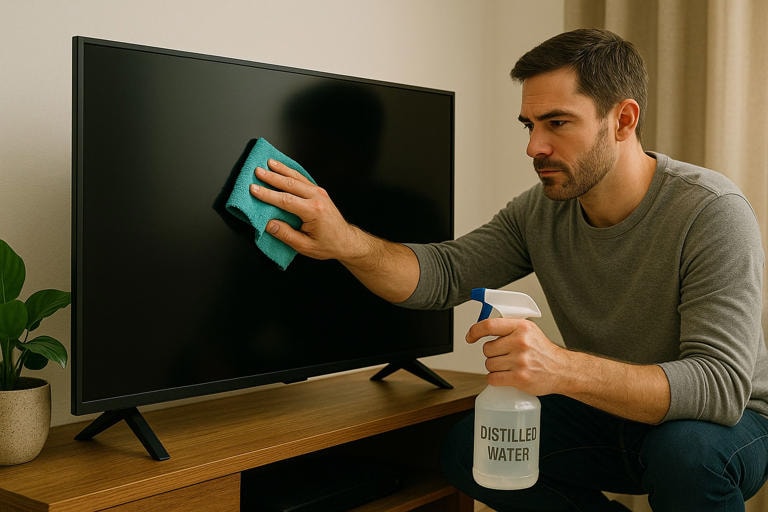
Samsung and many other manufacturers recommend using only soft, anti-static microfiber cloths, similar to those used for cleaning eyeglasses or camera lenses, to gently wipe the screen in a circular motion.
For stubborn stains like fingerprints, you can lightly dampen a cloth with distilled water instead of spraying directly onto the screen.
Use a surge protector.
One of the most effective ways to protect your Smart TV from electrical hazards is to invest in a high-quality surge protector. Most TV manufacturers recommend using this device to prevent damage from sudden voltage surges, a common cause of damage to sensitive electronic components inside the TV.
However, don't forget that surge protectors also have a limited lifespan, typically 3 to 5 years, and need to be replaced after each major electrical incident. A small investment today can help you avoid significant damage later.
Be gentle when unplugging the cable.
Have you ever had to reach behind your wall-mounted Smart TV just to pull an HDMI cable? And then you yank it hard at an angle because you can't see the plug? That seemingly harmless action could cost you dearly.
HDMI, USB, and many other input ports on modern TVs are prone to damage, especially on ultra-slim models. Incorrect cable removal can bend the connector pins, causing signal interference, or even damaging the internal circuitry.
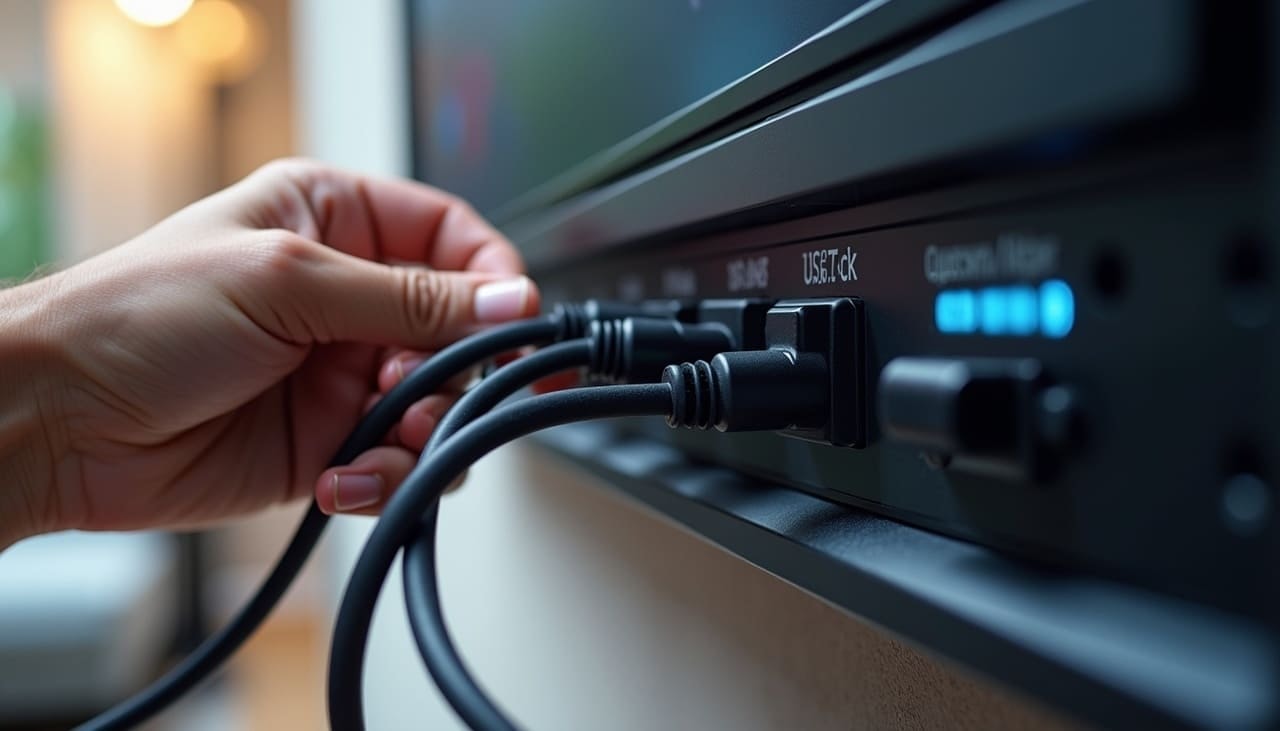
To avoid this, always pull the cable by grasping the connector and pulling it straight out instead of using force on the cable itself. If the angle is too hard, use a flashlight or ask someone to hold the TV for you.
If you frequently switch devices, such as gaming consoles or laptops, consider investing in an HDMI switch. This device stays permanently connected to your TV, allowing you to easily plug and unplug devices from a convenient location without damaging the original ports.
Keep objects away from the screen.
Despite their seemingly robust appearance, TV screens, especially OLED and LCD models, are extremely vulnerable. Even a slight bump from a toy, book, or cleaning tool accidentally dropped from a shelf can cause dead pixels, screen cracks, or damage to the internal display layer. Unfortunately, these types of damage are often not covered under warranty.
The risk is even higher in households with young children or pets. A seemingly harmless foam bullet can have irreparable consequences. Similarly, placing items like remote controls, potted plants, or decorations on shelves above the TV also poses a potential risk if they fall.
Therefore, establish a “safe zone” around the TV. For homes with young children, consider investing in a screen protector to increase impact resistance. If using a wall mount, ensure it’s secure and regularly check the screws. A moment of carelessness could cost you the entire TV just for a small crack.
Pay attention to temperature and humidity.
Smart TVs not only need a good picture, but also need to be placed in the right location for long-lasting performance. The ideal temperature for a TV is usually between 5°C and 40°C, equivalent to normal room conditions. Placing the TV in a place that is too hot, too cold, or too humid, such as a poorly ventilated basement, can cause condensation inside, leading to the risk of short circuits and damage to the circuit board.
High temperatures also force the internal cooling system to work overtime, causing components to degrade quickly. Therefore, although it may look aesthetically pleasing, you shouldn't install a TV above a fireplace or in a place where it receives direct sunlight all day.
An important note when moving a TV from a cold to a warm place: don't turn it on immediately. The temperature difference can cause condensation to build up inside the panel, and turning it on too soon can cause irreparable damage. It's best to let the TV acclimate to the new environment for a few hours before using it.
Give the TV a break.
Although designed for long-lasting performance, Smart TVs still need regular breaks. Running the TV continuously 24/7, whether for displaying information, monitoring cameras, or as a computer monitor, will cause unnecessary wear and tear on the backlight, processor, and cooling system.
A simple but effective solution is to set up an automatic on/off schedule in the TV's settings, or use a smart plug to proactively control its operating time.
Additionally, turn it off completely and unplug it at least once a week for about 30 seconds. This helps clear the cache, refresh the operating system, and extend the lifespan of the components. Just like humans, your TV performs best when given adequate rest.
Update the software.
Today's Smart TVs are essentially computers with large screens, and like any computer, they need regular software updates to operate stably, securely, and to take advantage of the latest features.
Software updates typically include security patches, performance improvements, and the addition of new features to enhance the user experience. However, many users overlook or are even unaware of them.
Fortunately, modern TVs from Samsung, LG, Sony, TCL, etc., all support automatic checks and updates. However, you should still check in the settings, usually located under the "..." section.System”, “Support" or "IntroduceCheck to ensure automatic updates are enabled. If not, set a monthly reminder to check and update manually.
Sometimes, after a major update, older TVs may temporarily slow down as the system refactors or optimizes new features. If this happens, try turning it off completely and unplugging it for 30 seconds—a simple trick that often significantly improves performance.
With just a little attention, you can double or even triple the lifespan of your Smart TV without any technical tools or additional costs. Regular updates are not just maintenance, but a smart investment in your daily entertainment experience.


