
6 ways to protect your eyes and minimize the impact of computer screens.
In an age where our eyes are practically glued to electronic device screens, especially computer screens, protecting our eyesight is more crucial than ever. However, instead of focusing solely on treating the consequences, proactive prevention is the smarter and more sustainable approach.
Digital eye strain (DES), also known as computer vision syndrome, is becoming more common than ever in the age of screens.
With most people spending significant time using digital devices, from smartphones to tablets and computers, visual strain is increasing.
Even those who don't work with computers regularly find it hard to avoid looking at phone screens for hours each day. According to experts, up to 50% of computer users experience symptoms of DES.

Although eye strain doesn't cause permanent damage to vision, it can lead to dry, aching eyes, reduced concentration, and significantly more fatigue throughout the workday.
How do computer screens affect your eyes?
Frequent exposure to computer screens can significantly impact visual health. The degree of impact can vary depending on the device you primarily use, but common symptoms revolve around DES syndrome.
According to the American Academy of Ophthalmology (AAP), the most common symptoms include headaches, blurred vision, dry eyes, and in more severe cases, neck and shoulder pain due to poor posture while using the device for extended periods.
The main reason stems from the fact that we tend to blink less when looking at high-resolution screens, causing our eyes to dry out and tire more quickly. At the same time, due to excessive focus, the body may ignore warning signals of eye strain, preventing users from recognizing the problem in time.
If you work long hours in front of a screen every day, these symptoms will gradually become more pronounced and affect your performance and quality of life.
6 effective ways to protect your eyes from the effects of computer screens.
In the digital age, our eyes are exposed to electronic devices, especially computers, for extended periods. Continuous screen time can lead to eye strain, dry eyes, blurred vision, and many other unpleasant symptoms.
To minimize the impact of computer screens, here are some simple yet highly effective measures you should implement immediately.
1. Apply the 20/20/20 rule.
The human eye is not designed to fixate on an object at close range for extended periods of time.
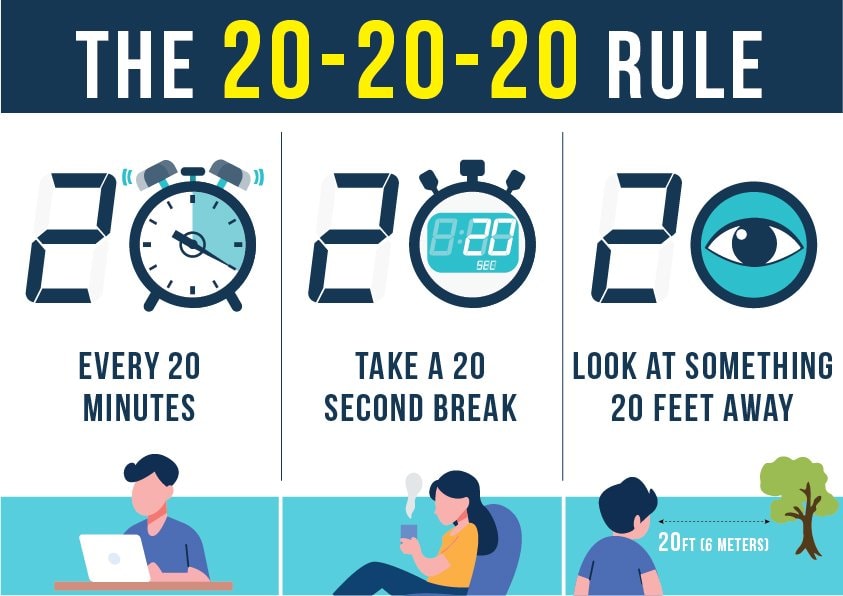
The 20/20/20 rule is one of the easiest ways to give your eyes a rest: every 20 minutes of screen time, look at an object at least 20 feet (about 6 meters) away for 20 seconds.
If possible, you should take your eyes off the screen for longer periods or combine this with standing up and doing some light exercise to reduce overall body tension.
2. Adjust the lighting in your workspace.
Ambient lighting has a significant impact on screen viewing comfort. Instead of having an overly bright office or workspace, you should reduce the ambient light intensity, ideally to about 50% of the brightness of a typical office environment.
If you work near a window, draw the curtains or use blinds to limit direct natural light from shining onto the screen. Also, avoid using overly bright fluorescent lights or lights that shine directly into your eyes.
3. Regular eye exams
Even if you don't have serious vision problems, regular eye exams are still very important. An ophthalmologist can help detect potential problems early and advise on appropriate solutions to reduce eye strain from digital devices. This is also an opportunity to update your eye care practices to suit a modern lifestyle.
4. Reduce screen brightness.
Screen glare and reflections are common causes of increased eye strain. To remedy this, you can use a matte screen or attach an anti-glare filter. If you wear glasses, ensure the lenses have an anti-reflective coating; this small detail significantly reduces eye strain during prolonged computer use.
5. Use a modern, high-resolution screen.
Older monitors, especially CRT monitors with low refresh rates, often cause significant flickering and eye strain. Choose a monitor with a refresh rate of 75Hz or higher and a high resolution. A sharp screen and smooth images make it easier for the eyes to process information, reducing strain on the retina when you have to concentrate for extended periods.
6. Reduce blue light.
Blue light emitted from screens has a short wavelength, easily penetrating deep into the eye and potentially damaging the retina if exposed for too long. To minimize harm, you can use blue light filtering glasses or enable "Night Shift" or "Eye Comfort" modes on your device. These are effective measures to protect your eyes when working at night or using devices for extended periods.


